OperationModel 2500 95
© 2015-2017 Distek, Inc. All Rights Reserved
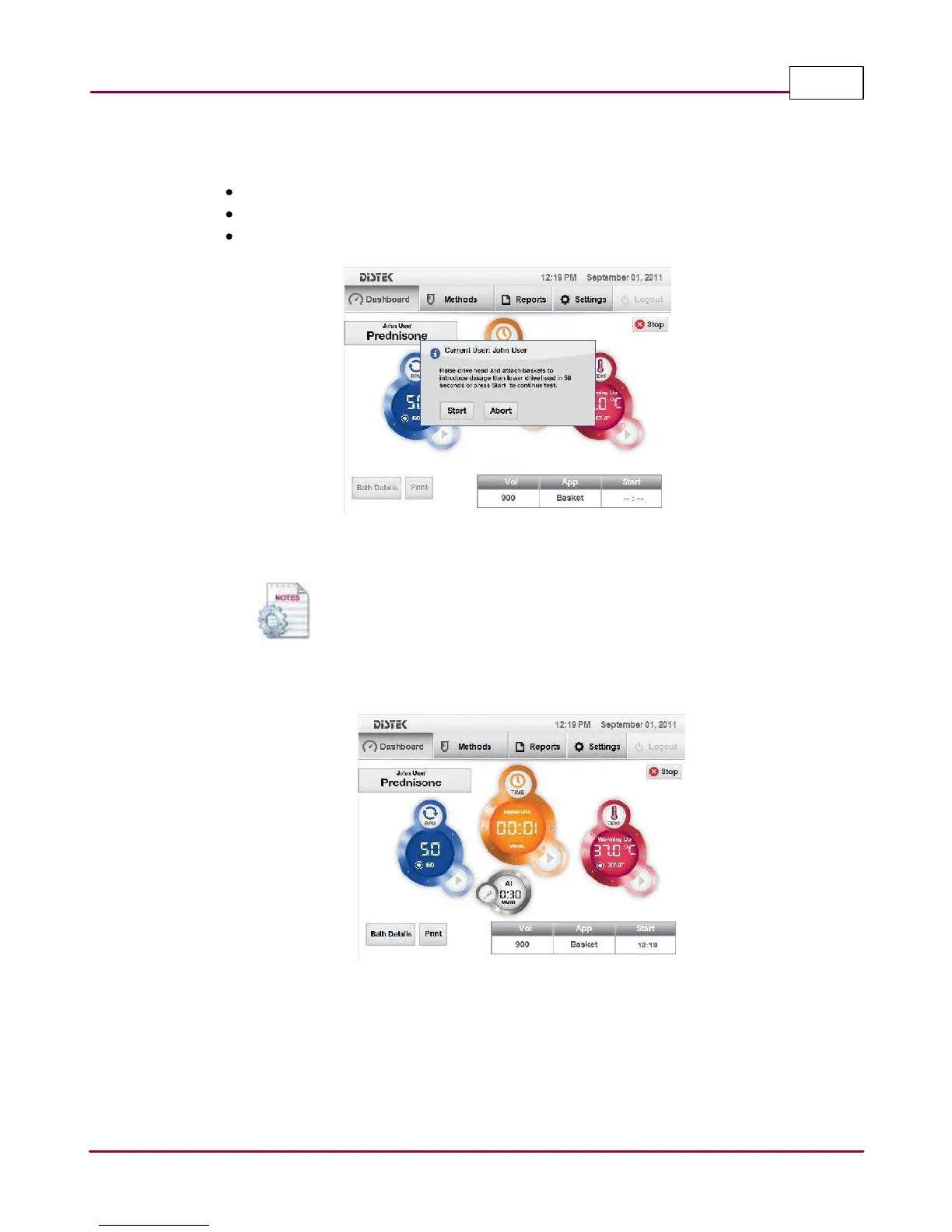
5 Another status window prompts the operator to perform the following:
Raise the drive head
Attach the baskets (with dosage)
Lower the drive head and click
Sta rt
to start timer test.
Verify, raise drive and introduce dosage
If using the countdown timer in the dialog window, lower the drive head
when the timer reaches between 3 to 5 seconds. This will allow the
stirring to start automatically.
6 Testing starts. Elapsed Time and Sampling (All
)
windows are updated.
Test started
7 Once the test reaches 20 seconds before the first sampling interval, the sampling time will
be displayed in seconds, prompting the user to get ready to collect the samples manually.
Collect all samples at zero seconds, as shown in sampling time display at zero seconds.
This step will repeat if the method is programmed to have multiple sampling intervals.



 To Next Page