InstallationModel 2500 35
© 2015-2017 Distek, Inc. All Rights Reserved
Installing and connecting the battery
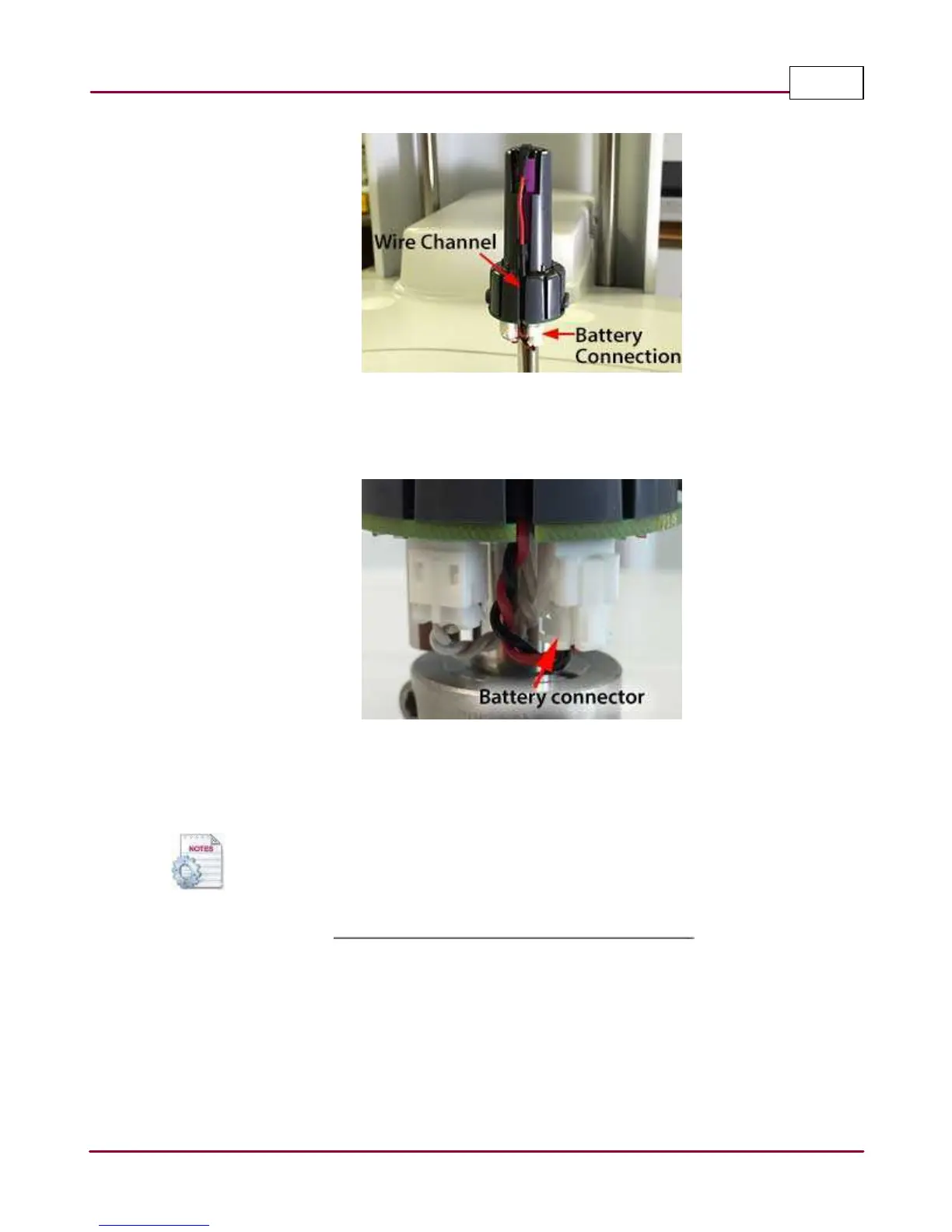
3 Connect the battery connector onto the board connector as shown. Make sure that the
connector is engaged and locked in place.
Battery connected
4 Reinstall the shaft cover. Make sure that the cover is engaged and locked in place with the
release buttons.
If the shafts needs to be removed for cleaning, it is important that the shafts
remained in their original location to maintain temperature accuracy response.



 To Next Page