Rho 1012/1030 F Software
4.5.2 H orizontal Image Alignment/Vertical Image Alignment
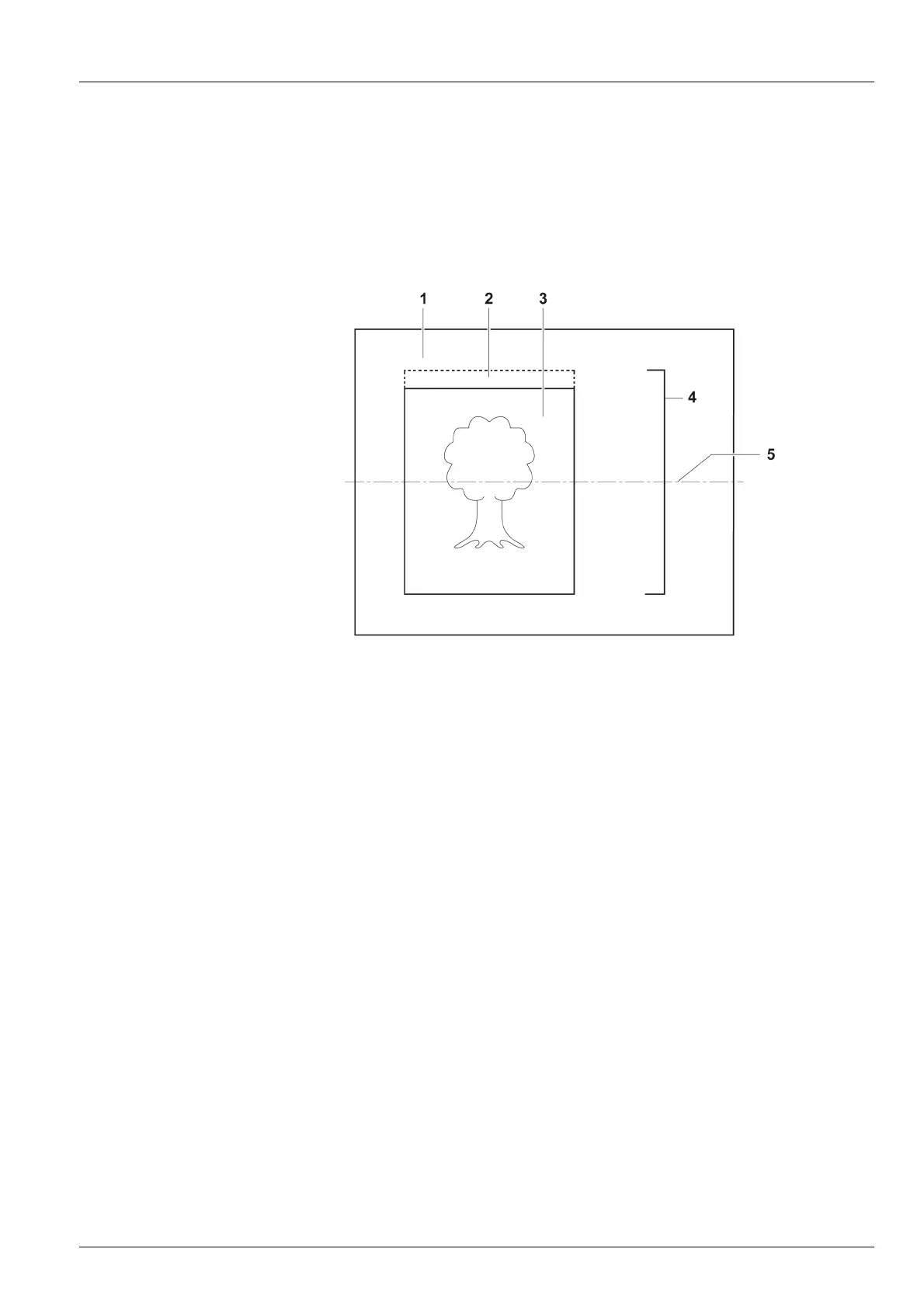
Using the buttons under Horizontal Image Alignment and Vertical Image
Alignment, you can align the image on the medium vertically (top, bottom,
centered) and horizontally (left, right, centered). Here, the image and its
defined image border (Horizontal Image Border or Vertical Image Border)
are considered to be a unit and are aligned as one.
1Medium
2 Top image border
3Image
4 Image an d i mage borde r unit
5 Vertical centering axis
Fig. 69 Alignment of image with image border (schematic example for
centered alignment)
2004 – 2013 © Durst Phototechnik AG – www.durst-online.com , Rho 1012/1030 , Issued 07/2013 111 / 147



 To Next Page