E Operation Rho 1012/1030
8 XY Cutter (optional)
The XY Cutter can be used in 2 modes:
Cuttingmode(cuttingfunctionisbeingused)
Bypass mode (cutting function is not being used)
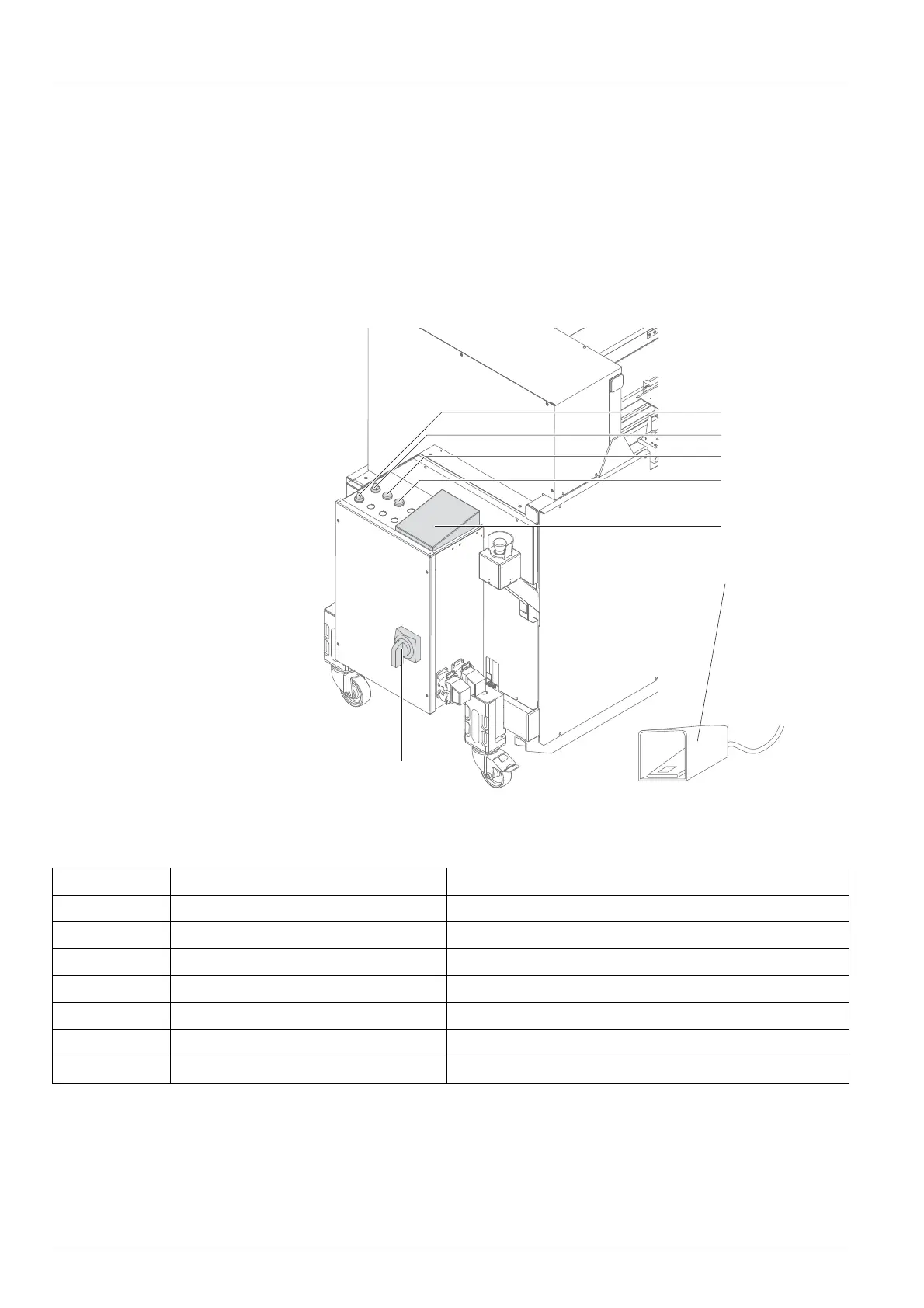
8.1 Operating elements
1 On/Off switch conveyor be lt
2 Selector switch
3 UP button
4 DOWN button
5 Operator panel
6 Footswitch
7 Main switch
2
3
4
5
7
6
1
Fig. 31 Operating elements
The operating elements have the following function:
Position
Operating elem e nt
Function
1
On/Off switch conveyor belt Switching the conveyor belt for waste on/off
2
Selector switch Switching between automatic and manual mode
3 UP button Moving the cutting unit upward
4
DOWN button
Moving th e cutting un it downward
5
Operator panel (do not use in line with printer)
6 Footswitch
Opening/closing the cutting unit
7
Main switch
Switching on/off the cutting unit
62 / 1 47 2004 – 2013 © Durst Phototechnik AG – www.durst-online.com , Rho 101 2/103 0, Issued 07/20 13



 To Next Page