E Operation Rho 1012/1030
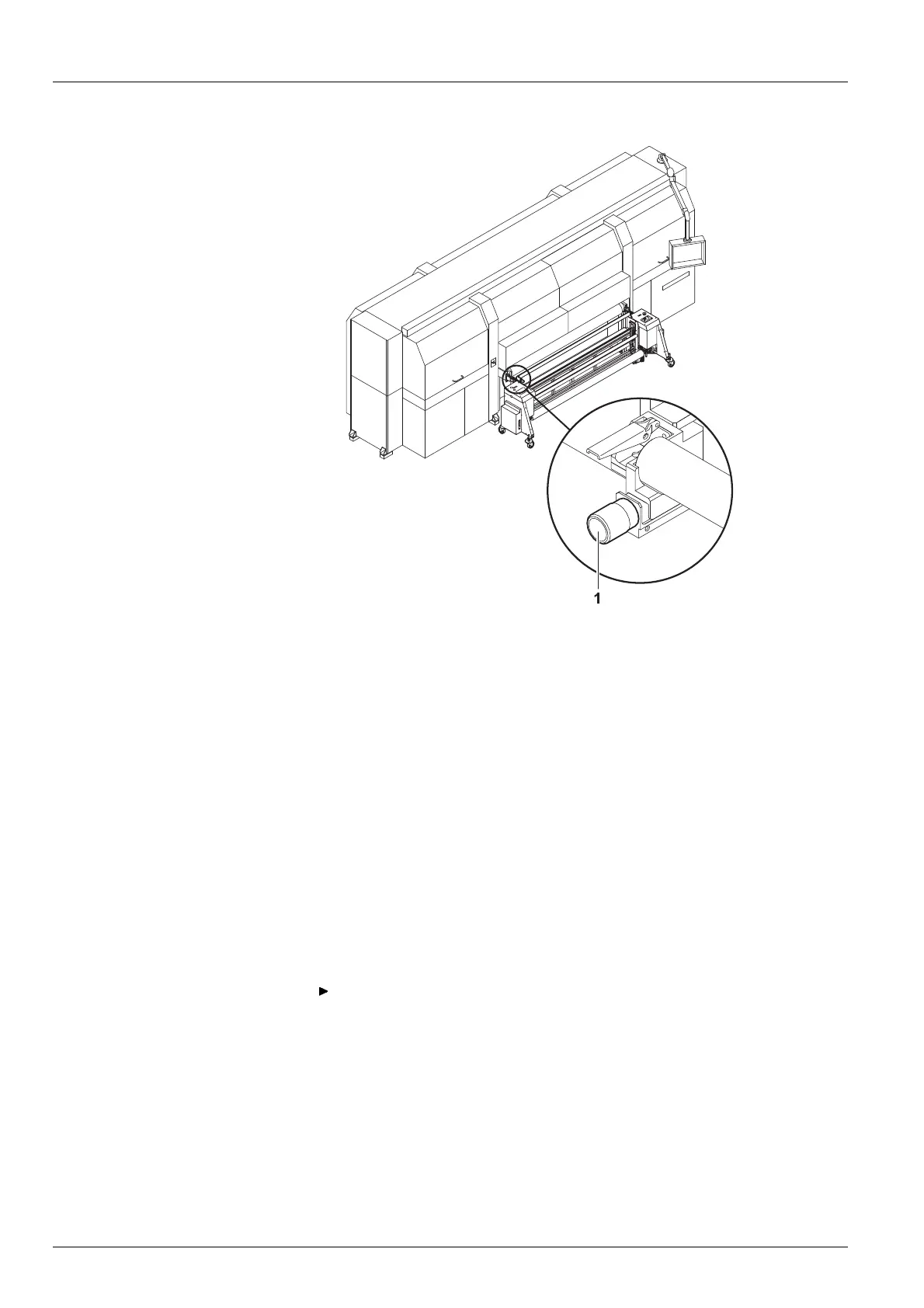
Fig. 50 Adjusting for straight running
4. If necessary, adjust the roll medium for straight running, e.g. if it is
throwing folds, with the straight-running controller (1).
10.4 Loading the roll medium (Heavy Roll Tool 60)
A roll medium is loaded consecutivel
y in the following steps:
Initiating lo ading pro ce dure in the software
Inserting roll mediu m on the loadin g side
Inserting empty core on the u
nloading side
Guiding roll medium through the printer
Commissioning unwinding and winding units
10.4.1 Initiatin g loading
procedure in the software
Load the desired media channel in the software. Ensure that Roll
Media and Heavy Roll Tool are activated in the media channel
(→ Page 104 / Managing media channels).
10.4.2 Inserting roll medium on the loading side
✔ Unwinding a
nd winding units are operating
1. Move the roll mounts of the unwinding unit to the lower position with the
DOWN button.
86 / 1 47 2004 – 2013 © Durst Phototechnik AG – www.durst-online.com , Rho 101 2/103 0, Issued 07/20 13



 To Next Page