FSoftware Rho 1012/1030
The Input Queue is already created by default and cannot be deleted.
New
New hotfolders are created with the New button.
Edit
Parameters of the selected hotfolder are modified with the Edit button.
Delete
The selected hotfolder is deleted with the Delete button.
2.3 General basic settings
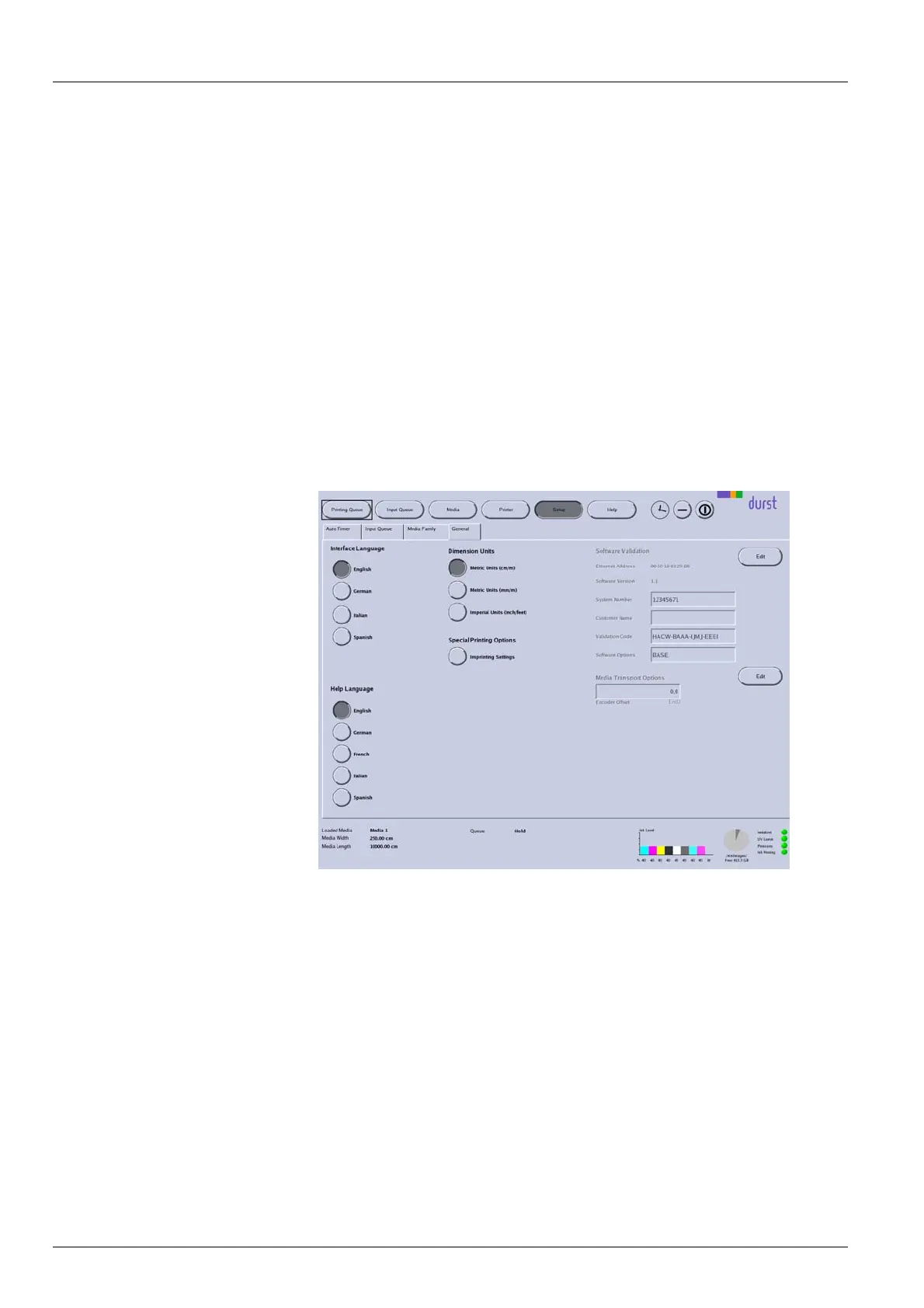
Define the following settings on the General tab:
Language
Units
Valida tion
Media transport o pt ions
Fig. 56 General tab
Media Transport Options With Media Transport Options, you can enter the global value for Encoder
Offset. The global value applies for all printing.
You can enter an additional encoder offset value for a special medium in the
corresponding medium channel. The encoder offset value in the medium
channel is then added to or subtracted from the global encoder offset value of
the General tab.
98 / 1 47 2004 – 2013 © Durst Phototechnik AG – www.durst-online.com , Rho 101 2/103 0, Issued 07/20 13



 To Next Page