G Service Rho 1012/1030
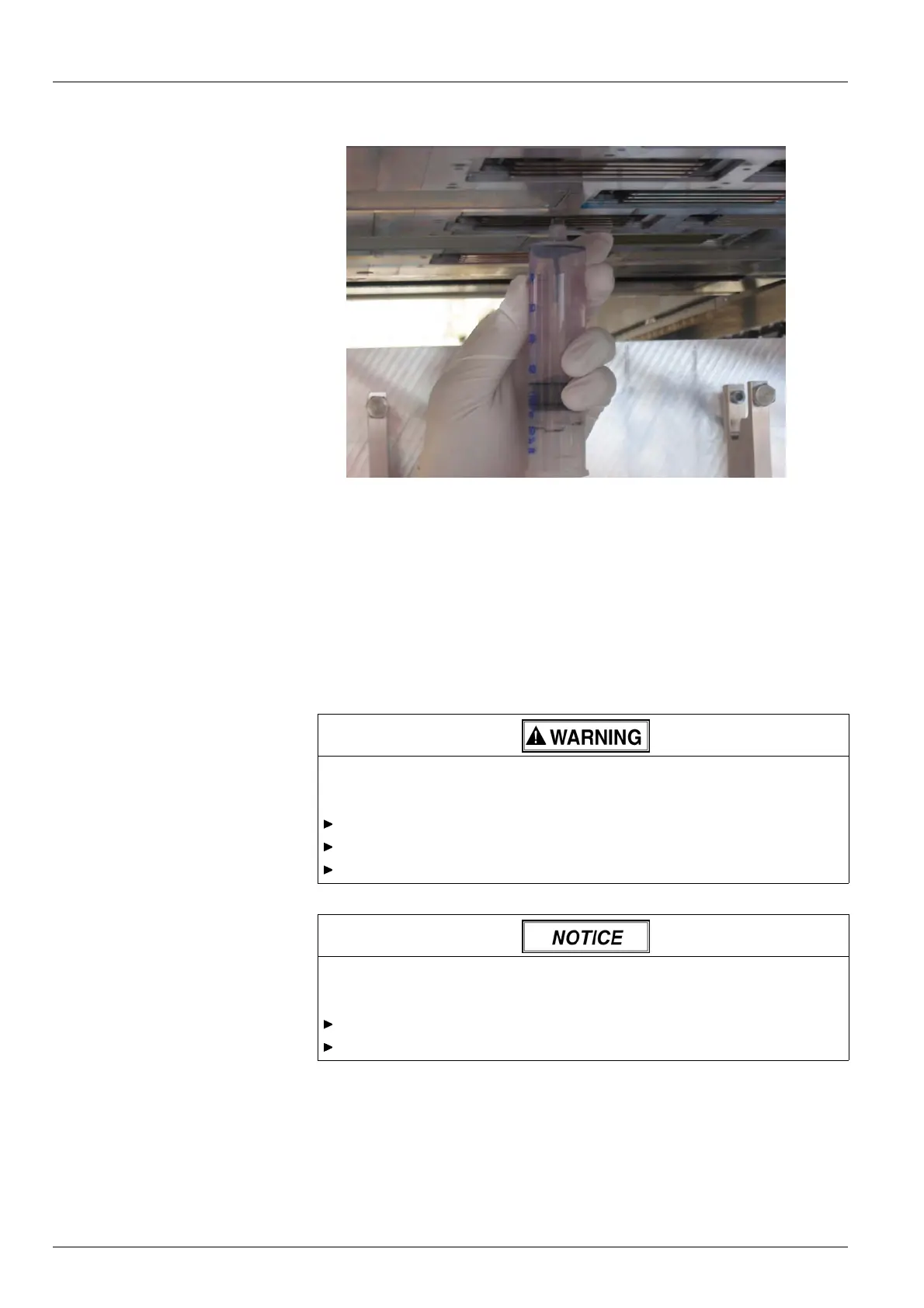
Fig. 97 Vacuuming out the print head
3. Vacuum off print head at the location of the dirty nozzles by drawing out
the s yringe piston. When doing so, move syringe back and forth approx.
2 cm several times.
4. Prepare cleaning access point for printing.
12.8 Cleaning the printing plate
12.8.1 Wiping printing plate
Contact with in k !
Health hazard
Wear protective gloves.
Wear safety goggles.
Avoid allowing ink to come into contact with skin and eyes.
Improper wiping!
Penetratio n of dirt into t he print heads
Wipe printing plate dry only.
Do not touch print heads with cleaning cloth.
1. Prepare cleaning access point (→ Page 131 / Opening/closing cl ea ning
access point).
140 / 147 2004 – 2013 © Durst Phototechnik AG – www.durst-online.com , Rho 101 2/103 0, Issued 07/20 13



 To Next Page