Rho 1012/1030 G Service
Unsuitable ink!
Damage to the print heads
Use only Durst ink.
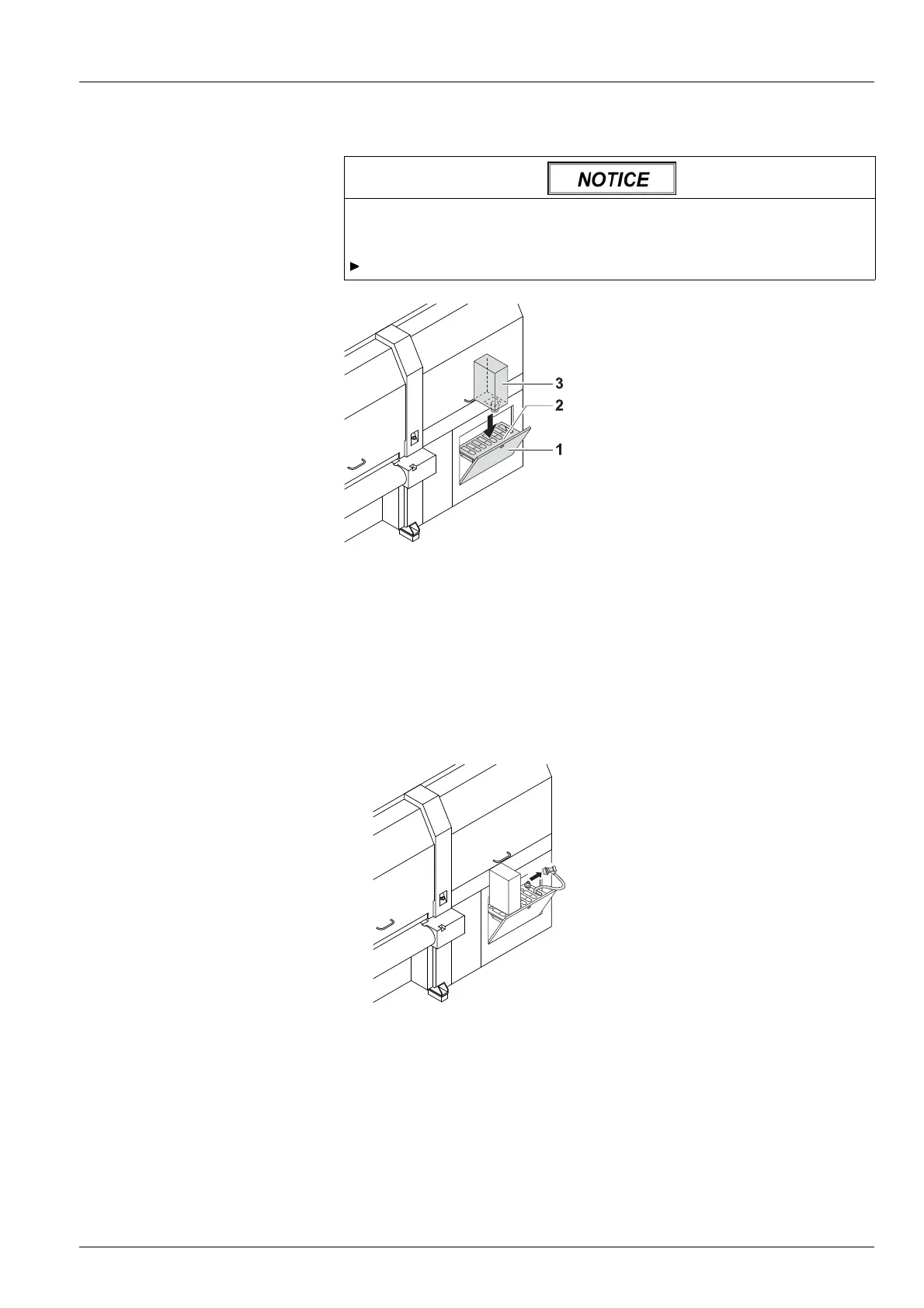
Placing cubitainer into the
loading compartment
Fig. 76 Placing cubitainer into the loading compartment
1. Pull out cover (1) of the loading compartment (2).
2. Prepare cubitainer (3) for the desired color (Y
,M,CorK).
3. Shake cubitainer.
4. Place cubitainer with the connector facing downwards in the loading
compartment.
Starting refilling procedure
✔ The cubitainers are located in the loading compartment
Fig. 77 Removing the filling hose from the park po s ition
5. Once the ink has been identified correctly, remove the respective filling
hose from the park position.
2004 – 2013 © Durst Phototechnik AG – www.durst-online.com , Rho 1012/1030 , Issued 07/2013 121 / 147



 To Next Page