SV-EMS-220 Installation and Configuration
SkyView System Installation Guide - Revision K 7-55
Example Oil Temperature Sensor Setup
Assume this sensor was mapped on the Sensor Input Mapping Wizard as:
5/8”-18 NPT FLUID TEMP (100409-000)
Now, we want to configure its alert and graphical properties. Go to the Sensor Setup Menu and
open the OIL TEMPERATURE Page (SETUP MENU > EMS SETUP > SENSOR SETUP > OIL
TEMPERATURE).
Configure OIL TEMPERATURE with the following properties:
ALARM: LATCHING
MAXIMUM GRAPHICAL DISPLAY: 260 °F
MINIMUM GRAPHICAL DISPLAY: 80 °F
RANGE 1
o ENABLE YES
o COLOR YELLOW
o TOP 165 °F
o BOTTOM 80 °F
RANGE 2
o ENABLE YES
o COLOR GREEN
o TOP 220 °F
o BOTTOM 165 °F
RANGE 3
o ENABLE YES
o COLOR YELLOW
o TOP 240 °F
o BOTTOM 220 °F
RANGE 4
o ENABLE YES
o COLOR RED
o TOP 260 °F
o BOTTOM 240 °F
RANGE 5
o ENABLE NO
o COLOR RED
o TOP 5 °F
o BOTTOM 0 °F
Note that oil temperature is configured with a latching alarm in this example. If oil
temperature ever reaches a range configured as red, an alarm will trigger and a
message will show up in the message box on the Main Menu.
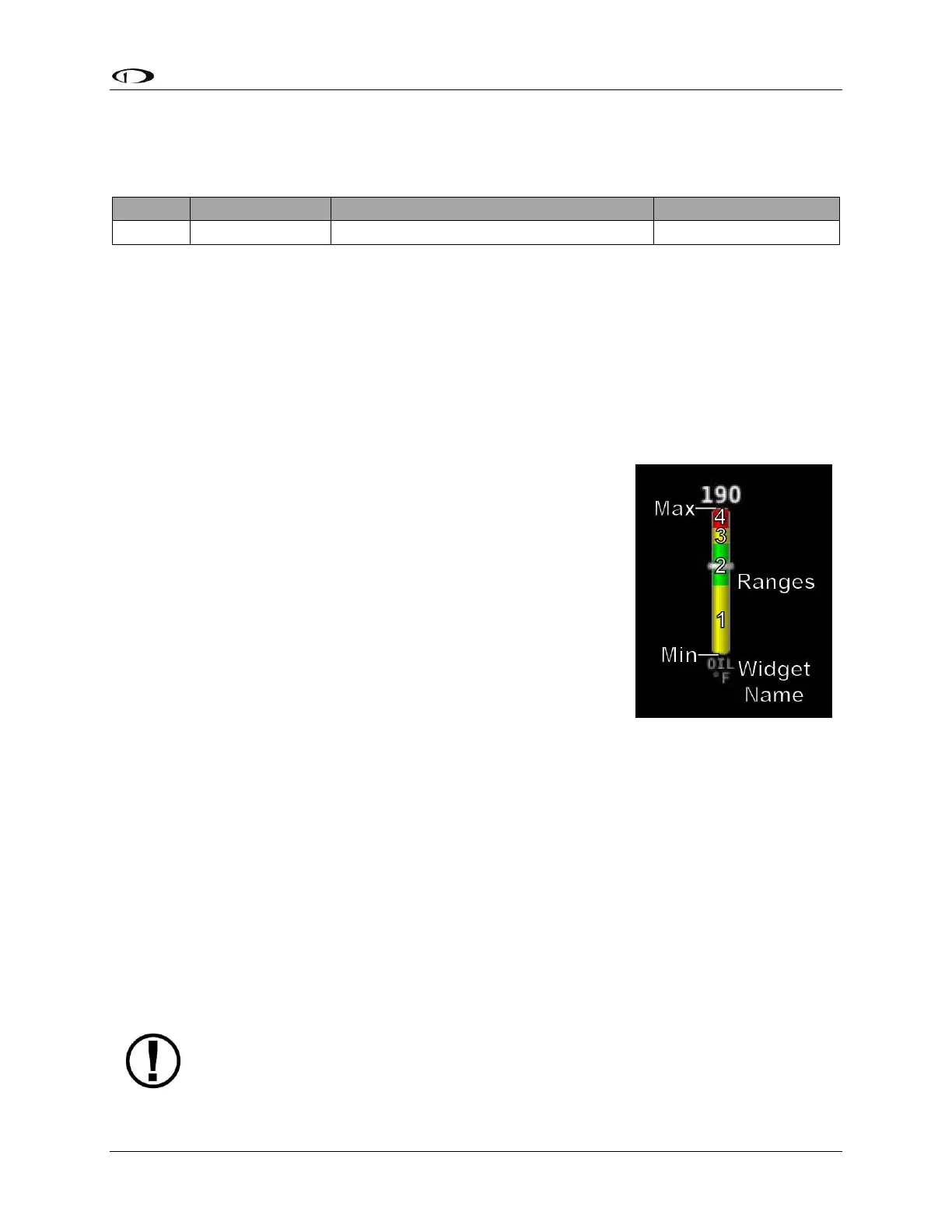
Figure 43–Anatomy of a
Widget: Oil
Temperature



 To Next Page