Autopilot Servo Installation, Configuration, and Calibration
10-22 SkyView System Installation Guide - Revision K
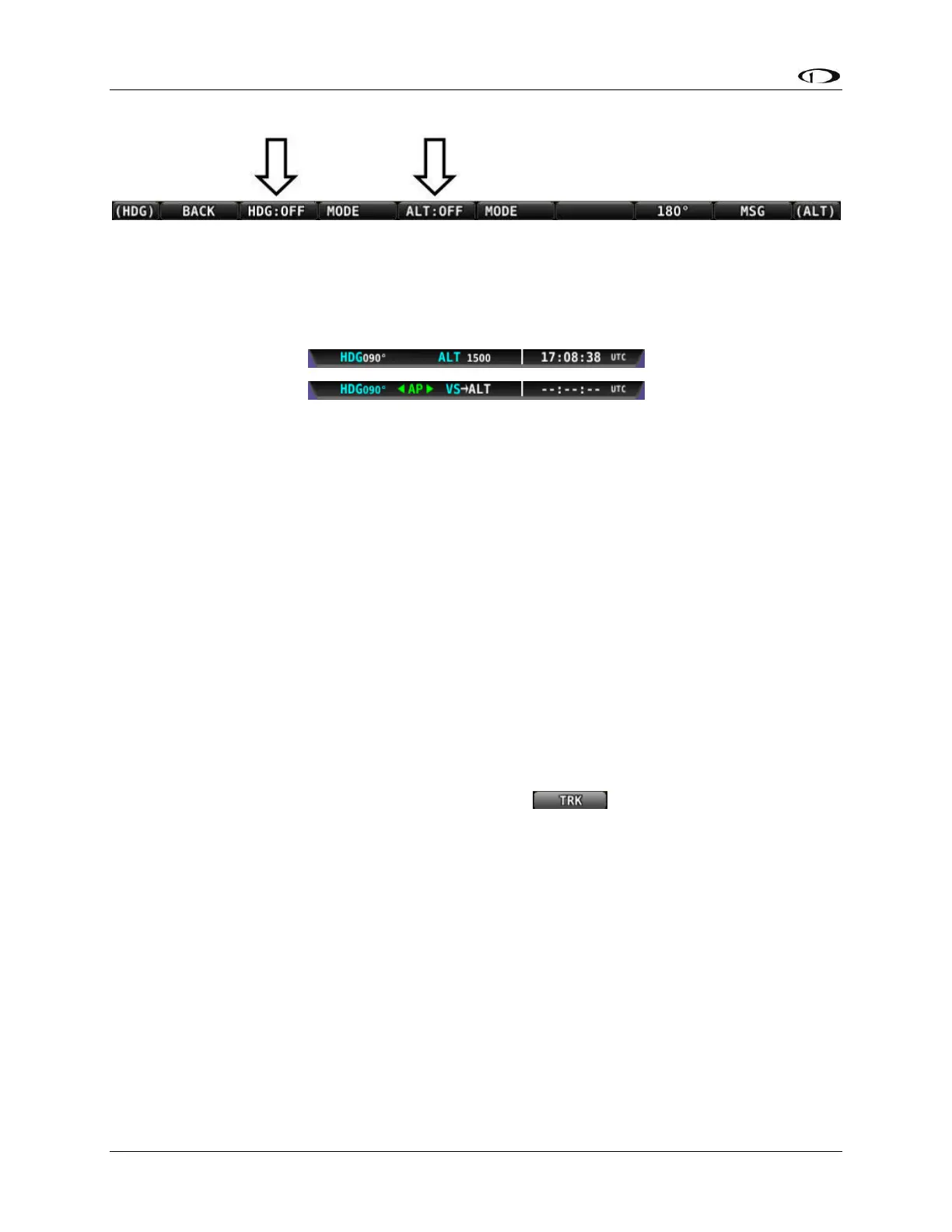
Figure 62–Disengage the Autopilot in the AP Menu
Before commencing the remaining autopilot configuration steps, verify (on the ground with 0
airspeed indicated on the SkyView PFD) that the autopilot status on the Top Bar indicates the
autopilot is off.
Figure 63–Example Top Bars
The first Top Bar example in Figure 63 indicates the autopilot is disengaged by the absence of
AP. The bottom Top Bar example in the figure indicates that both autopilot axes are
engaged. The arrow to the left of AP denotes an engaged roll axis and the arrow to the right of
AP denotes an engaged pitch axis. Reference the SkyView Pilot’s User Guide for more
information regarding autopilot symbology in the Top Bar.
Roll Servo Flight Tuning Procedure
This procedure tunes the roll autopilot servo and thus, the flight characteristics of the aircraft in
heading holds and turns. This procedure should be performed with the autopilot roll axis in
track (TRK) mode, where the purpose of the autopilot is to keep the aircraft’s GPS ground track
aligned with the track bug.
Use the following procedure to arm the roll axis in track mode:
1. Enter the AP Menu (MAIN MENU > AP).
2. Press button 3, MODE.
3. Press TRK. It should be highlighted and look like and the AP Menu will
automatically show up on the screen and show a TRK:OFF label above button 2.
Note that the heading (HDG) bug under the DG changes to the track (TRK) bug in track mode.



 To Next Page