Basic SkyView Display Operation
SkyView System Installation Guide - Revision K 3-7
How to Manually Adjust the Backlight Brightness or Dim Level
Press SCREEN on the Main Menu and then press DIM (this is the Dim Menu). To decrease or
increase the backlight brightness press DEC- or INC+, respectively. To set the backlight
brightness to 100%, press FULL. Press BACK twice to exit the Dim Menu and return to the Main
Menu.
If the display is set to automatic or external backlight brightness control, this operation will
toggle the backlight brightness control to manual mode. You can determine if there was a
change in control mode by the label over button 7 in the Dim Menu. If the display was set to
manual mode in the Setup Menu, there will be no label. If the display was set to automatic or
external, the label will toggle between MANUAL and AUTO or MANUAL and EXTERNAL,
respectively. When set to MANUAL, you can change the display brightness by using the DIM
item under the joystick function menu (described in the next section).
Reference the Display Setup Section of this guide for instructions on specifying the display’s
backlight brightness control method.
How to Enter the Joystick Function Menu
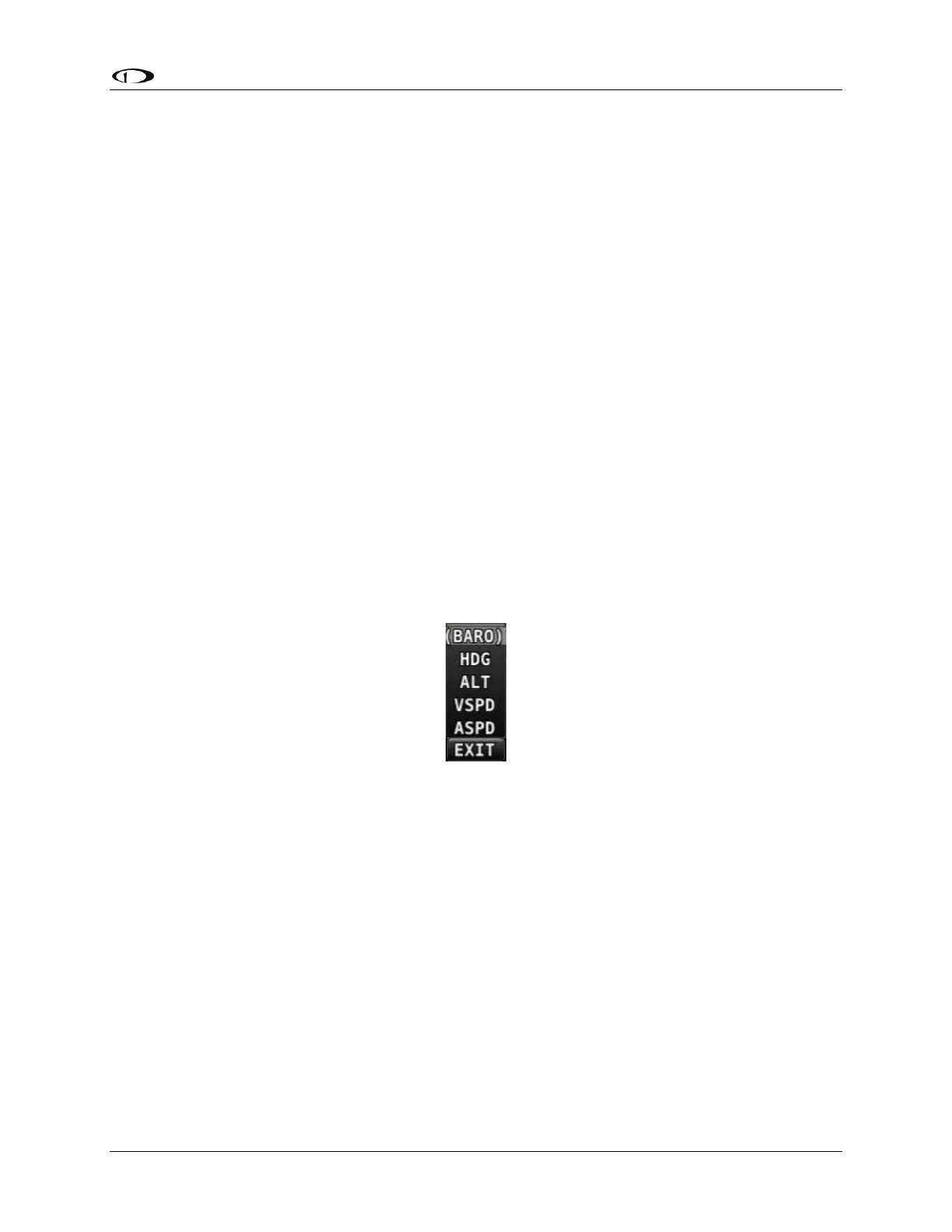
Move a joystick up, down, left, or right to enter its Joystick Function Menu. These menus are
used to specify which bug that joystick adjusts if rotated. For example, joystick 1 could be set to
adjust the heading bug and joystick 2 could be set to adjust the altitude bug.
Figure 13 illustrates the joystick menu.
Figure 13–Joystick Menu
To set the function of a joystick:
1. Move a joystick up, down, left, or right to enter a Joystick Function Menu.
2. Choose the joystick function by moving the joystick up or down.
3. Confirm the highlighted function by moving the joystick left or right.
If the Map Page is onscreen, the joystick closest to the Moving Map is labeled (RNG) and is used
to adjust the map’s range. It cannot be assigned a different function.
How to Enter the Setup Menus
There are two setup menus: the Setup Menu and the In Flight Setup Menu. Simultaneously
pressing and holding buttons 7 and 8 will open one of these menus. If airspeed is zero, the
Setup Menu opens. If airspeed is greater than zero, the In Flight Setup Menu opens.



 To Next Page