OPERATION
25364 Issue 8 March 2018 3-45
ALERT CONFIGURATION
Configure Alerts
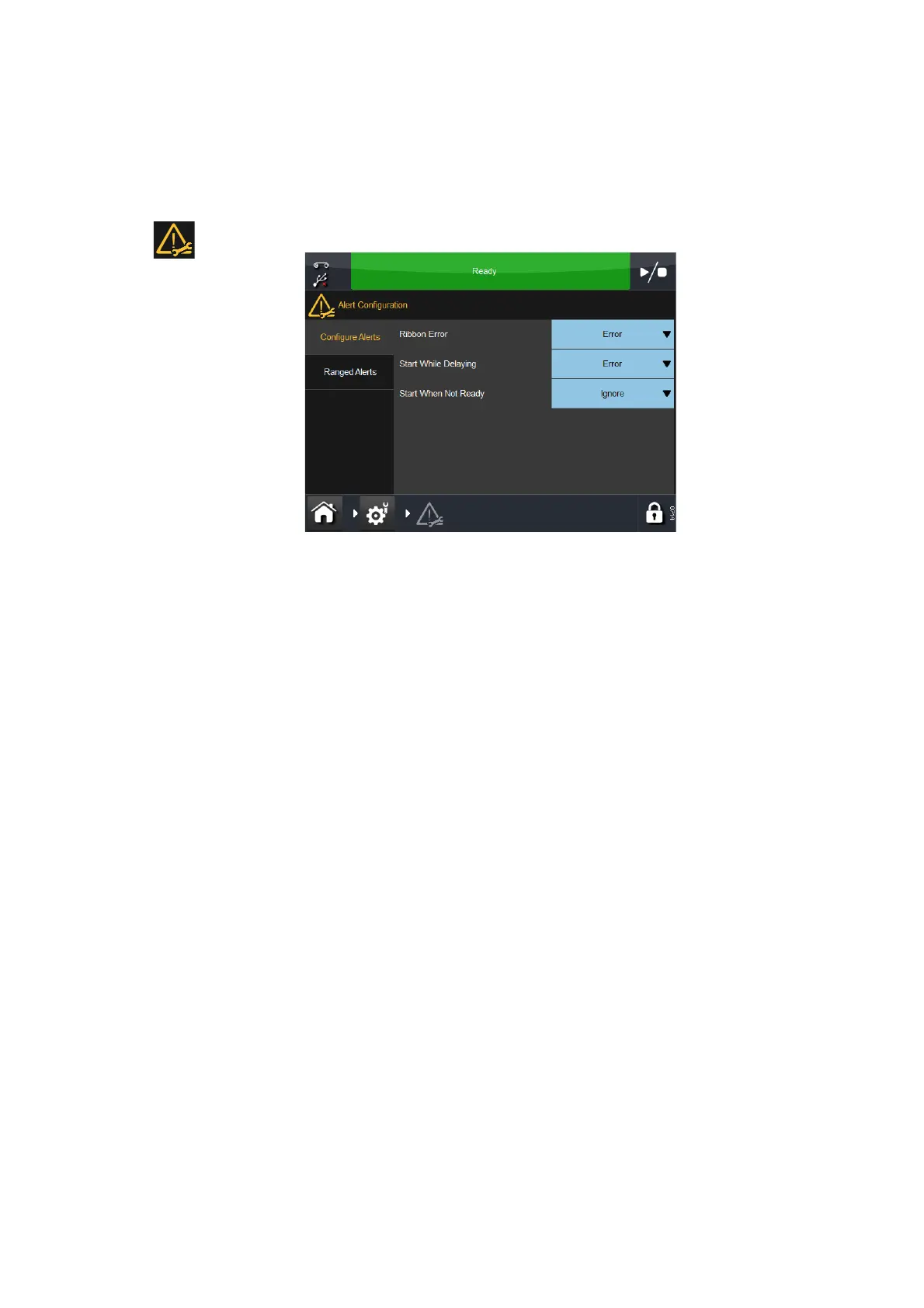
Go to Settings > Alert Configuration to configure errors / warnings:
Note: The screen above shows configurable alerts in IM. CM has more
alert configuration options.
It is possible to change the alert level for some alerts. In the above example,
the
Ribbon Error is currently a Warning. By selecting this pull-down menu,
the error can be changed to:
• Warning - Status bar will change to amber, select the status bar to see
mor
e details or clear the alert. The printer will continue to operate on an
amber alert
• Error - Status bar will change to red, select the status bar to see more
de
tails or clear the alert. The printer will cease to operate until the alert
is cleared.
Note: Use the ‘Ignore’ feature ONLY for test purposes. When an error
occ
urs and the operator selects this feature, the printer
continues to operate and no alert / warning screen appears.
Use the pull-down menus to configure alerts for ‘Start When Delaying’ and
‘Star
t When Not Ready’.
For a full listing of possible errors, see “List Of Errors” on page 4-39. Also
see “Print Problems” on page 4-61.
For a full list of configurable alerts see bellow:
Ribbon Error: When the ribbon is used or broken, the system has two
independent ways of detecting the fault.
• A dancing arm activates the ribbon alarm sensor
• The ribbon roll has rotated without any movement of the dancing arm.



 To Next Page