MAINTENANCE, SERVICE AND FAULT FINDING
4-14 25364 Issue 8 March 2018
Align Small Stepper Motor Gears
Fitting the small stepper motor gears onto the plastic side arm teeth is
crucial to proper printer operation.
Perform this procedure after changing either:
• Any parts of the print head actuator mechanism OR
•The small stepper motor.
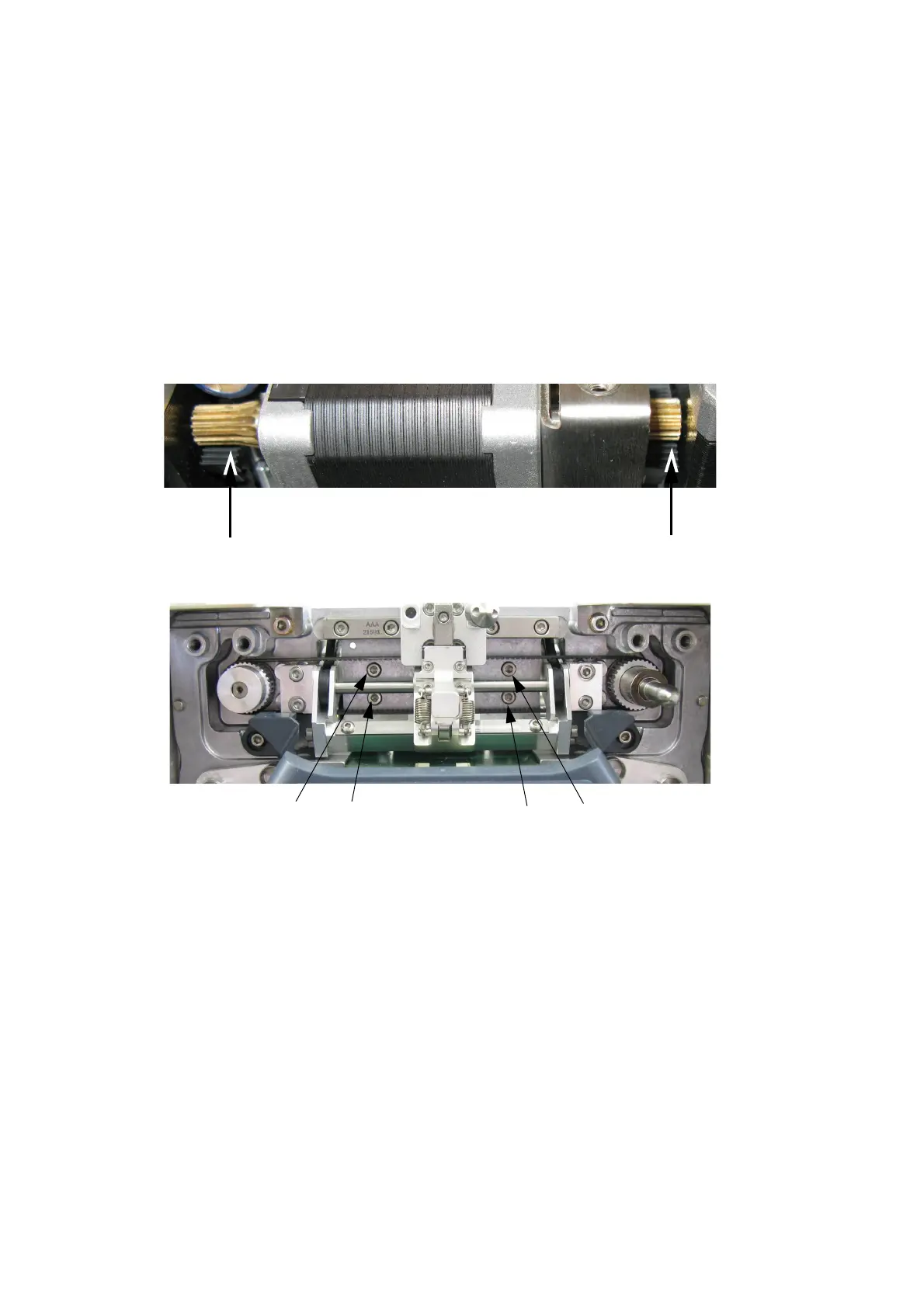
To align the gears on the plastic side arm teeth:
(1) Push the side arms towards the inside of the printer until they stop, as
arr
ows show in the following photo:
(2) As shown in the following photo, loosen the four screws that hold the
small stepper motor bracket on to the printer baseplate:
Note: In the above photo, the print head has been removed.



 To Next Page