DESCRIPTION AND INSTALLATION
25364 Issue 8 March 2018 2-35
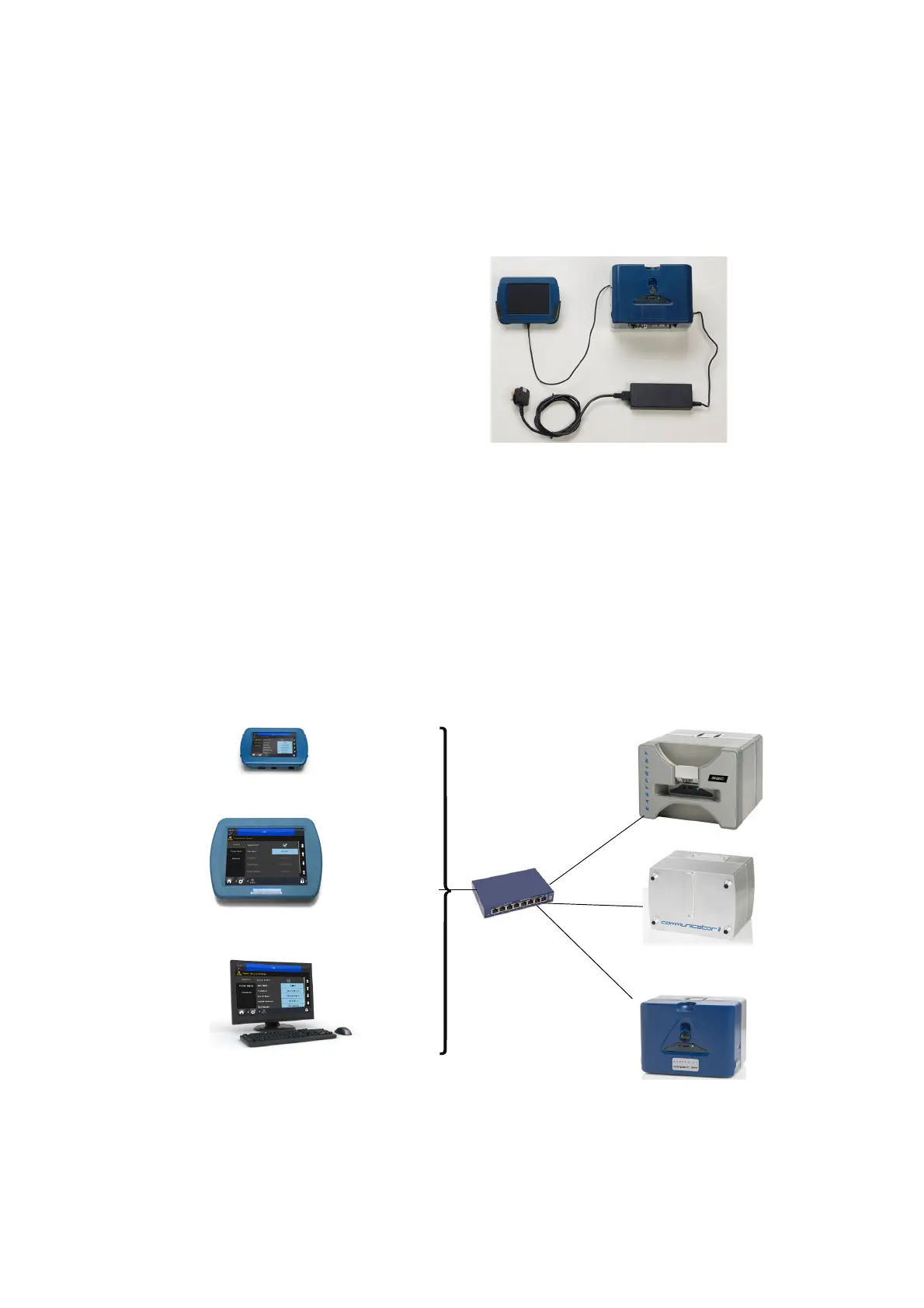
Compact Touchscreen to One Printer
- Compact 32d, 32c and 53c
The Compact Touchscreen can be connected to the printer via direct USB
connection (no network.)
- One Compact Touchscreen
connects to one printer at a time
- Connect Compact Touchscreen
at rear or front USBA
- Compact Touchscreen can be
“hot swapped”
between many printers
Direct USB Connection - No Network
Compact Touchscreen / Touchscreen / PC to
Networked Printers
CAUTION: Power over Ethernet. Risk of equipment damage.
Use optional adapter cable EPT031606 to provide a
DC block if the network equipment is susceptible to
damage by Power over Ethernet from the printer.
An example network diagram follows, in which a Compact T
ouchscreen,
Touchscreen or PC can be connected to several networked printers:
Touchscreen
Communicator II
Compact 32d
Switch
PC
Compact
Touchscreen
Example Network
OR
OR
Compact 32c / 53c



 To Next Page