OPERATION
25364 Issue 8 March 2018 3-47
PRINTER SETUP
Production Line Setup
To add a printer to a production line or change the setup, select Production
Line Setup. If the Home screen buttons are not set to default, the
Production Line Setup can be found at: Settings > Production Line Setup.
Line Movement
Set details of the Production Line, whether the substrate / printer are
operating in Continuous Mode (CM) or Intermittent Mode (IM):
• Li
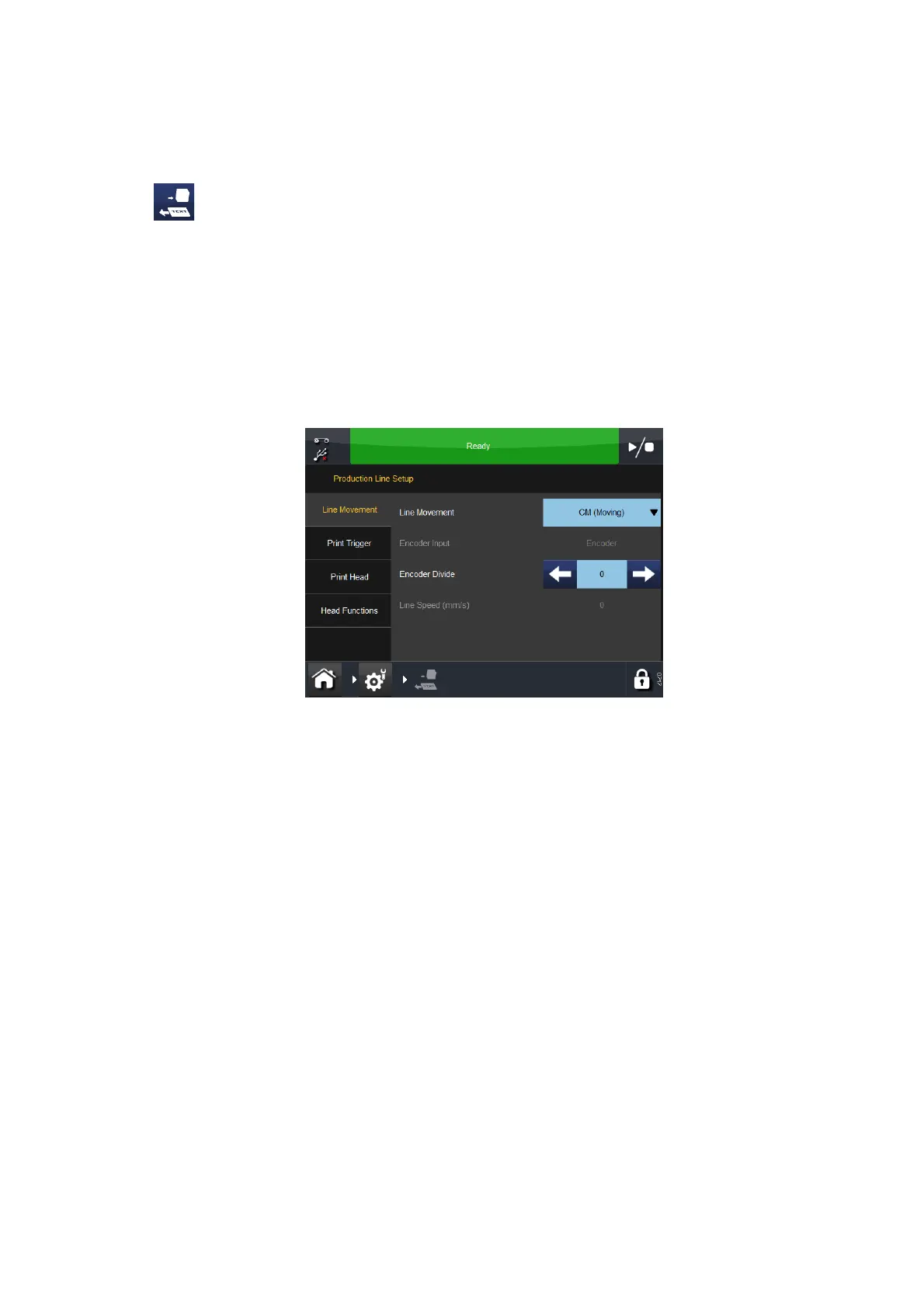
ne Movement: At the pull-down menu, select CM (Moving), IM
(Static) or Cancel.
Line Movement - CM (Moving)
If the printer is set to CM, the following features will be displayed:
• Encoder Divide: This
is the factor by which the encoder signal is
divided by. The default value is 0.
• Li
ne Speed (mm/s): This is the figure as measured by the encoder.
The current read-only Line Speed is updated every few seconds.
If the printer is set to IM, the encoder input settings are displayed but
cannot be
changed.



 To Next Page