DESCRIPTION AND INSTALLATION
25364 Issue 8 March 2018 2-33
CONNECTIVITY - COMPACT 32D, 32C AND
53C
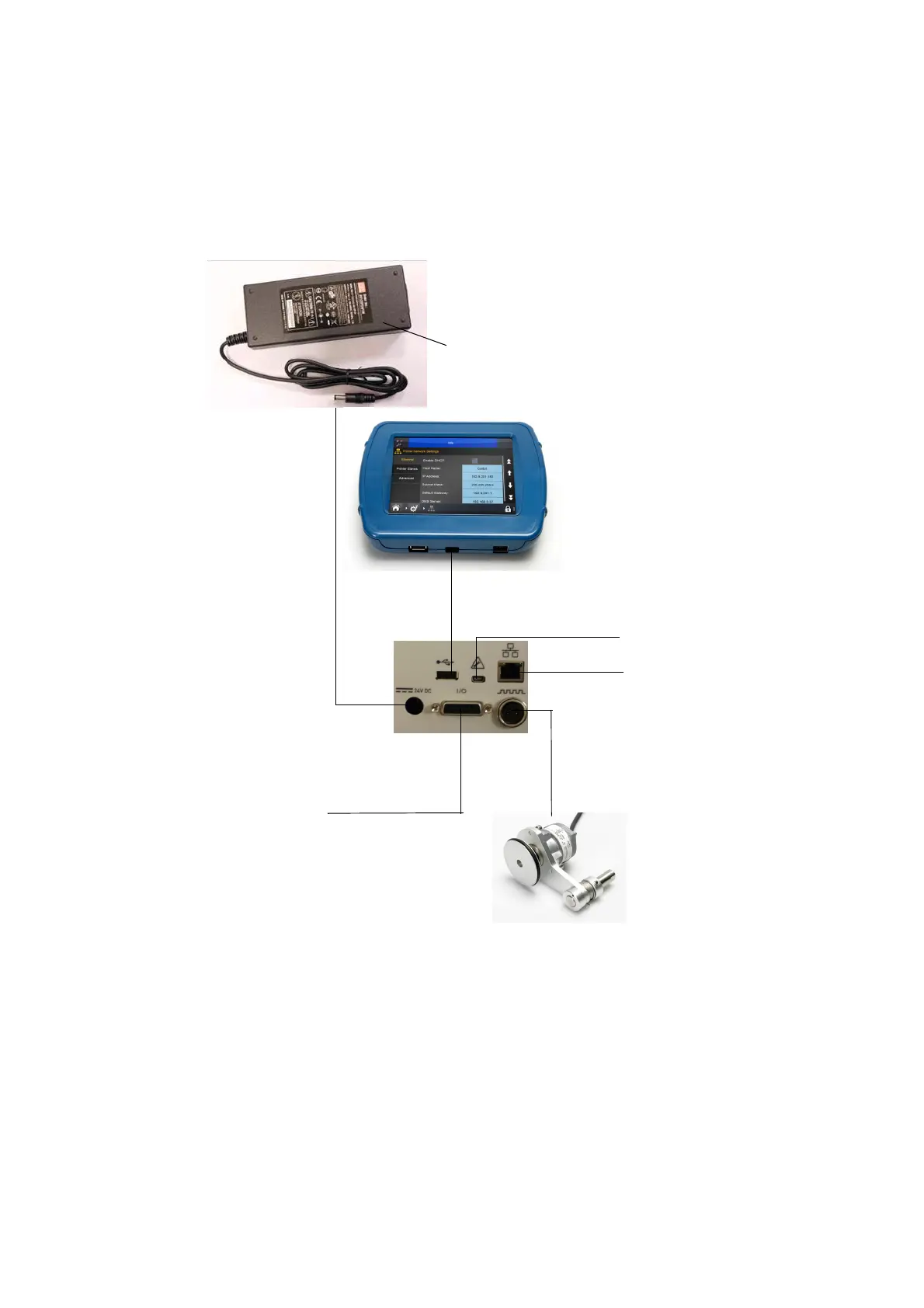
The following diagram shows general connectivity for the printer. This
example shows a Compact Touchscreen connected directly via USB.
From Mains
Shaft Encoder
Mains PSU P/N EPP002214SP
Ethernet cable port
(to connect to PC or
network)
2
CAUTION: Socket
provides Power
over Ethernet (PoE)
Compact Touchscreen to USBA
Mini USB
1
Packaging
Machine
I/O Cable
P/N
EDP002215SP
Notes: (1) The rear USBA and Mini USB connections share a port and
therefore cannot be used together.
(2) To connect the printer to a network, see “Compact Touchscreen
to One Printer - Compact 32d, 32c and 53c” on page 2-35. To
connect the printer to a PC or laptop, see “PC or Touchscreen
to One Printer” on page 2-37.



 To Next Page