MAINTENANCE, SERVICE AND FAULT FINDING
25364 Issue 8 March 2018 4-35
Procedure
Activate the appropriate sensor and observe the display readings obtained.
Note: Except for the ‘Printer Open’ sensor
, all sensors are Hall Effect
devices.
The values obtained are as follows:
0 = No value read
1-99 = Background noise
100-1000 = Working range
1024 = Saturated reading
Note: The Ribbon Alarm sensor must be
above 400 when the dancing
arm is in the topmost position.
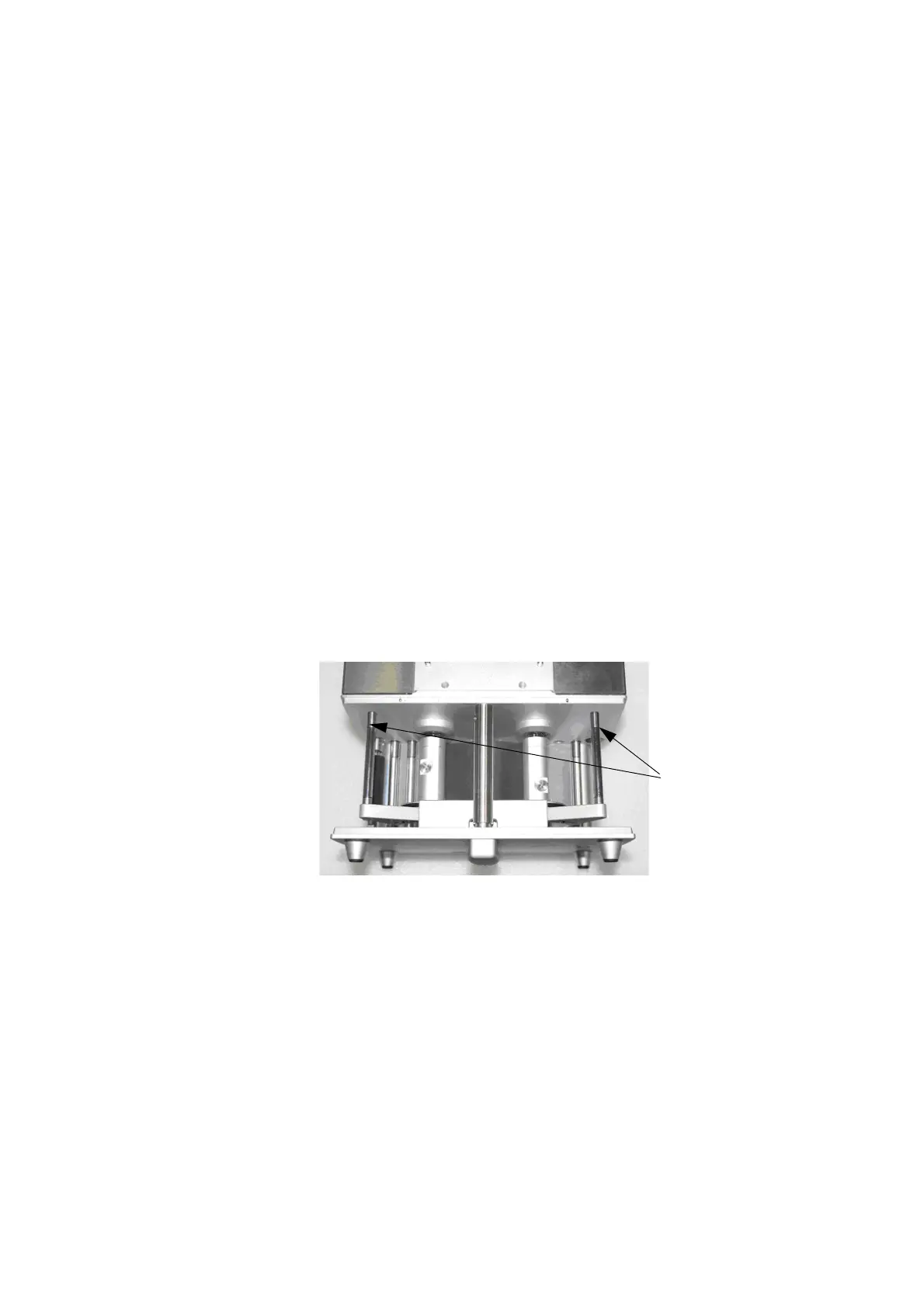
Arm 'Sensors' - Remove the cover to gain access to the dancing arms,
with the cassette inserted and the power switched on.
Open the cassette handle by pulling it out but do not remove the cassette
assembly, this will prevent the ribbon motors interfering with the tests being
conducted.
Physically move one dancing arm at a time and observe the readings on the
screen.
The ribbon alarm sensor must activate when the dancing arm is in the
upper position.
Dancing arms
with magnets
Pull the
cassette
Handle out
but do not
remove
cassette
before
starting
tests
See also “Arm 1 (Left and Right)” on page 4-31.



 To Next Page