MAINTENANCE, SERVICE AND FAULT FINDING
4-18 25364 Issue 8 March 2018
(9) Adjust the print head adjusting rod to set the print head angle. See
the next section, “Adjusting the Print Head Angle”.
Adjusting the Print Head Angle
Note: Tool required: 2.5mm Allen key
The print head angle may be used to adj
ust print quality. In most cases the
default head position is suitable but for high-speed applications increasing
the angle may help. Conversely, for slow applications reducing the angle
may increase print quality.
For Compact 32d, 32c and 53c: The print head angle is embossed on the
side of the print head angle block, the default is 27°.
To adjust the print head angle on Compact 32d, 32c and 53c:
(1) Remove the print head, as described in “Replacing The Print Head”
on page 4-7.
(2) Replace the mounting block with the desired angle.
(3) Refit the print head.
To adjust the print head angle on the
Communicator II:
(1) Remove the print head cover.
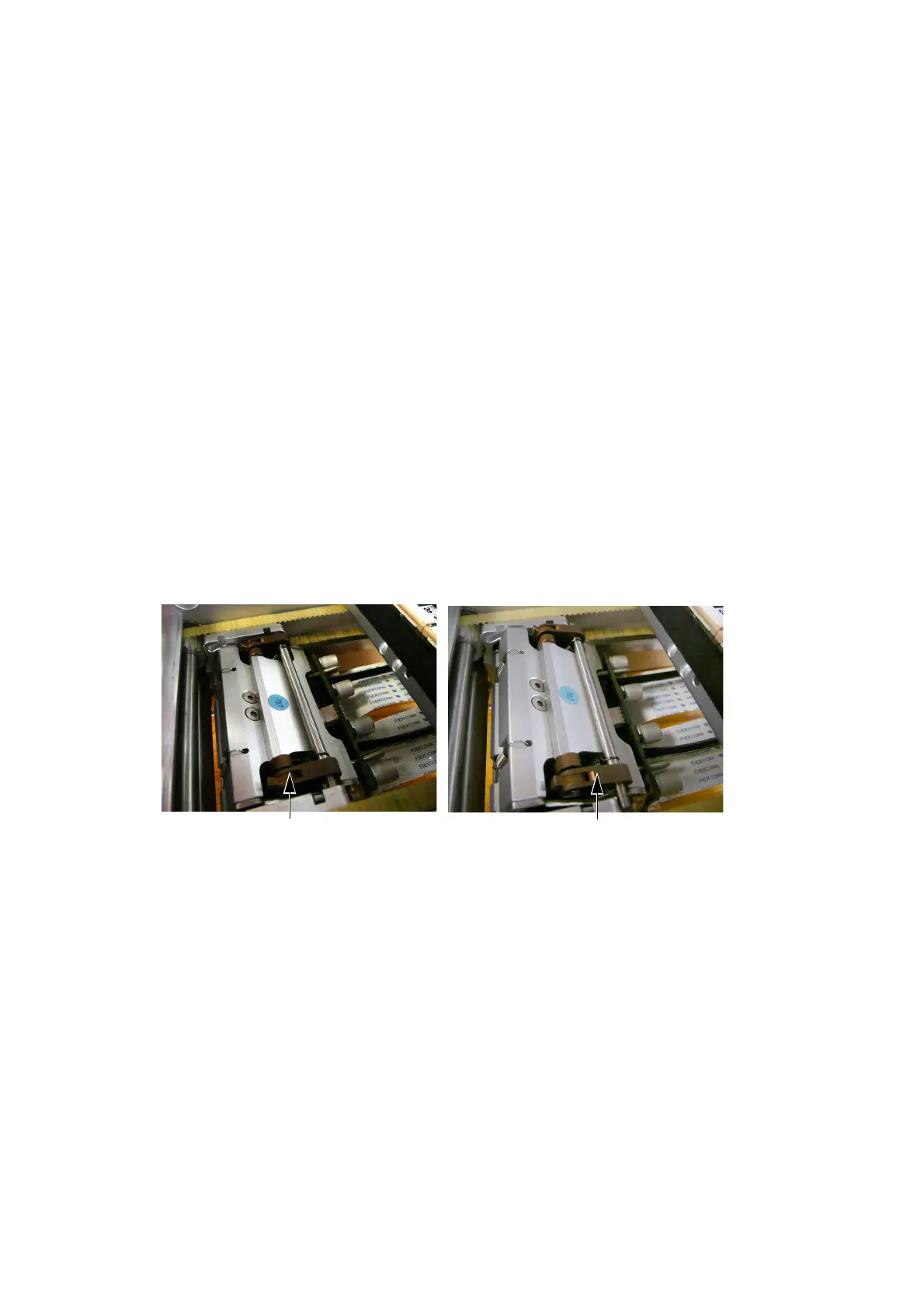
(2) Unlatch the actuator.
Actuator in Latched Position
Actuator in Unlatched Position
(3) Loosen the lock screw.
(4) Rotate the adjustment screw to adjust the head.



 To Next Page