MAINTENANCE, SERVICE AND FAULT FINDING
25364 Issue 8 March 2018 4-17
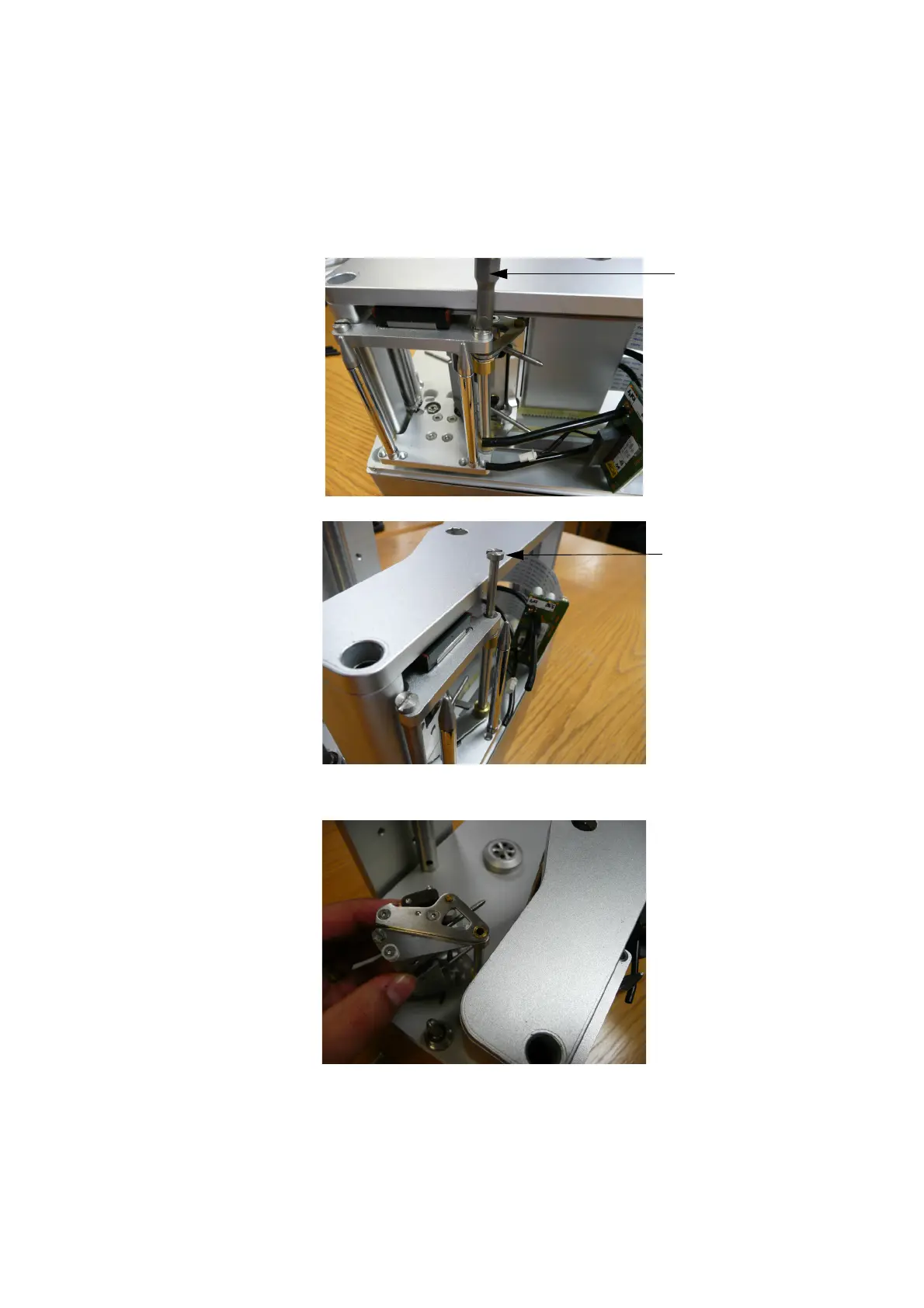
(6) Loosen and remove the distance screw that the actuator rotates
around.
Note: Remove ONLY the distance screw that holds the actuator. This
distance screw
is on the right side for a right-hand printer and
left side for a left-hand printer.
Loosening
the Distance
Screw
Removing
the Distance
Screw
(7) Remove the actuator.
(8) Mount the new actuator in reverse order, remembering to apply the
thread locker when mounting the distance screw.



 To Next Page