OPERATION
3-34 25364 Issue 8 March 2018
ADJUSTING PRINTING PARAMETERS
Global Print Settings
This sets the print settings for new messages and any parameters that are
not saved with the messages.
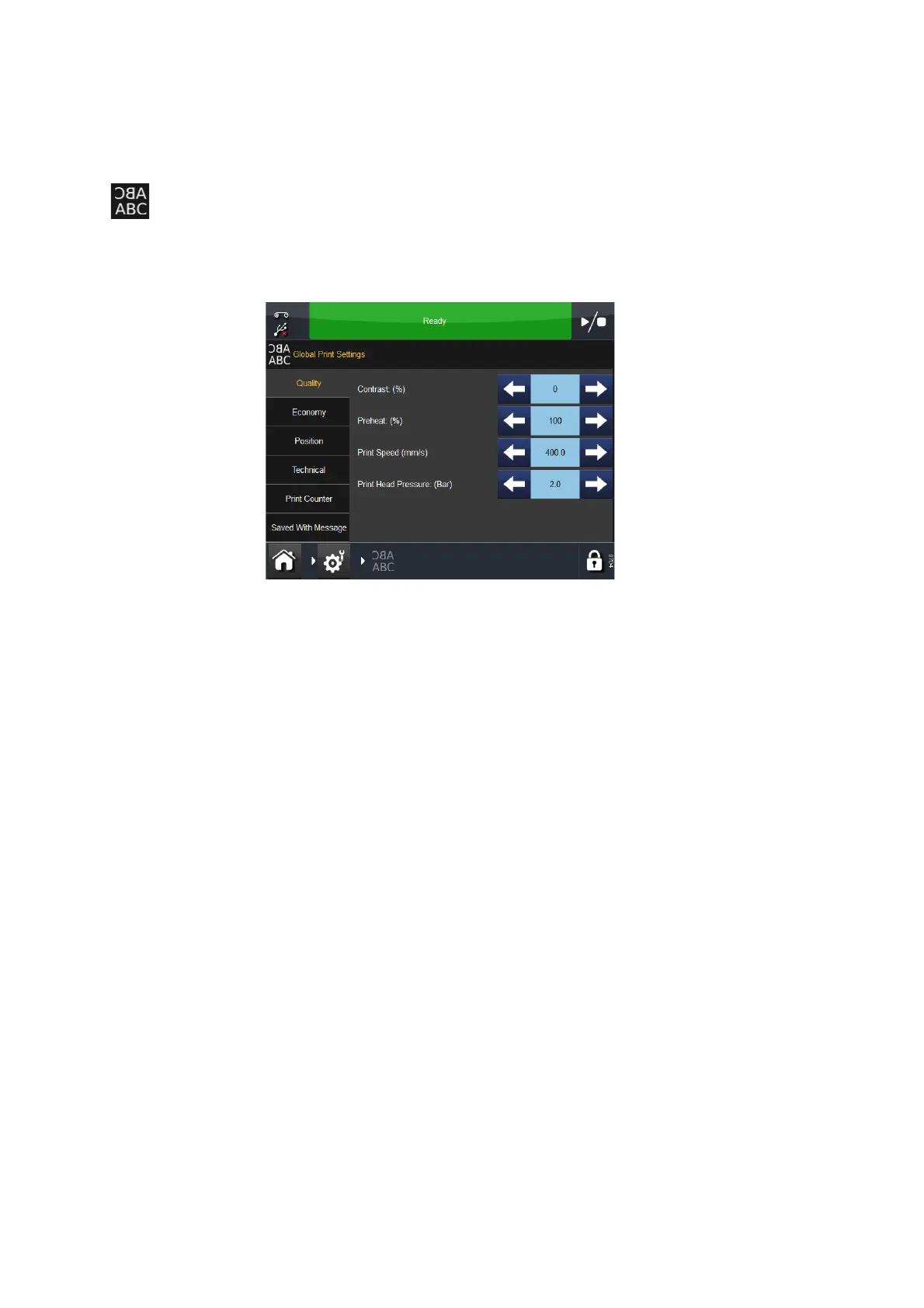
To adjust the print settings, go to Settings > Global Print Settings:
Quality
The Quality menu allows the alteration of those parameters that will
normally affect print quality. It should be noted that other parameters such
as Economy can also influence quality.
Contrast This feature controls the contrast at which the print head prints.
The recommended settings for this are between 80% -100%. Higher values
require more energy when printing. The contrast required is dependent on
the type of material being printed on and the type of ribbon used for
printing. If a low quality ribbon is used, it may be necessary to increase the
contrast but the life of the print head will be considerably reduced.
Note: When increasing the level of ribbon economy, it
is necessary to
reduce the Contrast value setting to compensate for extra
friction forces that are applied on the ribbon during printing.
Reducing the Contrast value reduces energy used and prevents
the print from being smudged.



 To Next Page