DESCRIPTION AND INSTALLATION
25364 Issue 8 March 2018 2-59
Locating the Printer’s IP Address when Not
Known
Requirements
• Computer with Microsoft ActiveSync for Windows XP or Mobile Device
Center for Windows Vista or Windows 7 (version 4.1 or higher).
ActiveSync can be downloaded from Microsoft homepage
• USB cable with mini USB at the printer end.
Connecting
• Turn on the printer
• Wait 45 seconds
• Ensure that the standard USB connector at
the rear of the printer is not
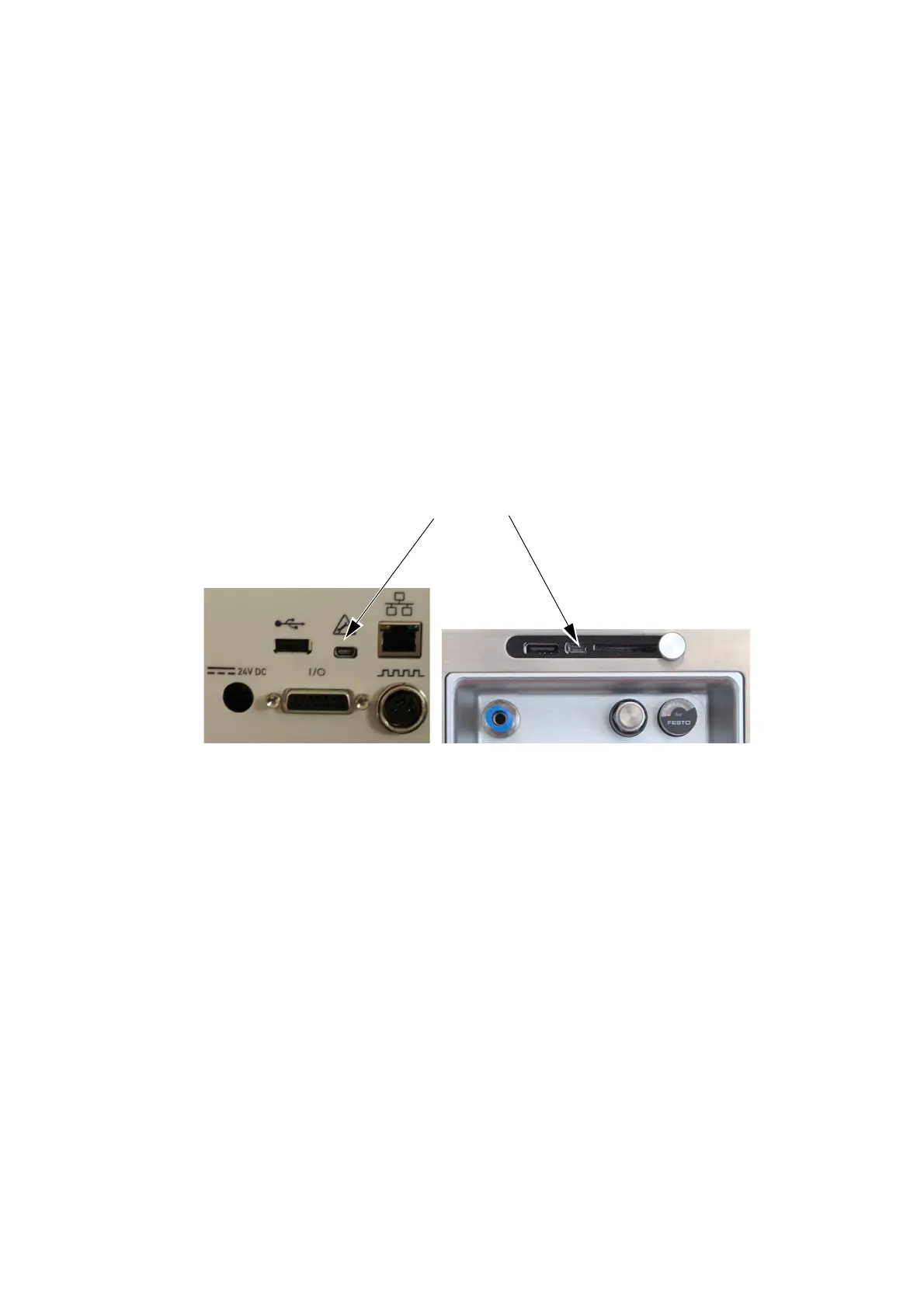
being used. Use the mini USB cable to connect the PC to the printer’s
mini USB connector, as shown in the following images:
Mini USB
port
Compact 32d, 32c and 53c
Communicator II



 To Next Page