MAINTENANCE, SERVICE AND FAULT FINDING
25364 Issue 8 March 2018 4-25
Note: The rewind spindle has the smaller gap.
(10) Remove the back cover.
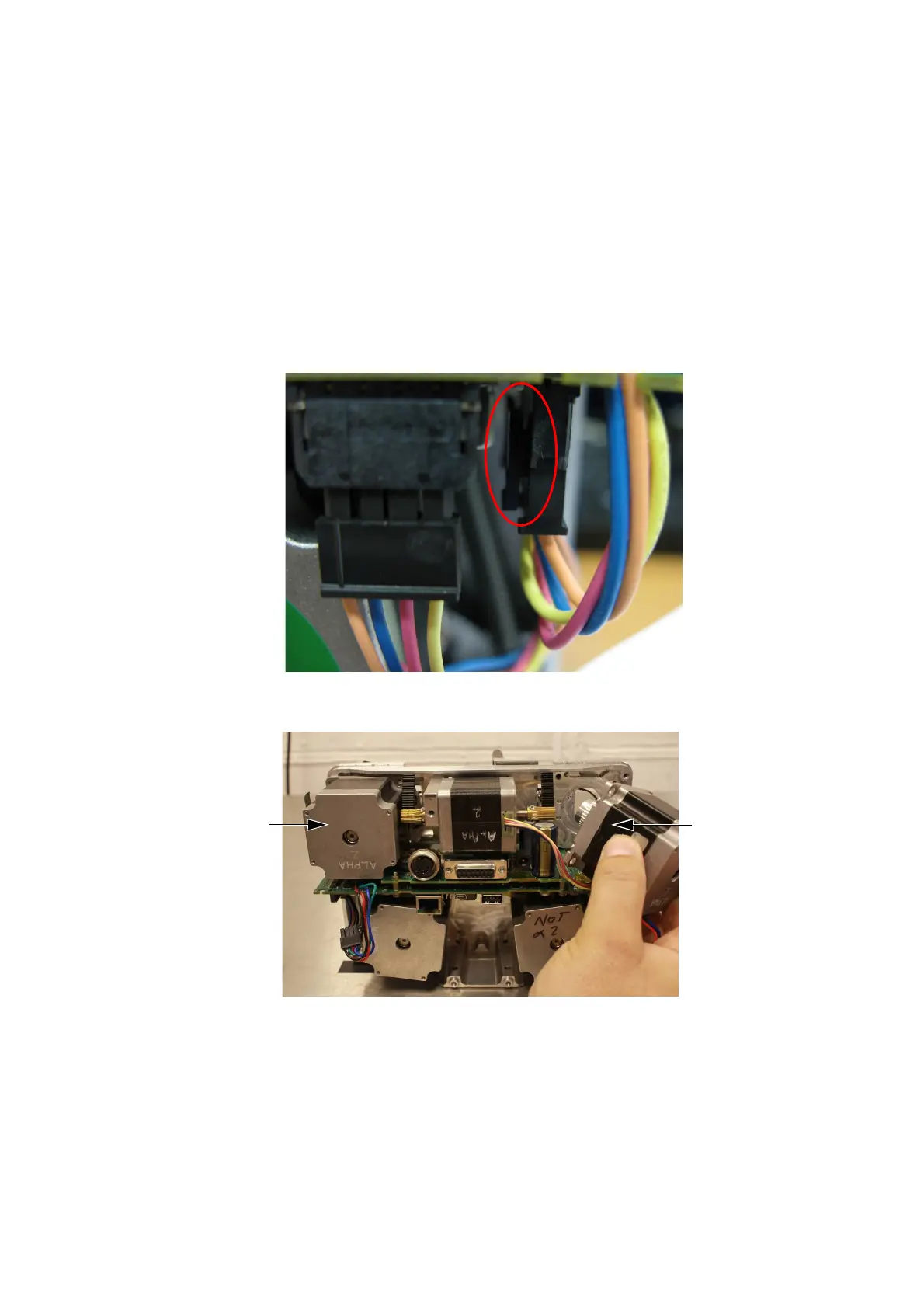
(11) At the back of the printer, disconnect the IM stepper motor and the
ca
pstan stepper motor.
CAUTION: When unplugging the stepper motor connectors
from the PCB se
t, fully press the clip on the inner
part of the connector before pulling it out (see the
following photograph). Failing to do so may damage
the PCB’s connector, and replacement of the PCB
set will be necessary.
(12) Remove the IM stepper motor and the capstan stepper motor.
IM stepper
motor
Ribbon
drive
stepper
motor



 To Next Page