MAINTENANCE, SERVICE AND FAULT FINDING
4-28 25364 Issue 8 March 2018
(7) Remove the IM stepper motor and the capstan stepper motor.
CAUTION: When unplugging the stepper motor connectors
from the PCB set, fully press the clip on the inner
par
t of the connector before pulling it out. Failing to
do so may damage the PCB’s connector, and
replacement of the PCB set will be necessary.
(8) See step (13) on page 4-26 and step (14) on page 4-26.
(9) Swap the motors over, reconnect them and re-tension the belt.
Note: Ensure that ALL cables from the stepper motors are fitted back
int
o the cable-retaining slot before fitting the back cover.
(10) Replace the back cover.
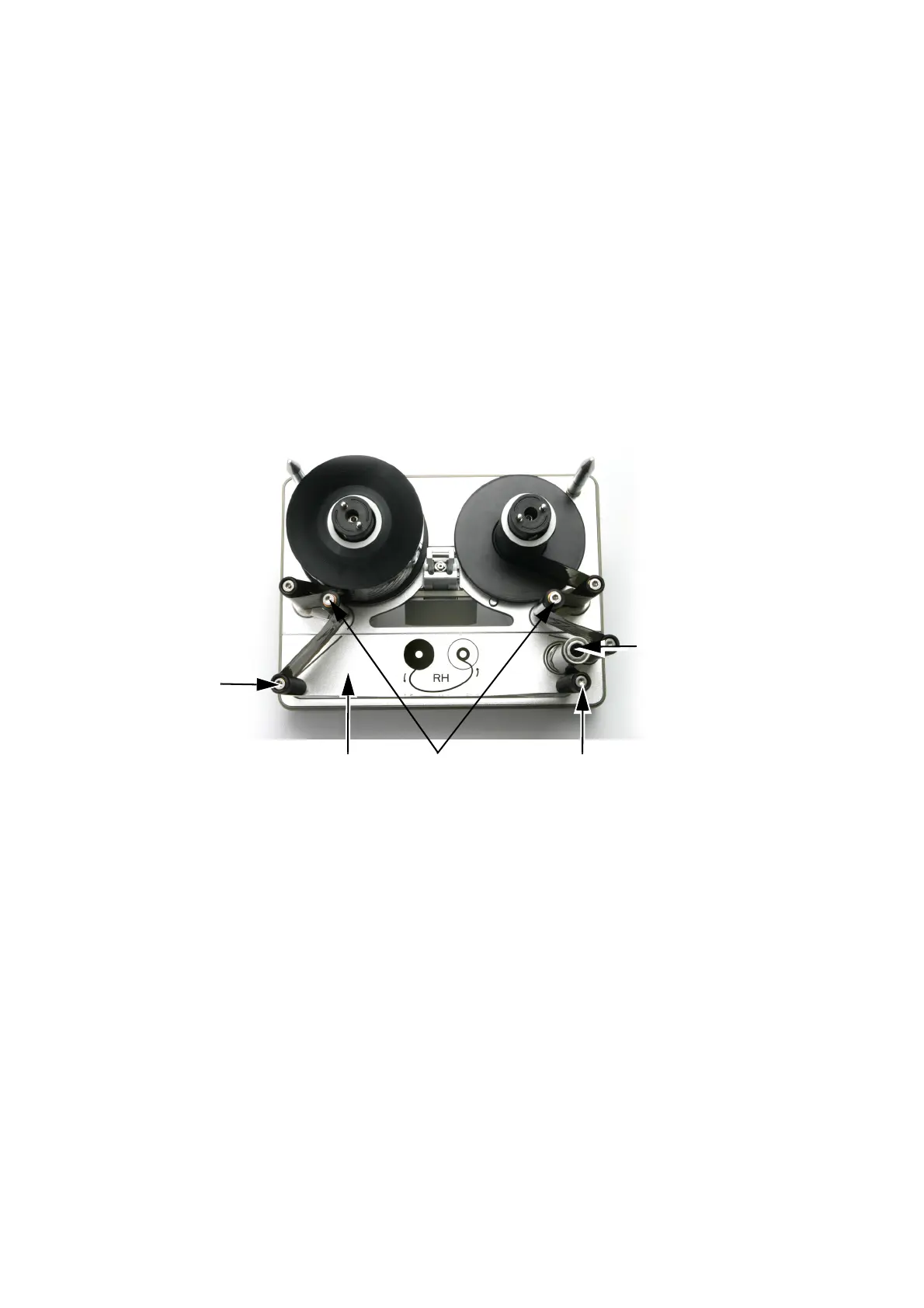
(b) Cassette Conversion
Capstan
Dancing
Arms
Compact 32c / 53c (Right-Hand Configuration)
Bracket
Guide
Roller
Last
Guide
Roller
Lower
Plate
(1) Remove guide and capstan rollers.
(2) Turn lower plate over.
(3) Fit capstan roller.
(4) Fit guide rollers in remaining holes.
(5) Fit the cassette to the printer and test.



 To Next Page