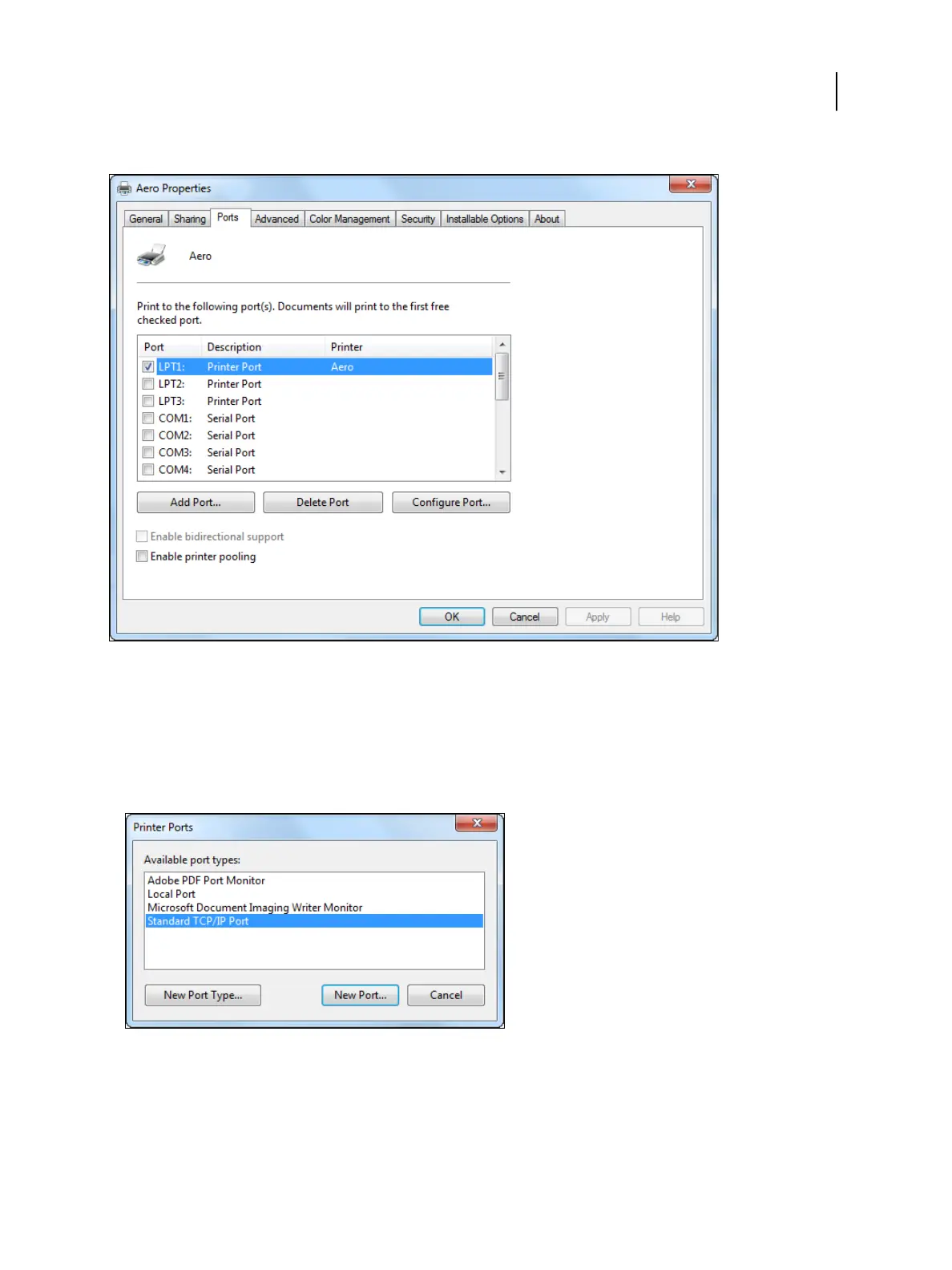
3 Click the Ports tab.
4 To add a new port, click Add Port.
To change the port settings, proceed to step 10.
5 In the Printer Ports dialog box specify the port type, do one of the following:
• Select Standard TCP/IP Port from the list of Available port types and click New Port.
• Double-click Standard TCP/IP Port in the list.
The Add Standard TCP/IP Printer Port Wizard dialog box appears.
6 Click Next.
Printing
Windows for Fiery ES
19



 To Next Page