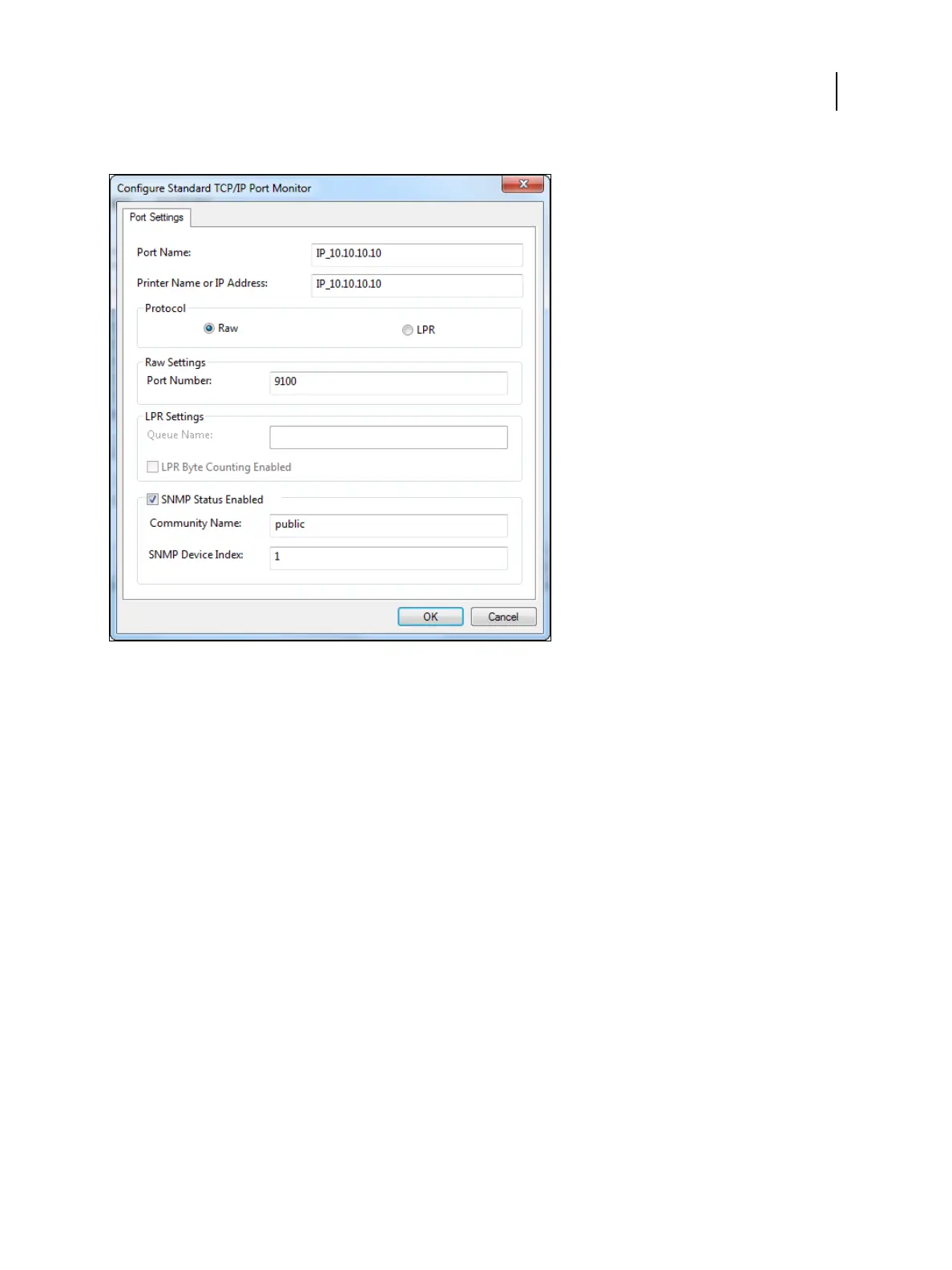
10 Click Configure Port on the Ports tab of the Properties dialog box.
11
To set up the port settings, do one of the following:
• To use LPR printing, select LPR in the Protocol area and LPR Byte Counting Enabled in the LPR Settings area.
Note: You can also proceed without selecting LPR Byte Counting Enabled.
• To use Port 9100 printing, select Raw in the Protocol area.
The port number 9100 automatically appears in the Raw Settings area. This is the default port number. You
can print to the printer connection selected for Port 9100 printing on the Fiery ES.
To specify a specific port number, see step 12.
12
Type the name of the print connection.
For Port 9100, type the following port numbers for each print connection in the Raw Settings area:
• Fiery ES default: 9100
• direct: 9101
• print: 9102
• hold: 9103
Note: Type the number exactly as shown.
13 When the SNMP Status Enabled check box is selected, spooling is stopped if the printer driver or spooler detects
an error status on the Fiery ES.
Printing
Windows for Fiery ES
21



 To Next Page