Chapter 5: Installation
EST3X Technical Reference Manual 139
To build the serial cable:
1. Cut the cable to the length required for your application.
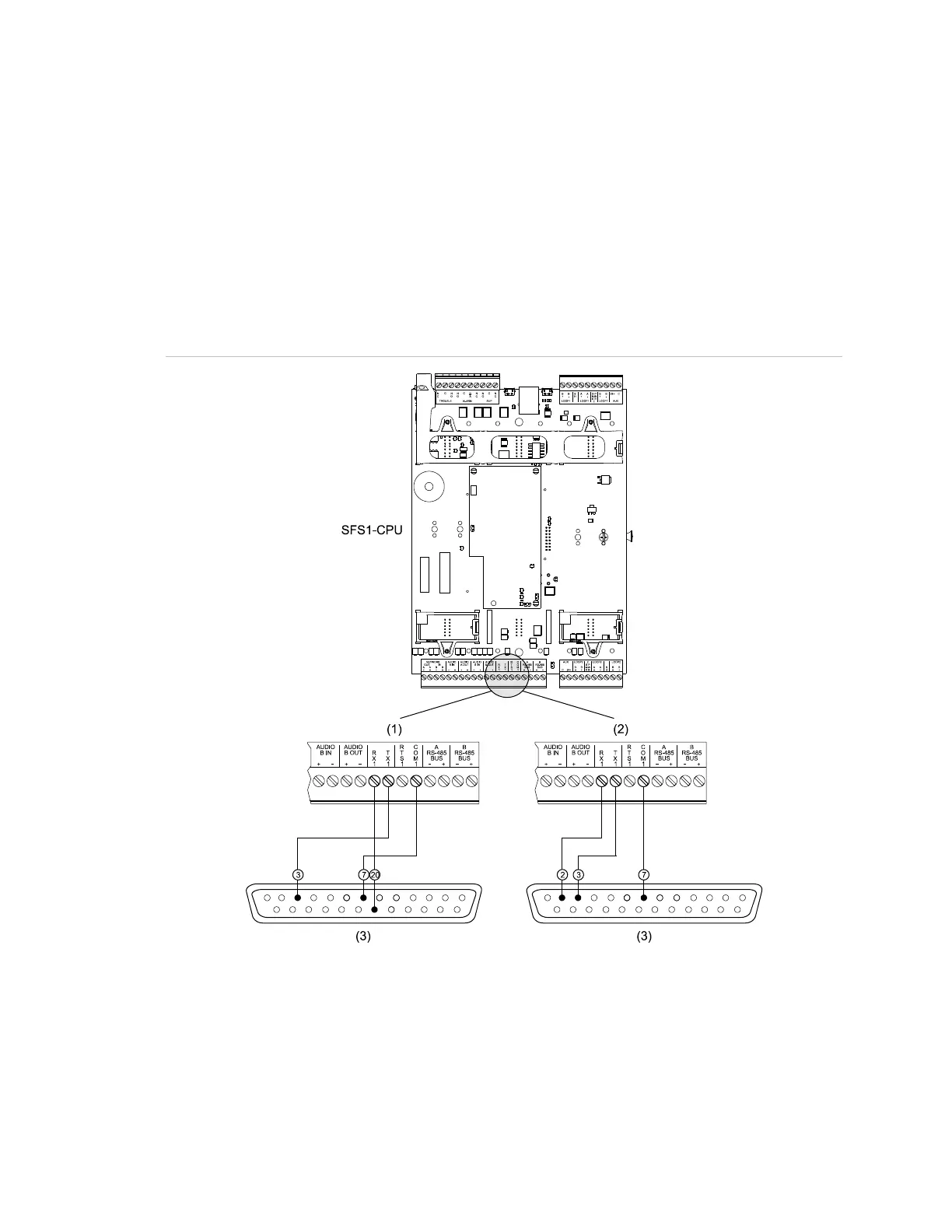
2. Wire one end of the cable to the pins on the DB-25 connector. See Figure 36.
To connect the serial cable to the control panel:
1. Plug the DB-25 serial connector into the serial port on the back of the printer.
2. Wire the other end of the cable to TB5 on the SFS1-CPU. See Figure 36.
Figure 36: Typical RS-232 wiring for serial printers
(1) For a supervised serial printer
(
2) For an unsupervised serial
(3) Front view of male DB-25 connector



 To Next Page