Chapter 7: Service and troubleshooting
EST3X Technical Reference Manual 183
3X-PMI Paging Microphone Interface troubleshooting
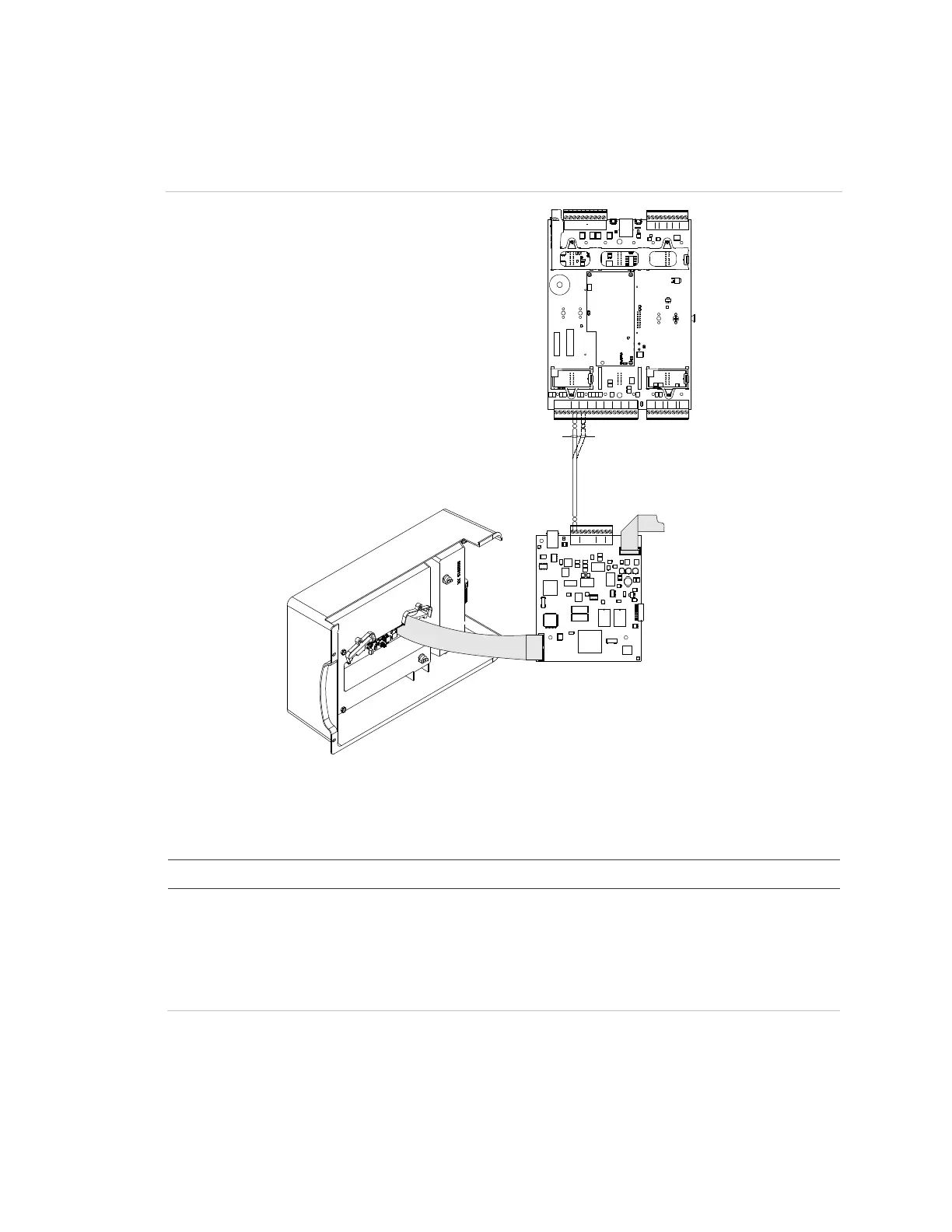
Figure 47: 3X-PMI interface, EAEC card, and SFS1-CPU
AUDIO
DATA
KEY AUDIO
REMOTE MIC
AUX OUT AUX IN
J1
J4
R42
SFS1-CPU
NETWORK AUDIO AUDIO A UDIO AUDIO
OUT
IN
+ -
B B
A IN
A OUT
B IN
B OUT
+ - + - + - + -
A B
RS-485
+- +-
RS-485R
X
1
A A
+ -
T
X
1
T
S
1
R
O
M
1
C
BUS BUS
B
+ -
LOOP1
M
K
S
W
R
P
1
B
H
S
A
+ -
LOOP1
A B
+ -
LOOP1
B 24+
AUX
C
B
+-
LOOP2
2
B
H
S
A
+-
LOOP2
AB
+-
LOOP2
B
24+
AUX
C
C C C
TROUBLE
ALARM
SUP
N
C
N
O
N
O
N
A
N
C
N
C
N
O
M
K
S
W
R
P
EAEC
3X-PMI
PS10-4B
(1) (2)
(1) Network option card installed
(2) Network option card not installed
Table 49: 3X-PMI Paging Microphone Interface troubleshooting
Possible cause
interface does not
nor is there RX or TX
activity on the EAEC card
• The ribbon cable between the 3X-PMI audio interface card
and EAEC card is loose or defective
• The ribbon cable between the PS10-4B and EAEC card is
missing
• The 3X-PMI is not programmed



 To Next Page