Chapter 6: Preventive maintenance and testing
154 EST3X Technical Reference Manual
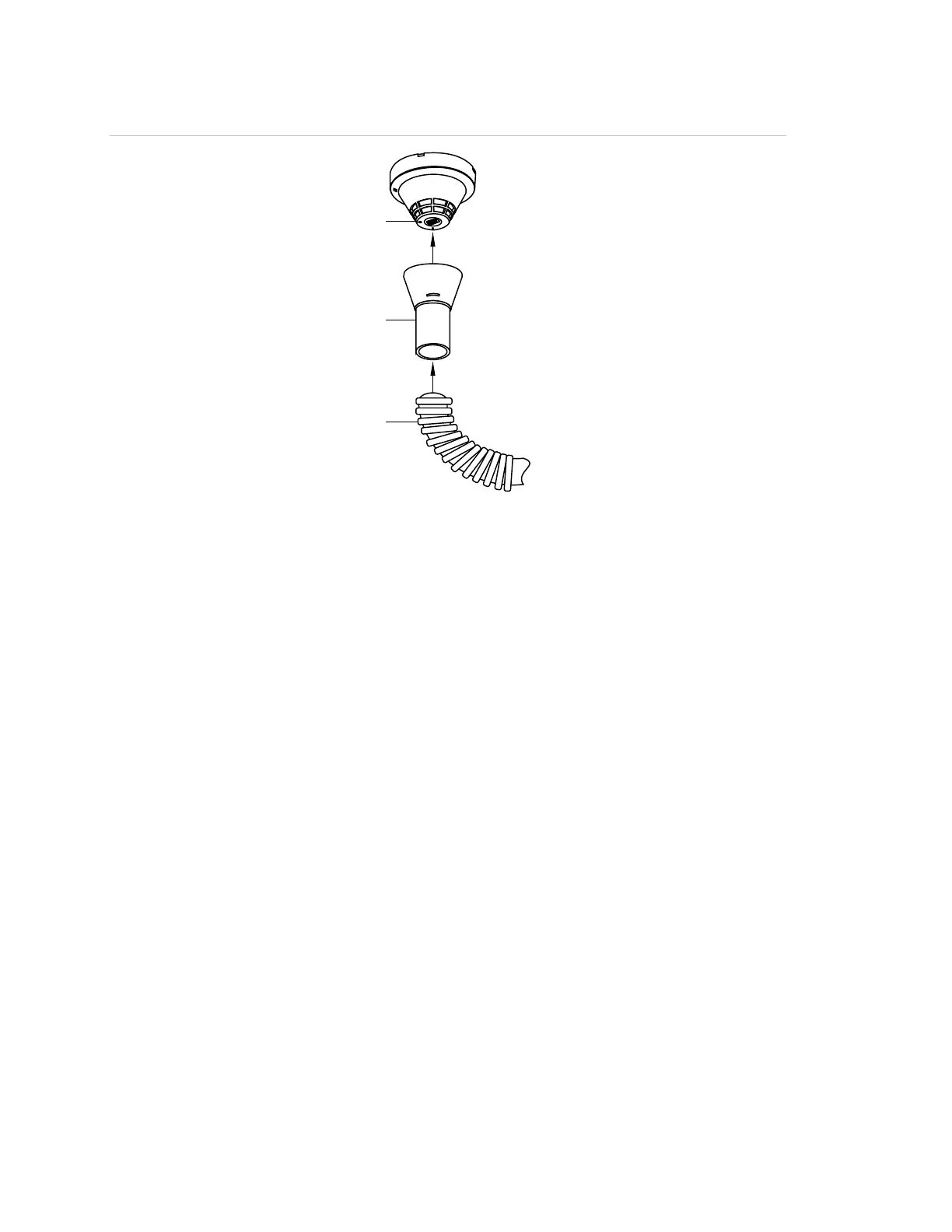
Figure 42: Using the detector cleaning tool
(1) Vacuum hose
(2) Detector cleaning tool
(3) Detector head
Cleaning SIGA2 detectors
SIGA2 detectors require opening the detector and cleaning the interior using a
vacuum cleaner and a soft brush.
To clean SIGA2 detectors:
1. Disable the detector to prevent false alarms (see “Disabling and enabling
devices” on page 56).
2. Use a conventional vacuum cleaner brush to remove visible dirt and debris
from the immediate area of the detector.
3. Remove the detector from the detector base by inserting a small screwdriver
into the tamper-resist access slot while rotating the detector
counterclockwise. See Figure 43 on page 155.
4. Push the locking tab on the bottom of the detector toward the center, and
then twist and pull to remove the cover.
5. Using a soft brush and vacuum, carefully remove any dust and dirt from
around the sensor chambers.
6. After the detector has been cleaned, reassemble and restore it to proper
operation (see “Disabling and enabling devices” on page 56).



 To Next Page