Chapter 7: Service and troubleshooting
230 EST3X Technical Reference Manual
3. In the Connect To dialog box, select the COM port you are using to connect
your laptop computer to the control panel, and then click OK.
4. In the COM port’s Properties dialog box, set the port settings as described
below, and then click OK.
Bits per second: 9600
Data bits: 8
Parity: None
Stop bits: 1
Flow control: None
5. On the File menu, click Save to save your connection settings.
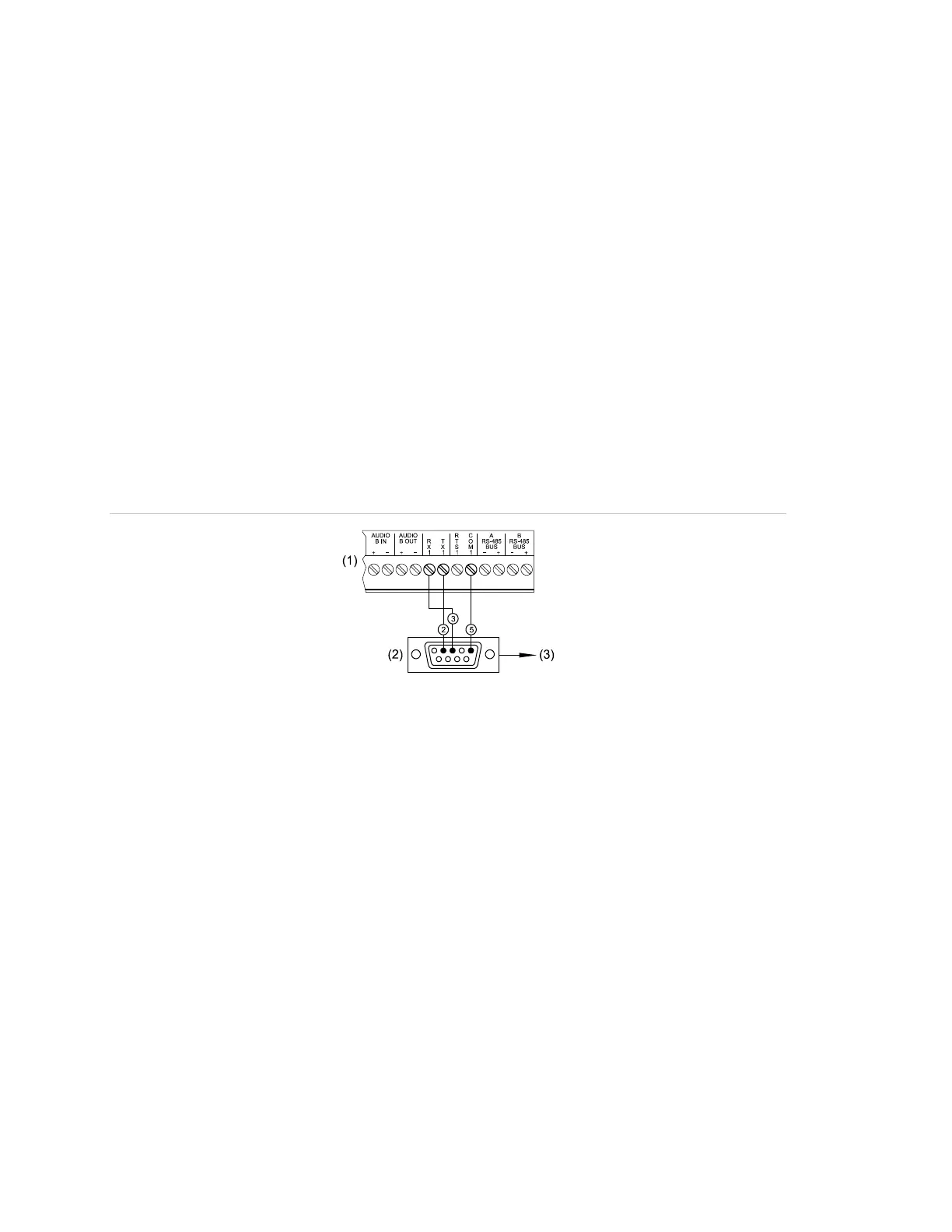
6. Connect one end of a DB-9 programming cable to the terminal block on the
SFS1-CPU. See Figure 59.
7. Connect the other end of the cable to the RS-232 jack on the computer.
Figure 59: RS-232 terminal block connections to the DB-9 programming cable
(1) SFS1-CPU terminal connector block
(2) Rear view of female DB-9 connector
(3) RS-232 jack of computer



 To Next Page