Copper Auto Tests
Copper and G.fast/VDSL2/ADSL2+ Multi-play Test Set 315
User Auto Test
Zoom references the middle of the x/y axis and not the cursor
position. Press the arrow keys as follows:
Right = x-axis zoom in.
Left = x-axis zoom out.
Up = y-axis zoom in.
Down = y-axis zoom out.
Pan - use left/right arrow keys to pan the x-axis and the up/down
arrow keys to pan the y-axis.
1:1 resets the x-axis and y-axis limits to full scale.
Return To Test removes these function keys and displays the
previous function keys.
Landscape Mode button allows you to configure and view the
parameters and test results in landscape mode. Whether the keyboard
is on the right or left is dependent on your preferred Landscape Mode
Settings configured in Application Settings/General.
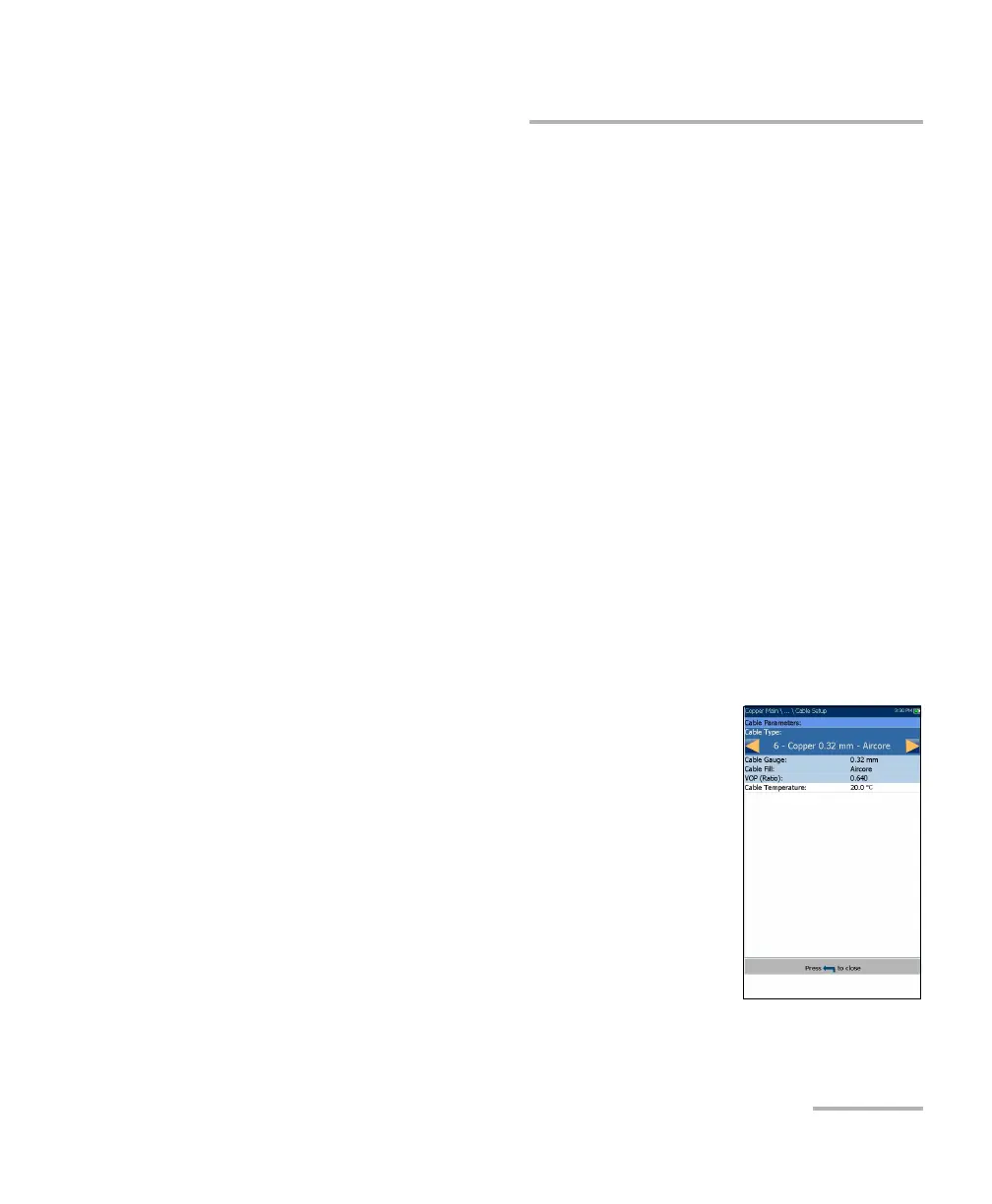
TDR Result Cable Setup
The Cable Setup page allows you to configure and/or
view the Cable Parameters set for the TDR test.
Cable Type displays the ID, Cable Name and Fill,
and allows you to select an entry (with its
associated parameters) from the current Cable
Book, to use for testing. The selection is not saved
when leaving the test. The current Cable Book
entry is shown by default.
Cable Gauge identifies the gauge system for
measuring wire sizes, in AWG (American Wire
Gauge) units or mm (metric wire size).
Cable Fill displays the type of material the cable is filled with: Aircore,
Jelly, Pulp, 5 PR, or 2 PR. Setup in the Cable Book.













 To Next Page