Setting Up DSL/IP Tests
356 MAX-635G
Test Setup
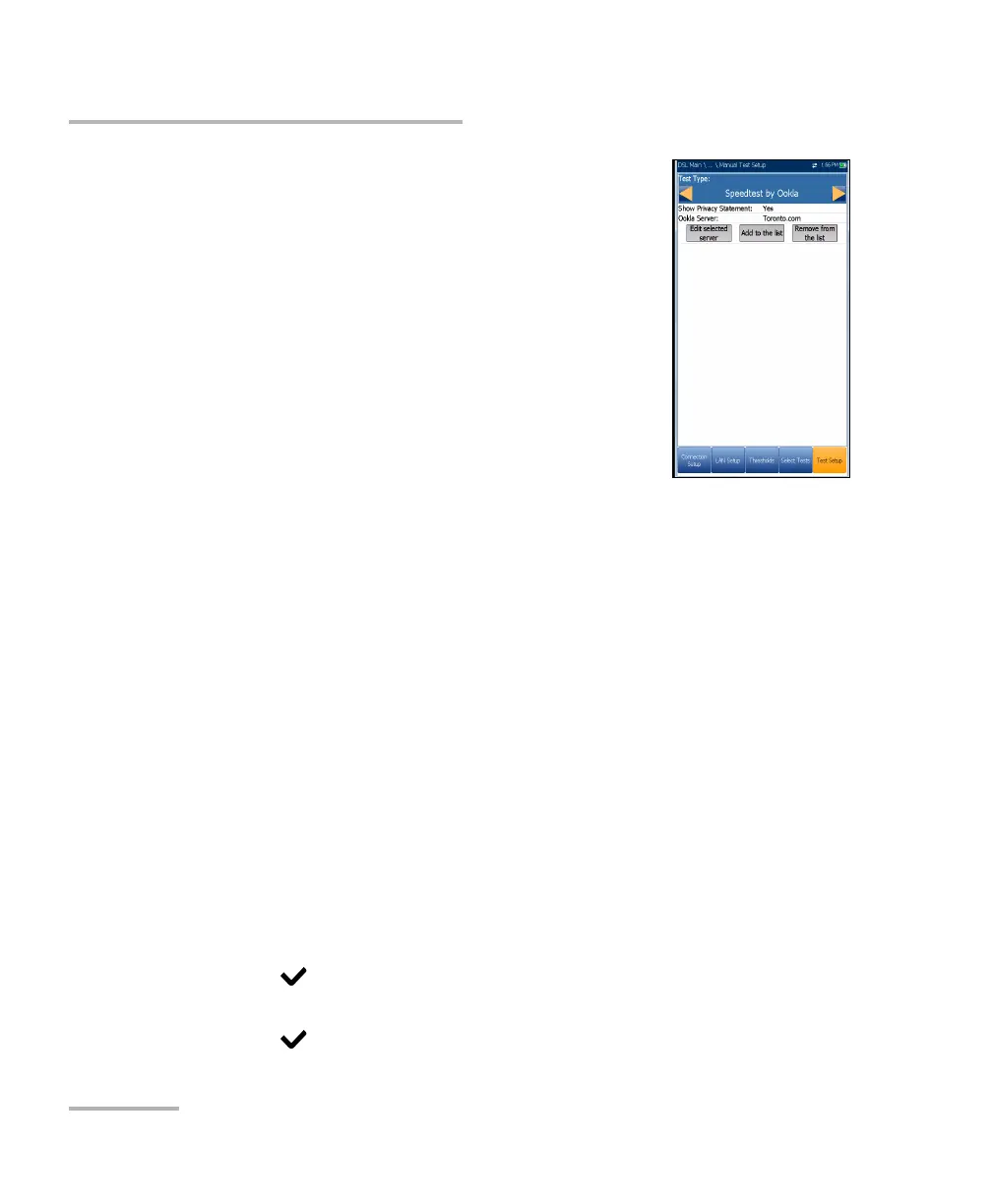
If Speedtest by Ookla, you can configure the
following parameters:
Show Privacy Statement displays the Ookla
Privacy Policy (noted below) each time you run
the test, if you select Yes. Select No to forgo
displaying the statement.
Ookla Server allows you to select an Ookla server
from a list. The default Automatic means the final
tested Ookla server is automatically selected by
the Ookla test.
Edit selected server button allows you to edit the
currently selected server.
Add to the list button allows you to add a specific Ookla server to the
list. The newly added server will be automatically set as the selected
server.
Remove from the list button is used to remove any Ookla server from
the list except Automatic.
Note: Ookla Privacy Policy: http://www.speedtest.net/privacy
You, end user, understand and acknowledge, by performing the test
contained in the Speedtest Powered Software Application, that Ookla, LLC
may collect your IP address during the test and share it with selected third
parties.
To configure test setup values:
1. Press the up/down arrow keys to select the desired parameter.
2. Press the left/right arrow keys to view and select the options.
OR
3. Press on a value to open a list box of options or the alphanumeric
editor screen and use the navigation keys to scroll through.
4. Press to confirm the value.













 To Next Page