Setting Up the MAX-635G
40 MAX-635G
Upload Setup
Wi-Fi Setup
The Wi-Fi Setup pane allows you to connect your
MaxTester to a Wi-Fi network.
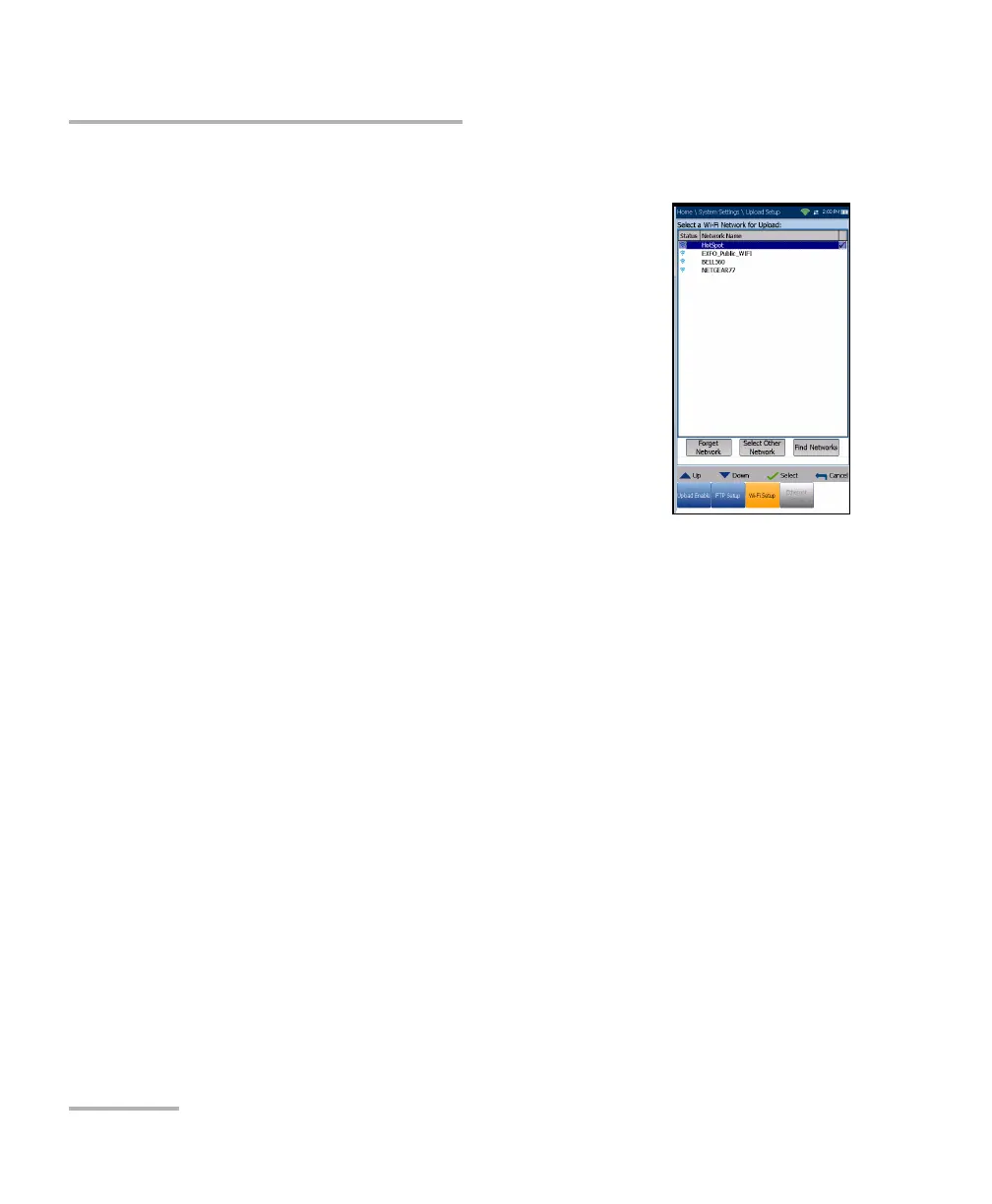
Select a Wi-Fi Network for Upload lists the
available secure Wi-Fi networks in range and
presently connected. (Unsecured Wi-Fi networks
are not supported.) The last three networks that
were connected are also listed, whether or not
they are presently connected to the MaxTester.
Note: If you select a network from the list of previously
selected networks (last 3), the MaxTester will try to
join that network using the credentials saved for the
selected network.
Status displays a Wi-Fi symbol if the device is connected, and is
dynamically updated with the present connectivity state of the
networks.
Network Name is the Wi-Fi network name.
A third, right-hand column displays a checkmark indicating the
network selected for upload.
Forget Network button removes a previously joined network from the
list.
Select Other Network button opens a new pane allowing you to
search for a specific network.
Find Networks button searches for available networks.
Note: Only Wi-Fi channels 1-11 are supported.













 To Next Page