Setting Up the MAX-635G
Copper and G.fast/VDSL2/ADSL2+ Multi-play Test Set 39
Upload Setup
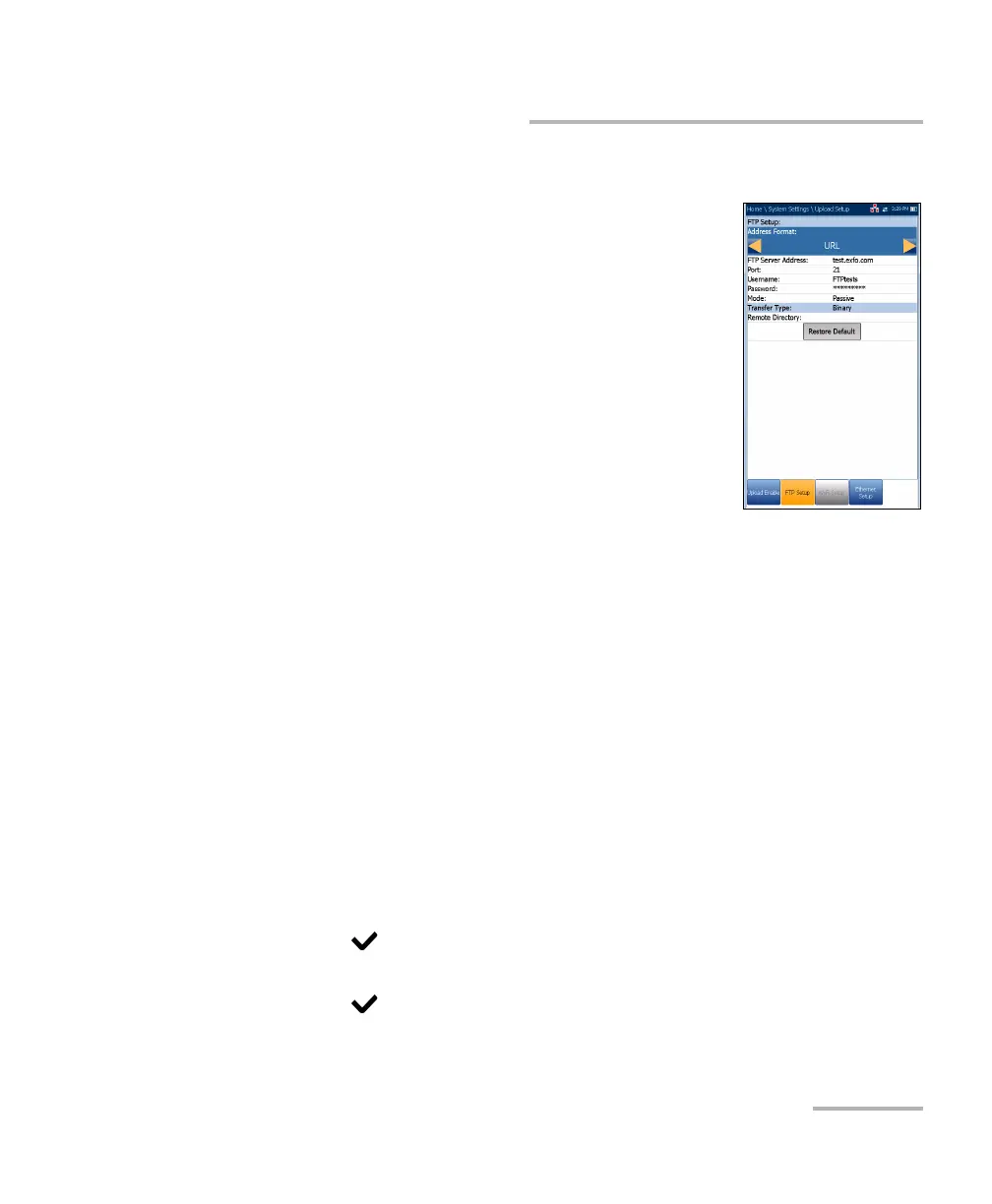
FTP Setup
The FTP Setup function allows you to configure the
file transfer information using the following:
Address Format allows you to select the FTP
server address type:
IP Address
URL
FTP Server Address allows you to set either the
IP Address or URL.
Port is a numeric value for the signalling port used
to establish an IP network session.
Username/Password is your login ID and password.
Mode is either Active or Passive for the file transfer mode.
Transfer Type is set to Binary, transferring files as a binary stream of
data.
Remote Directory can be used to specify the file upload directory on
the FTP server, for example, dir1/dir2. If this field is left empty, the FTP
upload will save the result file at root directory on FTP server.
Restore Default button allows you to reset the entries to their defaults.
To configure the setup options:
1. Press the up/down arrows to select the desired parameter.
2. Press the left/right arrow keys to view and select the options.
OR
3. Press on a value to open a list box of options or the alphanumeric
editor screen and use the navigation keys to scroll through.
4. Press to confirm the value.













 To Next Page