Setting Up Copper Tests
Copper and G.fast/VDSL2/ADSL2+ Multi-play Test Set 69
Dialer Function
It is DTMF and can also be used to control a DTMF FED (Far End
Device) by entering specific FED DTMF commands. (EXFO offers a
separate, integrated FED which is fully automated with test
sequences.)
Allows you to use the unit as a telephone (with the built-in speaker or
external headset and the on-screen phone keypad as a dialer) when
Enter Number is invoked, whether in the test results screens or
through the separate dedicated Dialer application.
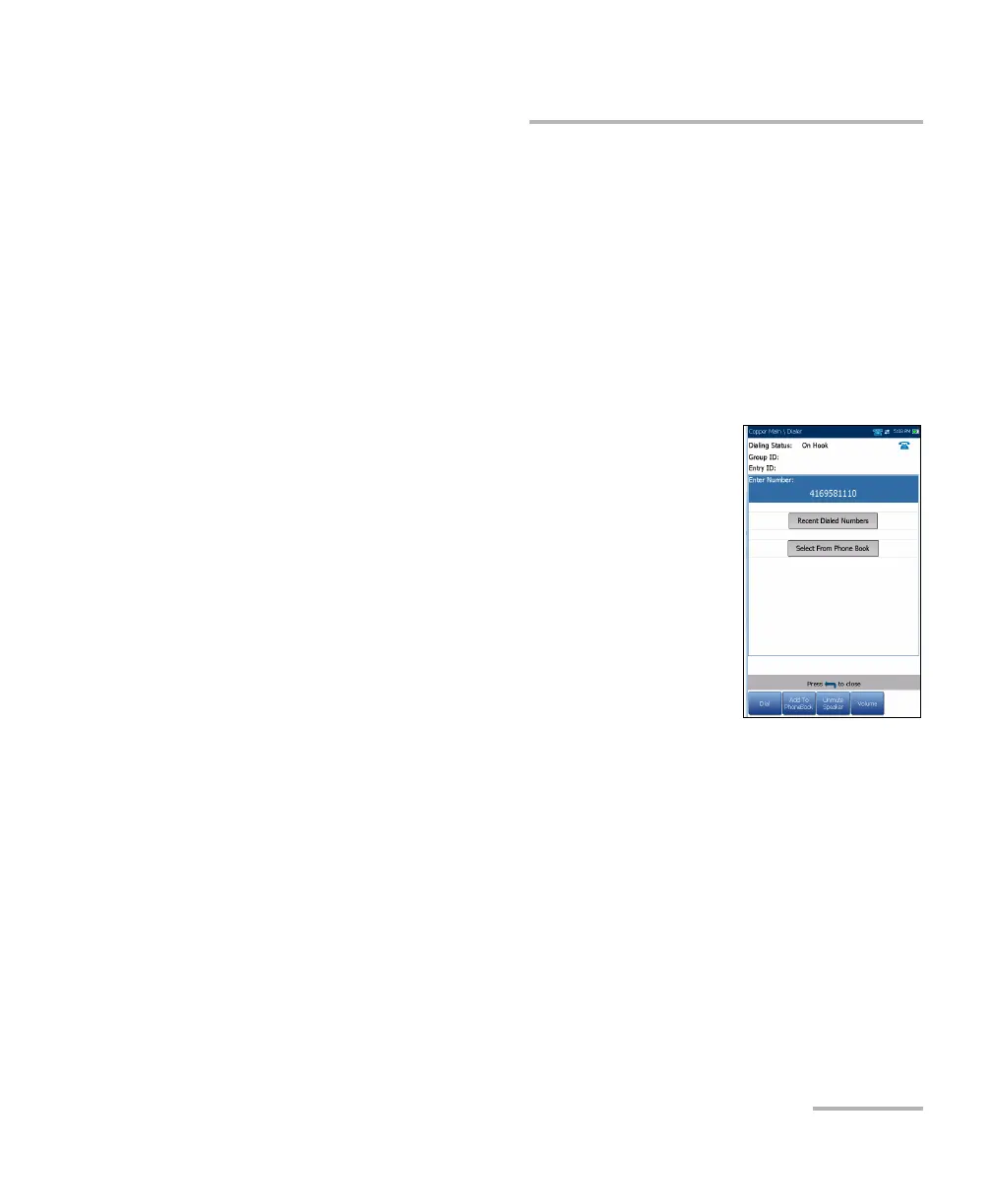
The following parameters can be accessed from this page:
Dialing Status shows the current status of the
dialed number.
Group ID displays the group ID number of the
dialed number if it was selected from the Phone
Book.
Entry ID displays the Entry Name of the dialed
number if it was selected from the Phone Book.
Enter Number displays the telephone number
entered, or selected from the Recent Dialed
Numbers list or Phone Book.
Recent Dialed Numbers button opens a list of recently dialed numbers
for selection.
Select From Phone Book button allows you to select a number from
the Phone Book.
Function Keys:
Dial/Hang Up allows you to dial the selected or entered number,
and hang up the dialer.
Add To PhoneBook saves the entered number to the Phone Book.
Mute/Unmute Speaker changes the speaker status.
Volume adjusts the volume level.













 To Next Page