2. Project management
2−26
Festo P.BE−SPC200−WIN−PISA−CD−EN en 0901d
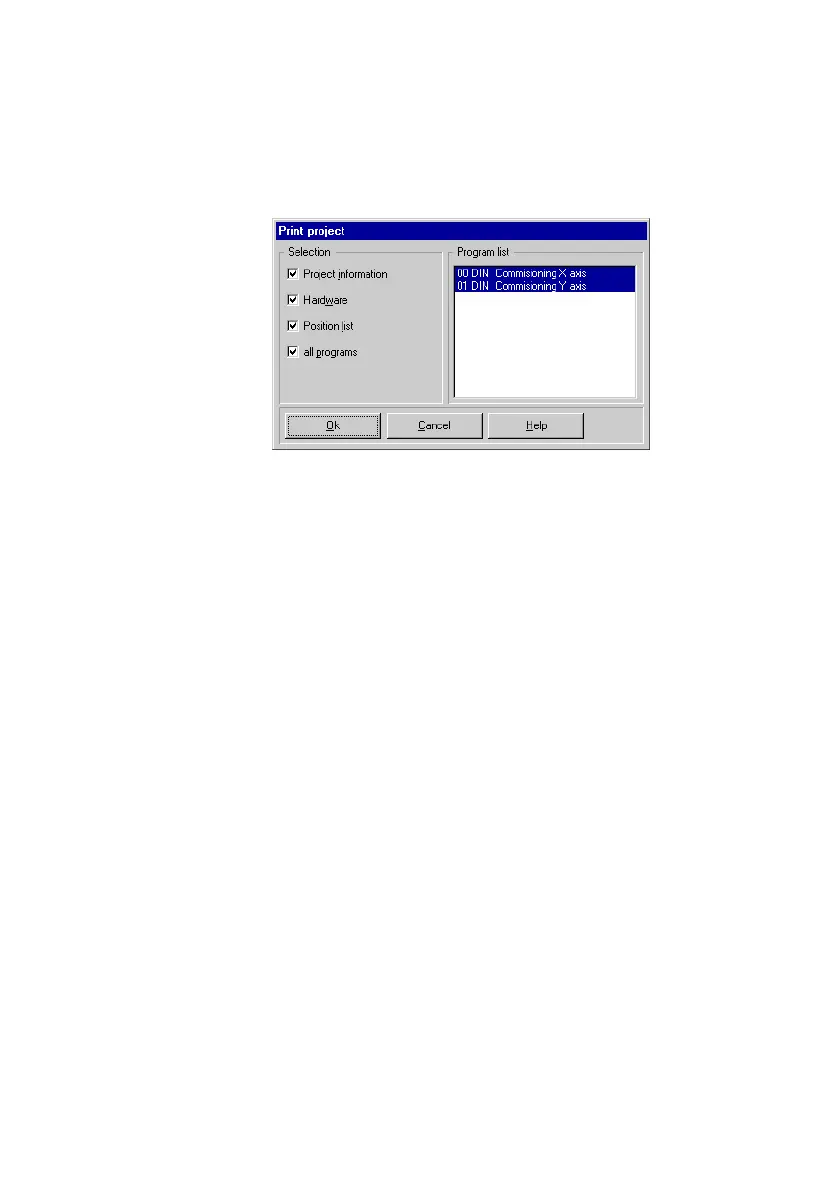
Fig.2/11: Print project
3. Uncheck the All programs" check box and select the pro
grams required from Program list" if you simply wish to
print out single programs.
You can select several entries by pressing down the CTRL
key and by simultaneously clicking the individual entries
one after the other with the mouse.
In order to
print out all project components, activate all
the check boxes under Selection".
4. Confirm your selection with OK".
5. Check the settings in the Print" dialogue window and
start printing with OK".
To print out project information:
1. Select [Project information] from the [File] [Print] menu.
2. Check the settings in the Print" dialogue window and
start printing with
OK".


 To Next Page
 Loading...