4. Commissioning positioning systems
4−59
Festo P.BE−SPC200−WIN−PISA−CD−EN en 0901d
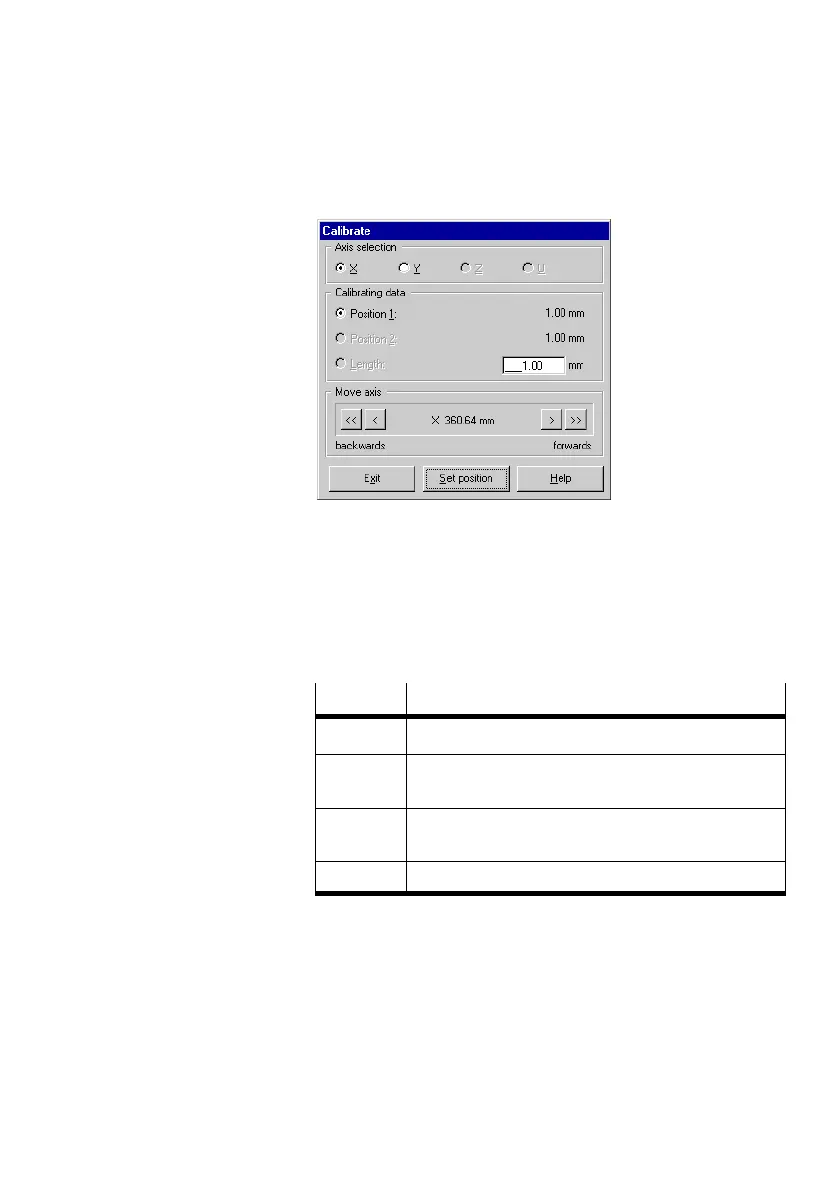
Fig.4/21: Calibrating (example linear drive)
5. Move the axis to the position which you wish to use as the
first calibration position. To do this move the axis with the
buttons under Move axis". Switch off the supply pres
sure and move the axis by hand.
Button
Moves the selected axis ...
< < ... continuously in a negative direction
< ... double the set positioning tolerance in a negative
direction
> ... double the set positioning tolerance in a positive
direction
> > ... continuously in a positive direction
6. Mark the position on the axis. Accept the position using
Set position". The position value will be entered in the
Position1" field under Calibrating data".
7. Move the axis to the position you wish to use as the
second calibration position.











 To Next Page