6. Diagnostics and optimization
6−36
Festo P.BE−SPC200−WIN−PISA−CD−EN en 0901d
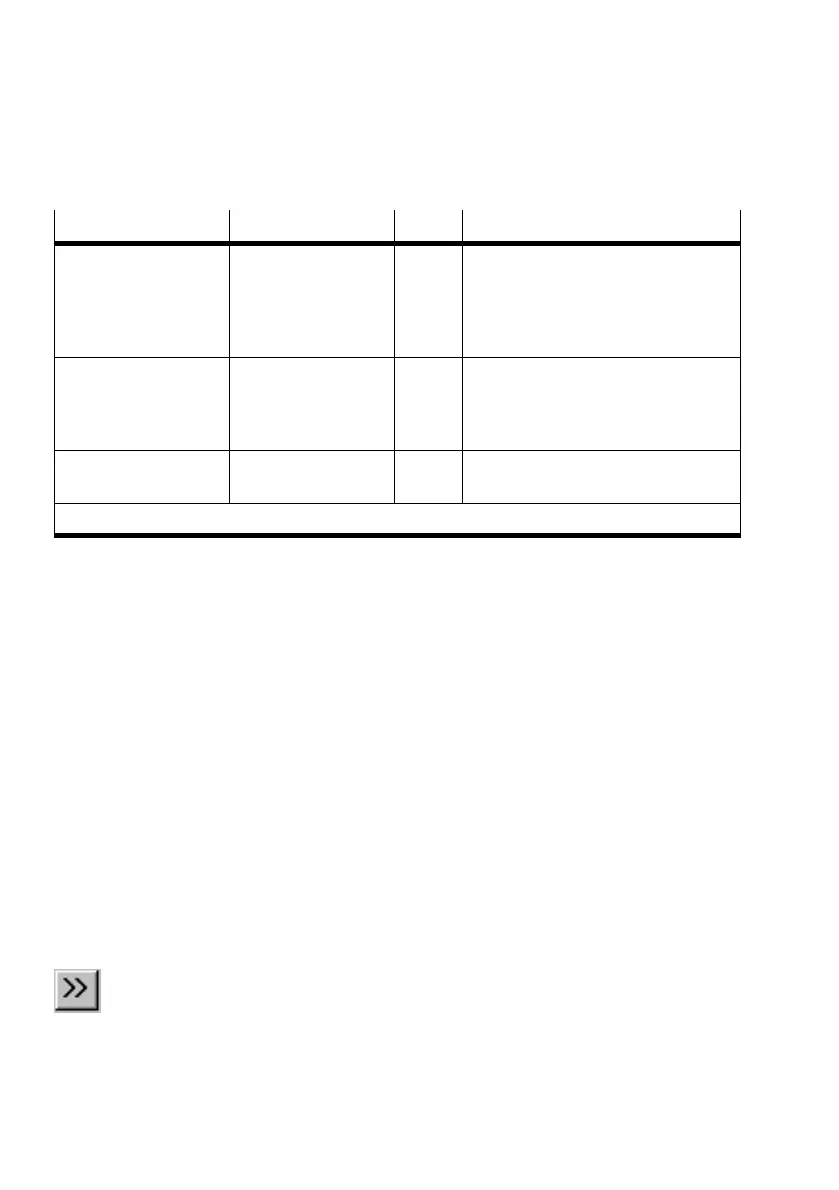
Measured variable Range Unit Description
Timeout 0 or 1 Shows whether the positioning time
out has been exceeded without the
drive fulfilling the tolerance conditions:
0 positioning timeout not exceeded
1 positioning timeout exceeded
Drive in movement 0 or 1 Shows whether the drive moves at a
minimum speed:
0 drive at rest
1 drive moving
Following error [mm]
or [°]
Deviation between reference position
and current position
The further measured variables are intended only for service personnel.
Recording measurement values
You can record measurement values for one or more axes
once you start testing a program in Debug mode. The start
and end of measurement can be assigned to any NC record.
Measurement values recording starts as soon as the first re
cord with a starting point is executed. Measurement
ends as
soon as the first record with a stopping point is executed.
Continuous operation is also stopped at this point.
The measurement data will be uploaded from the SPC200
automatically once measurement is completed.
Continuous operation To record measurement values in continuous operation:
1. Select the NC record at which you wish to start recording
measurement values.
2. Select [Set/reset starting point] from the [Online]
[Measurement] menu or click on the Set/reset starting
point for measurement" button in the toolbar. The NC
record is identified by the character >>".
3. Select the NC record at which you wish to end recording
measurement values.











 To Next Page