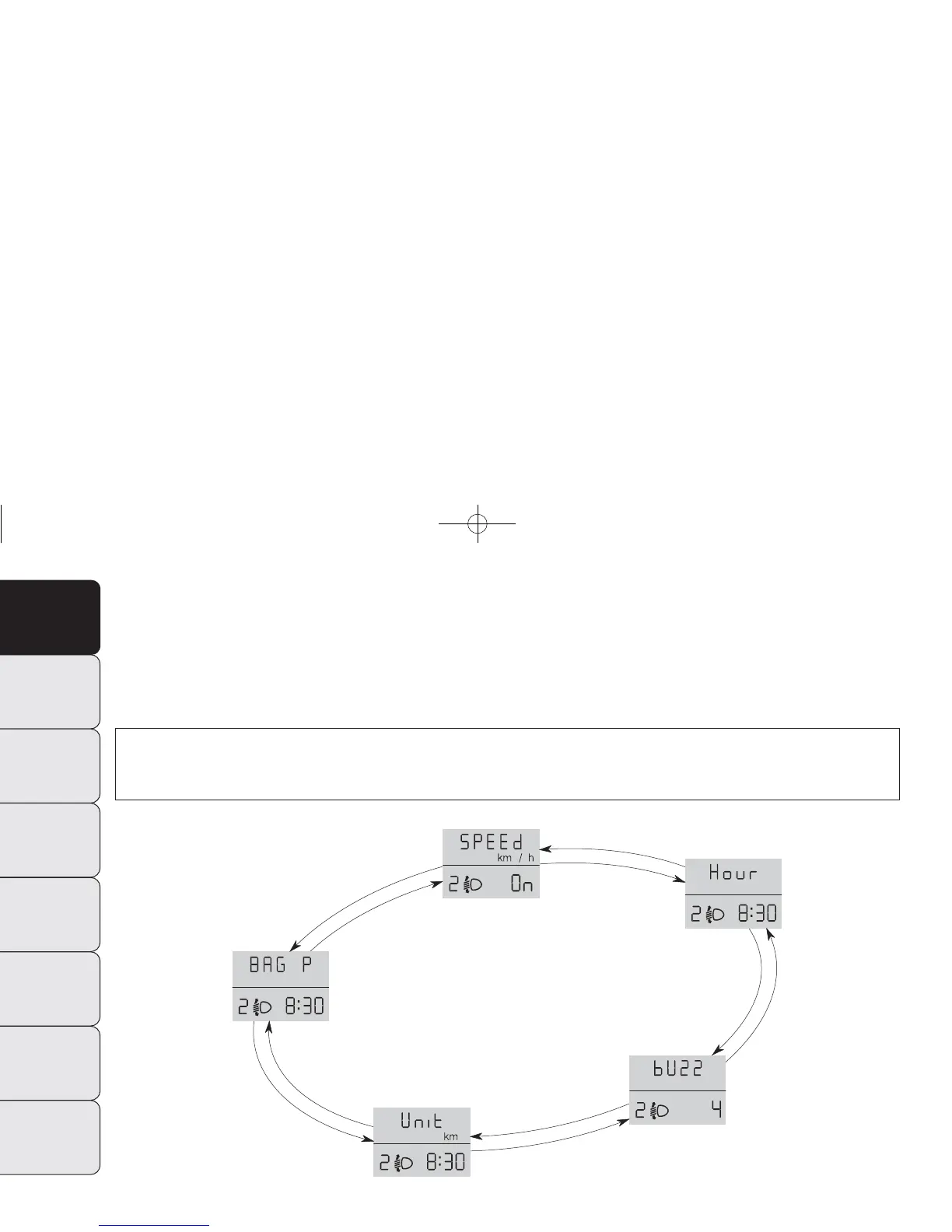
From the standard screen, briefly press button MODE to start browsing. Press ▲ or ▼ to browse within the
menu. NOTE Only the short menu can be accessed while the vehicle is moving for reasons of safety (“SPEED” set-
ting). Stop the vehicle to access the full menu.
fig. 18
F0N1007g
– after setting the values with the same procedure, go back
to the menu item previously selected.
Prolonged pressing of the button MODE make it possible:
– to quit the set up menu if you are in the menu;
– to quit the displayed menu if you are setting an option;
– to save only the changes stored by the user (and confirmed
by pressing button MODE).
The environment of the Set Up menu is timed; when the
menu is exited due to expiry of the time allowed, only
the changes already stored by the user (confirmed be-
forehand by a brief press of the button MODE) will be
saved.
20
DASHBOARD
AND CONTROLS
SAFETY
STARTING
AND DRIVING
WARNING LIGHTS
AND MESSAGES
IN AN EMERGENCY
MAINTENANCE
AND CARE
TECHNICAL
SPECIFICATIONS
INDEX
001-036 DUCATO LUM EN 11-02-2010 13:53 Pagina 20













 To Next Page