F0N0018m
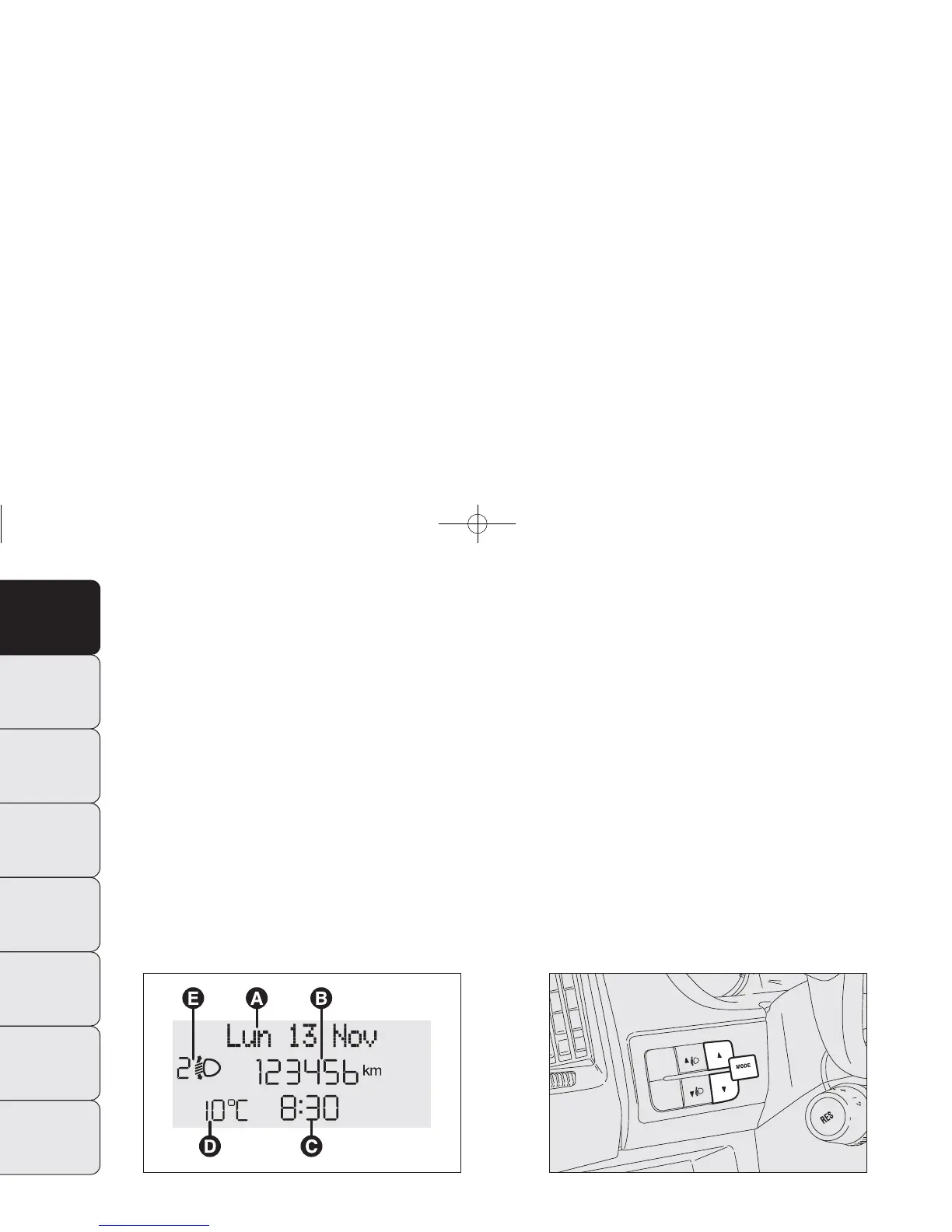
fig. 19
F0N0017m
fig. 20
NOTE When opening one of the front doors, the display
will turn on and show for a few seconds the clock and
the kilometres or miles covered.
CONTROL BUTTONS fig. 20
▲ To scroll the displayed menu and the related options
upwards or to increase the value displayed.
MODE Press briefly to display the menu and/or go to
next screen or confirm the required menu option.
Hold pressed to go back to the standard screen.
▼ To scroll the displayed menu and the related options
downwards or to decrease the value displayed.
NOTE Buttons ▲ and ▼ activate different functions ac-
cording to the following situations:
MULTIFUNCTION DISPLAY
(for versions/markets where provided)
The multifunction display is able to display information that
is useful and necessary during driving.
“STANDARD” SCREEN fig. 19
The standard screen shows the following information:
A Date
B Odometer (covered km or miles).
C Time (always displayed, even with the key extracted
and the front doors closed);
D Outside temperature.
E Headlamp alignment position (only with dipped head-
lamps on).
24
DASHBOARD
AND CONTROLS
SAFETY
STARTING
AND DRIVING
WARNING LIGHTS
AND MESSAGES
IN AN EMERGENCY
MAINTENANCE
AND CARE
TECHNICAL
SPECIFICATIONS
INDEX
001-036 DUCATO LUM EN 11-02-2010 13:53 Pagina 24













 To Next Page