EasyManua.ls Logo

Fostex DMT-8VL - Page 119

Fostex DMT-8VL
158 pages
Print Icon
To Next Page IconTo Next Page
To Previous Page IconTo Previous Page
Loading...
DMTSvl
Owner's
Manual
(SETUP
mode)
[saving
data
to
a
DAT
machine
(SAVE)
1
.
Press
the
STORE
key
while
pressing
and
holding
down
the
HOLDS
key
to
select
a
Program.
2.
Press
the
04SP
SEL
key
to
select
'SETUP'
and
press
the
EXECUTE/YES
key.
(•SETUP*
will
light
up.)
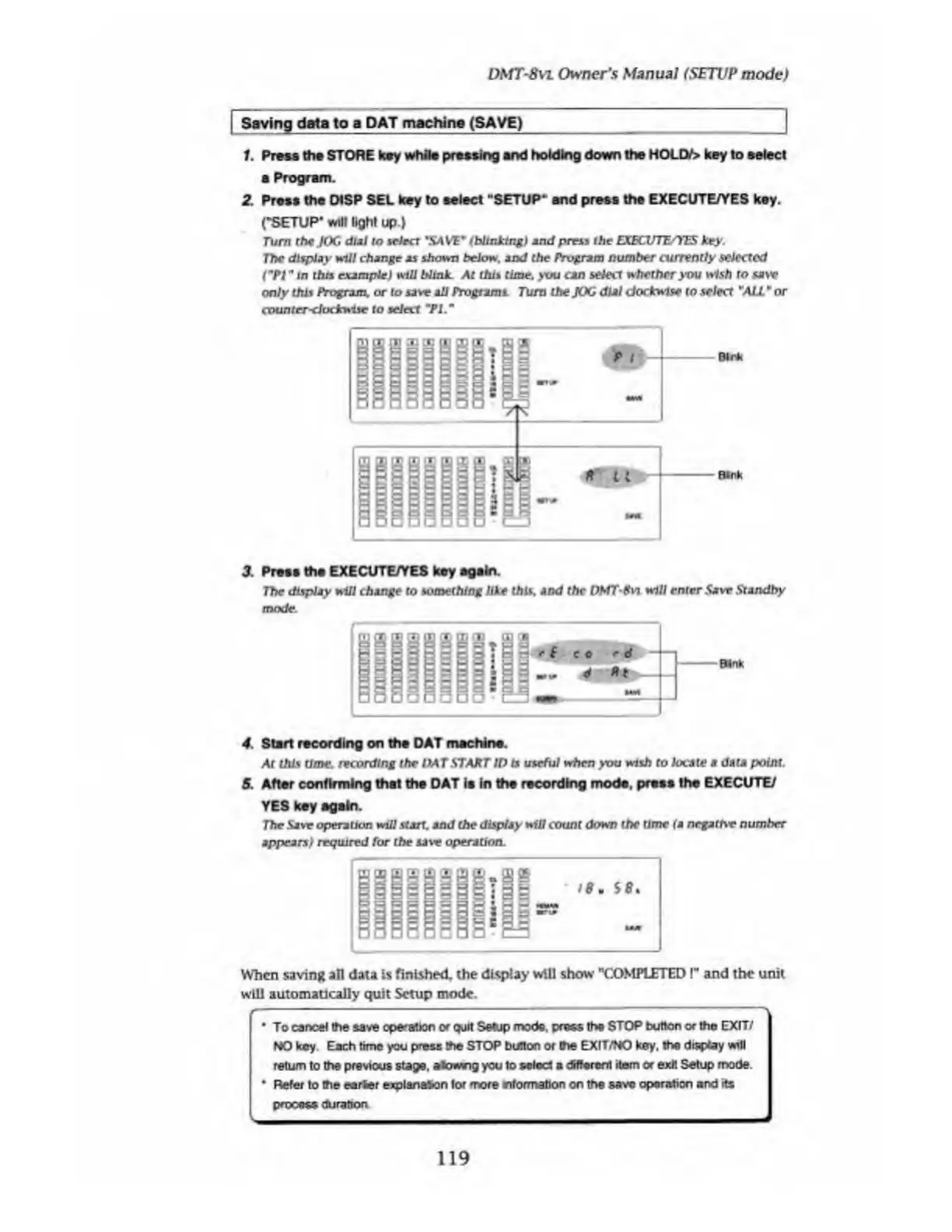
Turn
the
JOG
dial
to
select
'SAVE*'
(blinking)
and
press
the
EXECU1E/YES
key.
The
display
will
change
as
shown
below,
and
the
Program
number
currently
selected
CPI"
in
thrs
example)
will
blink.
At
this
time,
you
am
select
whether
you
wish
to
saw
only
this
Program,
or
to
saw
all
Programs
Turn
the
JOG
dial
clockwise
to
select
¥
ALL
*
or
counter-clockwise
to
select
'PI
3
Press
the
EXECUTE/YES
key
again.
The
display
will
change
to
something
like
this,
and
the
DMT-Svi
will
enter
Save
Standby
mode.
4.
Start
recording
on
the
DAT
machine.
At
this
time,
recording
the
OAT
START
ID
ts
useful
when
you
wish
to
locate
a
data
point.
5.
After
confirming
that
the
DAT
is
in
the
recording
mode,
press
the
EXECUTE/
YES
key
again.
The
Save
operation
will
start,
and
the
display
will
count
down
the
time
(a
negative
number
appears)
required
for
the
saw
operation.
I8<
S
8
.
When
saving
all
data
is
finished,
the
display
will
show
"COMPLETED
!
M
and
the
unit
will
automatically
quit
Setup
mode.
To
cancel
the
save
operation
or
quit
Setup
mode,
press
the
STOP
button
or
tho
EXIT/
MO
key
Each
time
you
press
the
STOP
button
of
the
EXIT/NO
key.
the
display
will
return
to
the
previous
stage,
alowng
you
to
select
a
dHforont
item
or
exit
Setup
mode.
I
Refer
to
the
eerier
explanation
lor
more
^formation
on
the
save
operation
and
its
process
duration
|
-
119

Table of Contents

Related product manuals