EasyManua.ls Logo

Fostex DMT-8VL - Page 16

Fostex DMT-8VL
158 pages
Print Icon
To Next Page IconTo Next Page
To Previous Page IconTo Previous Page
Loading...
DMT
8vl
Owner's
Manual
(Names
and
Functions)
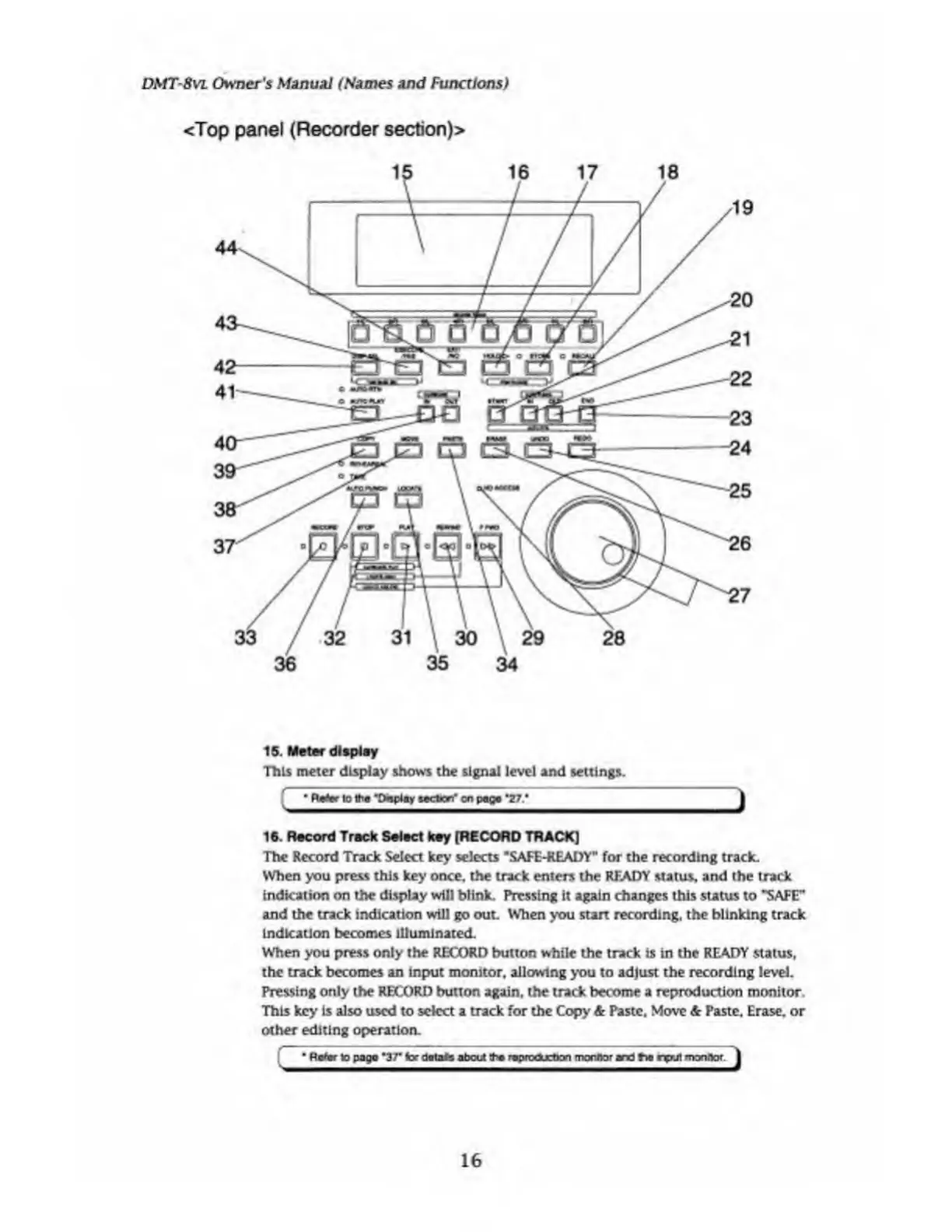
<Top
panel
(Recorder
section)>
15.
Meter
display
This
meter
display
shows
the
signal
level
and
settings.
16.
Record
Track
Select
key
[RECORD
TRACK]
The
Record
Track
Select
key
selects
"SAFE-READY”
for
the
recording
track.
When
you
press
this
key
once,
the
track
enters
the
READY
status,
and
the
track
Indication
on
the
display
will
blink.
Pressing
it
again
changes
this
status
to
"SAFE"
and
the
track
indication
will
go
out.
When
you
start
recording,
the
blinking
track
indication
becomes
illuminated.
When
you
press
only
the
RECORD
button
while
the
track
is
in
the
READY
status,
the
track
becomes
an
input
monitor,
allowing
you
to
adjust
the
recording
level.
Pressing
only
the
RECORD
button
again,
the
track
become
a
reproduction
monitor.
This
key
is
also
used
to
select
a
track
for
the
Copy
&
Paste,
Move
&
Paste,
Erase,
or
other
editing
operation.
;
"
Rtfr
lo
paga
*37*
tor
flata#a
about
f
prodjetoon
monitor
an
J
N
input
man
nor
J
16

Table of Contents

Related product manuals