190-01115-01 G3X™/G3X Touch™ Avionics Installation Manual
Rev. AV Page 30-23
5. Use the Touch Panel or a Move Selector Knob to continue or cancel the calibration.
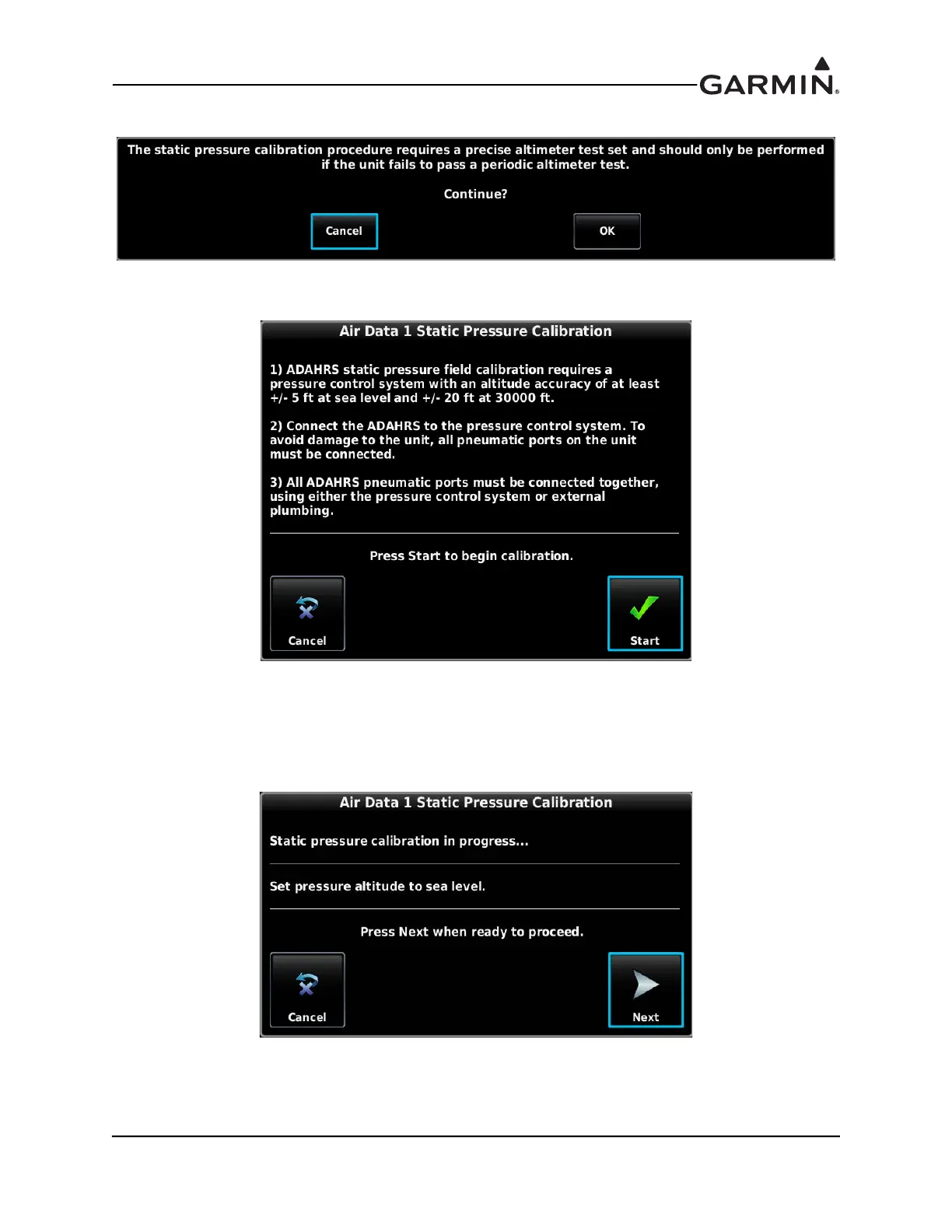
6. Make sure that all on-screen instructions have been complied with, then press the Start button to
begin the calibration. Actual displayed image will be similar to following figure.
7. At each calibration point (sea level, 10K, 20K, and optionally 30K ft), the display will present a
screen that allows time to establish the calibration pressure before continuing. For example, the
following screen is presented when it is time to establish the static pressure equal to sea level.
Press NEXT to continue and calibrate this pressure. Actual displayed image will be similar to
following figure.



 To Next Page