190-01115-01 G3X™/G3X Touch™ Avionics Installation Manual
Rev. AV Page 30-156
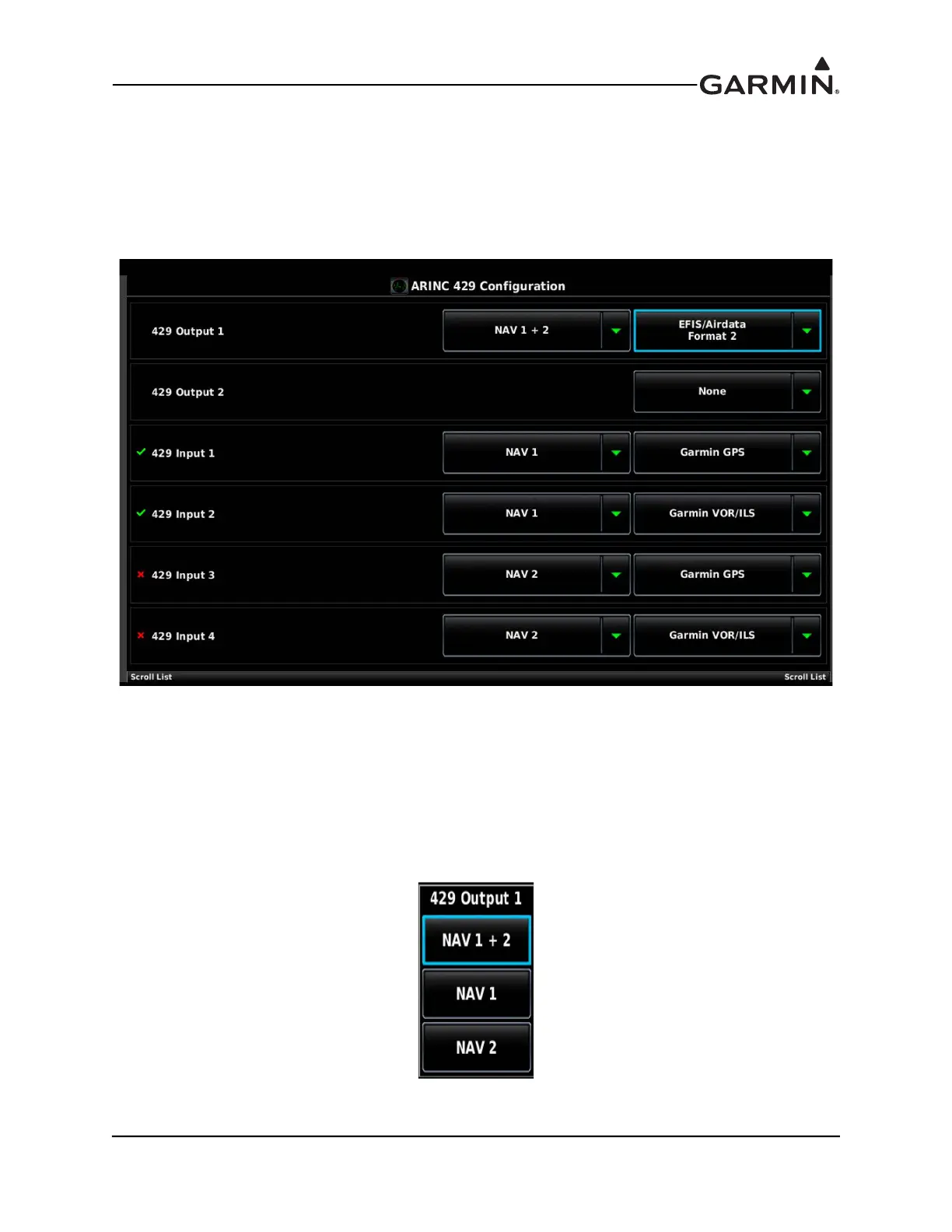
30.4.22 ARINC 429 Configuration Page
The configuration options for the 2 ARINC 429 output and 4 ARINC 429 input ports on the GAD 29 or
GSU 73 are detailed in this section.
1. In configuration mode, use the Touch Panel or a Move Selector Knob to select the ARINC 429
Configuration Page.
2. Use the Touch Panel or a Move Selector Knob to select the desired configurable item and make the
desired change.
3. Press the Back key to return to the Configuration Mode page when finished (if desired).
ARINC 429 Outputs:
EFIS/Airdata–Outputs EFIS and air data labels to a panel-mount GPS navigator (GTN/GNS). A second
selection is used to find if the EFIS/Airdata output is addressed to NAV 1, NAV 2, or both
(NAV 1+ 2).



 To Next Page