190-01115-01 G3X™/G3X Touch™ Avionics Installation Manual
Rev. AV Page H-101
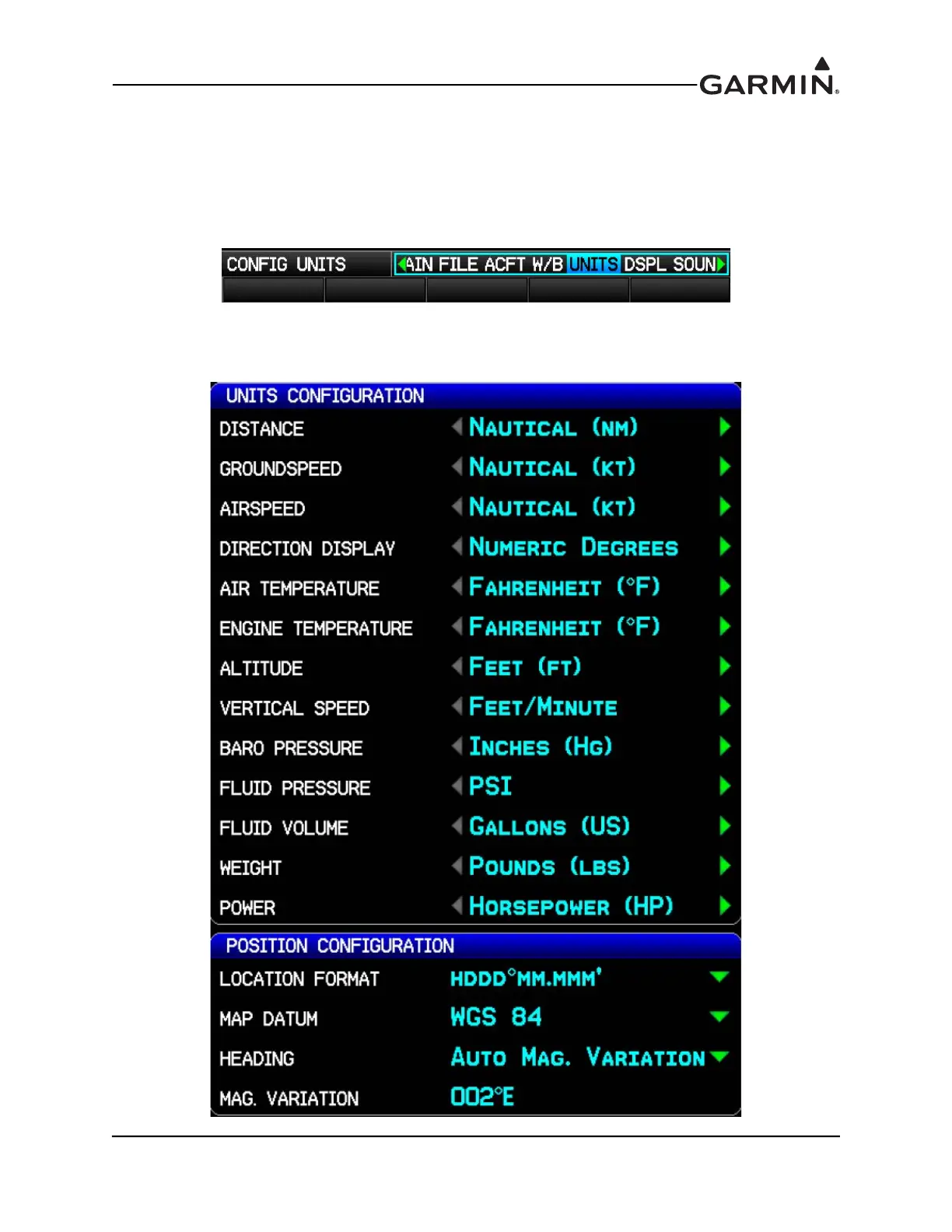
H.4.11 UNITS Configuration Page
The Units Configuration Page allows selection of the desired displayed units for the listed items in the
Units Configuration window. The various settings for Location Format, Map Datum, and Heading can be
accessed in the Position Configuration window. See the G3X Pilot’s Guide for a description of Location
Format and Map Datum.
1. In configuration mode, use the FMS Joystick to select the UNITS Page.
2. Use the FMS Joystick to select the desired configurable item and make the desired change. Then
press the ENT Key or use the FMS Joystick to select the next item. Press the FMS Joystick to
move the cursor to the page selection menu when finished.



 To Next Page