190-01115-01 G3X™/G3X Touch™ Avionics Installation Manual
Rev. AV Page 30-63
30.4.10 Autopilot LRU Configuration Page
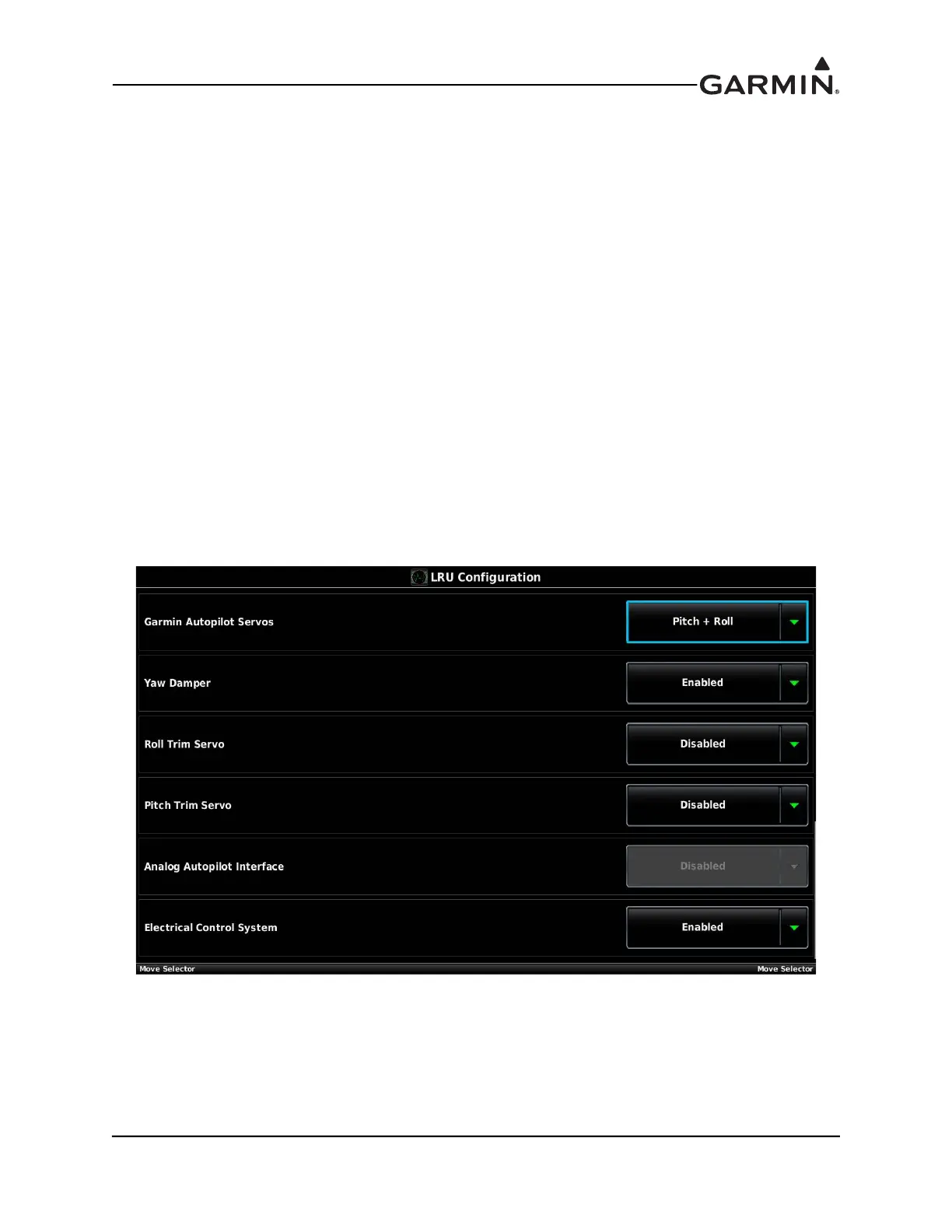
30.4.10.1 Autopilot LRU Configuration for Garmin Autopilot Servos
This section details configuring the Autopilot LRU Configuration Page for an autopilot using Garmin
GSA 28 servos.
1. In configuration mode, use the Touch Panel or a Move Selector Knob to select the LRU
Configuration Page.
2. Use the Touch Panel or a Move Selector Knob to select Autopilot.
3. Select Roll Only or Pitch + Roll in the Garmin Autopilot Servos field.
4. Enable the Yaw Damper if a yaw damper servo is installed.
5. Enable the Roll Trim Servo only if an additional Garmin GSA 28 autopilot servo is installed and
dedicated to providing the roll trim servo function. For this to be enabled, install one GSA 28 to
control the roll axis and install a separate GSA 28 servo to connect to the manual trim system and
perform the roll trim function. If the primary roll servo is directly driving a 3rd party roll trim
motor using pins 13 and 14 of the GSA 28, this field should be set to “Disabled”.
6. Enable the Pitch Trim Servo only if an additional Garmin GSA 28 autopilot servo is installed and
dedicated to providing the pitch trim servo function. For this to be enabled, install one GSA 28 to
control the pitch axis and install a separate GSA 28 servo to connect to the manual trim system and
perform the pitch trim function. If the primary pitch servo is directly driving a 3rd party pitch trim
motor using pins 13 and 14 of the GSA 28, this field should be set to “Disabled”.



 To Next Page