190-01115-01 G3X™/G3X Touch™ Avionics Installation Manual
Rev. AV Page H-108
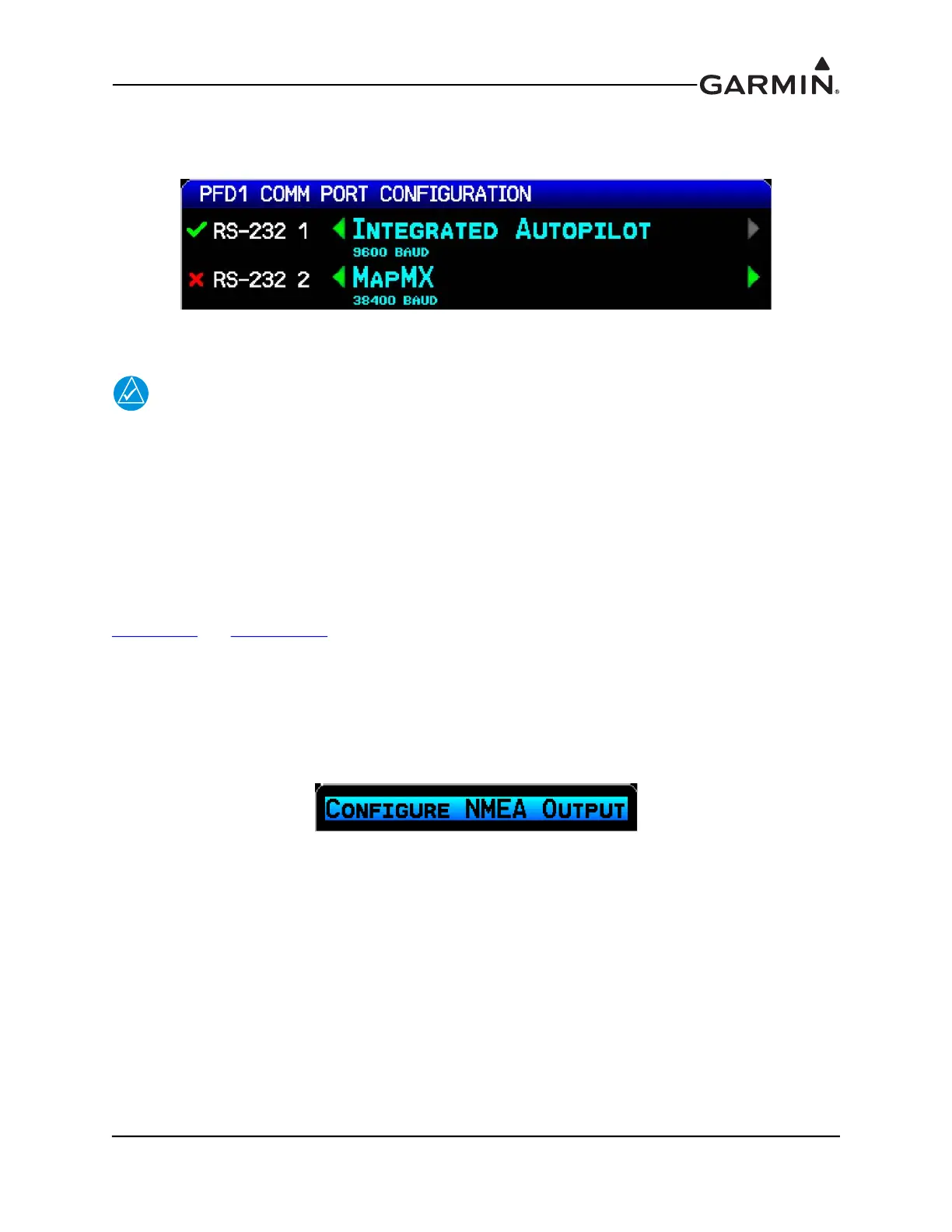
A green checkmark will appear next to the name of each Comm port when it is receiving valid data. No
checkmark is displayed if data has not yet been received. A red X is diplayed if no data has been received
after an intial timeout period, or if data has been received and then interrupted.
G3X installations with a single GDU 37X will display the RS-232 and ARINC 429 configuration settings
on separate soft-key selectable pages.
NOTE
Some panel-mount GPS navigators and NAV/COM radios do not transmit RS-232 or
ARINC 429 data when they are in configuration mode. To verify RS-232 and ARINC 429
connections, make sure these units are operating in normal mode.
H.4.14.1 RS-232 (PFD 1, MFD, and PFD 2 Comm Port) Configuration options
Each connected GDU 37X has three configurable RS-232 channels, the optional settings are:
Garmin Data Transfer - The proprietary format used to exchange data with a PC or a GDL 39
Garmin Instrument Data - Used for connecting to compatible Garmin LRUs (e.g. GSU 25, GMC 30X)
Garmin HSDB - Used for connecting to compatible Garmin LRUs (e.g. GTS™ 8XX traffic system, see
Section 24.2
and Appendix G.2)
NMEA Out - Supports the output of standard NMEA 0183 version 3.01 data at a user selectable baud rate
of either 4800 or 9600. The GDU outputs data from the selected GPS source (internal GPS or external
GPS1/GPS2) using NMEA sentences.
A setting that allows switching the NMEA output between "Normal" and "Fast" speeds is accessed by
pressing the MENU Key on the Comm Page (at least one output must be set to NMEA Out) followed by
the ENT Key.



 To Next Page