190-01115-01 G3X™/G3X Touch™ Avionics Installation Manual
Rev. AV Page 30-64
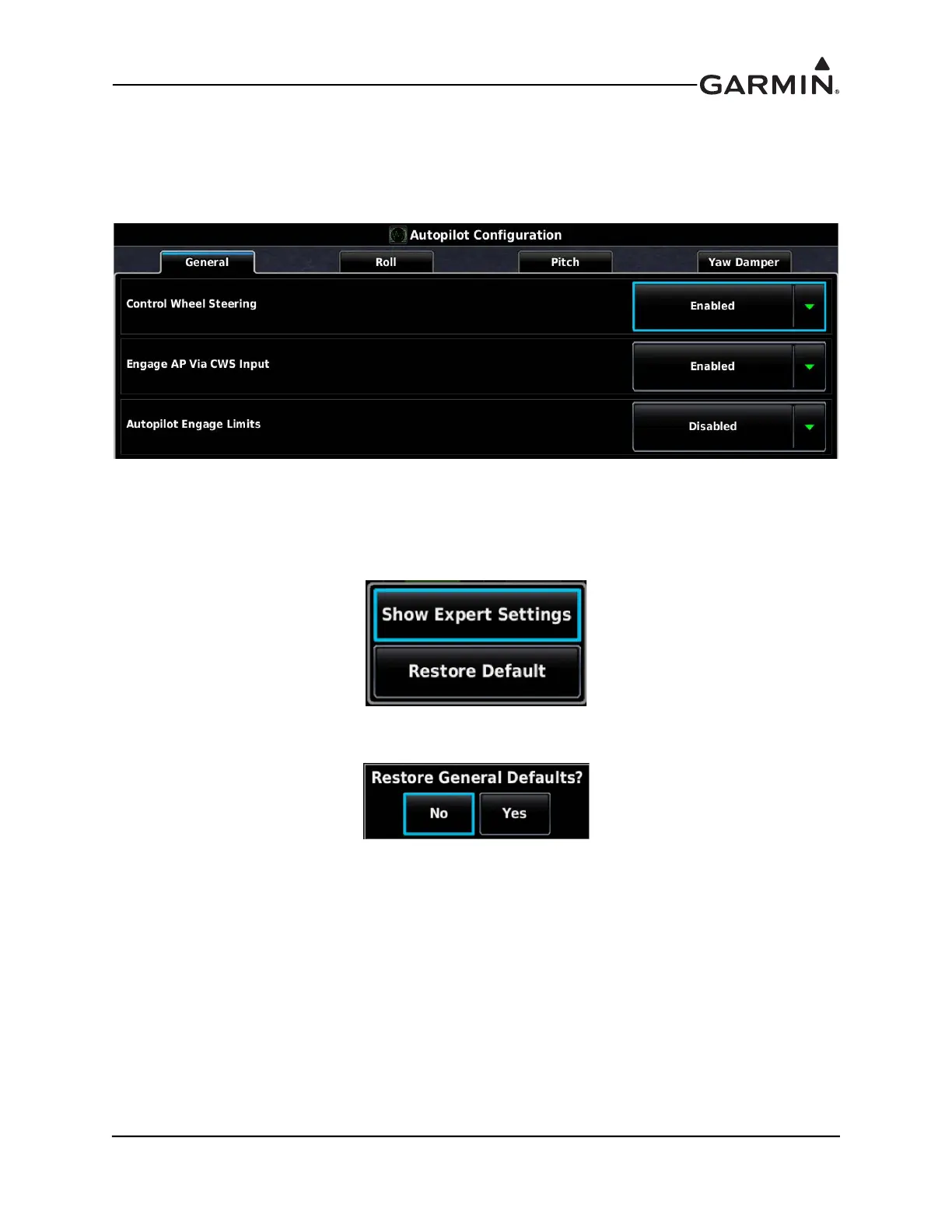
30.4.10.2 Autopilot Configuration Page for the Garmin Autopilot
This section details the autopilot configuration.
1. In configuration mode, use the Touch Panel or a Move Selector Knob to select the Autopilot
Configuration Page.
2. Use the Touch Panel or a Move Selector Knob to select the desired configurable item and make the
desired change.
3. To return to stored default settings, or to display advanced settings, press the Menu key, then press
the desired button on the popup window.
4. Select Yes or No to restore default settings.
5. Press the Back key to return to the Configuration Mode page when finished (if desired).



 To Next Page