190-01115-01 G3X™/G3X Touch™ Avionics Installation Manual
Rev. AV Page 30-158
30.4.23 PFD Configuration Page
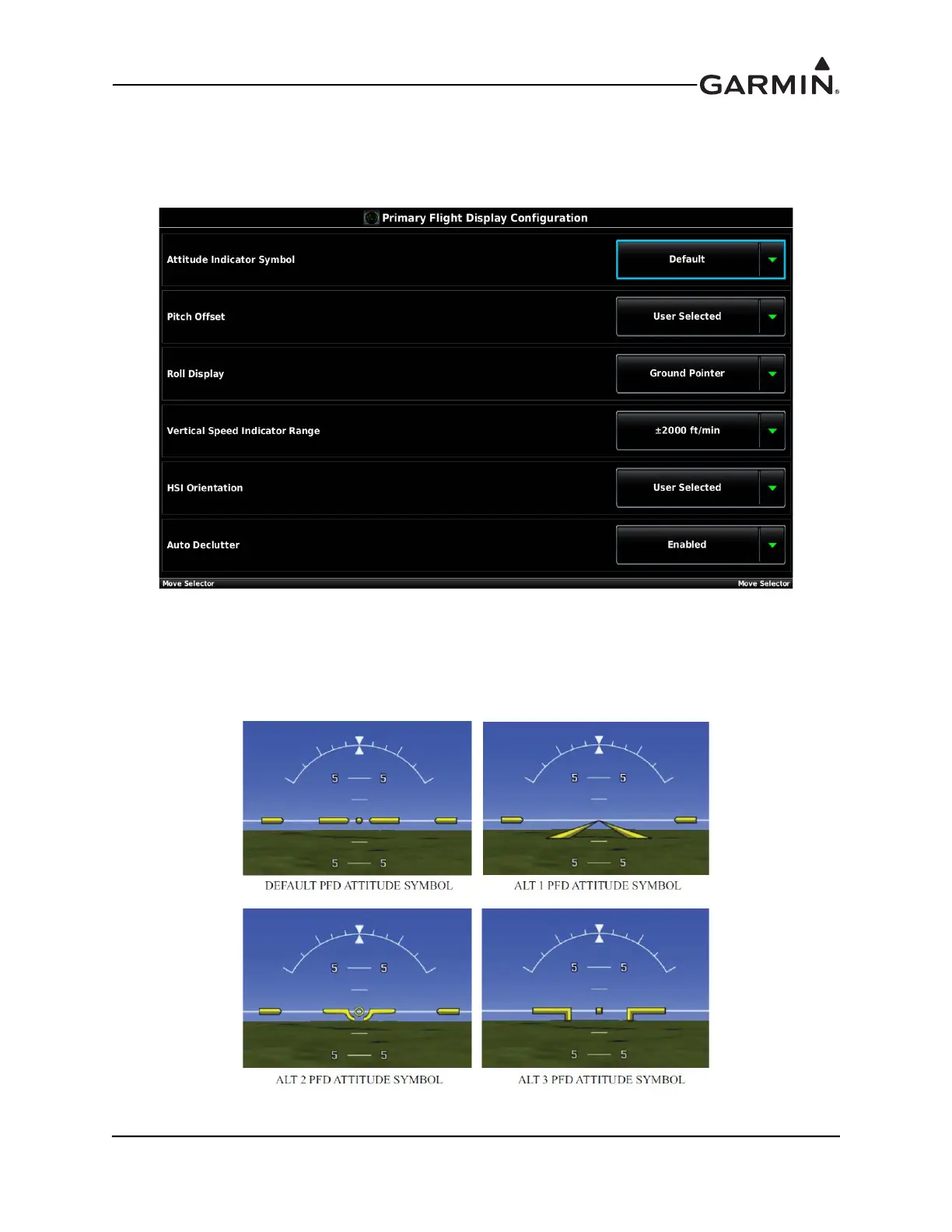
The configuration options for the Primary Flight Display Configuration Page are detailed in this section.
1. In configuration mode, use the Touch Panel or a Move Selector Knob to select the PFD
Configuration Page.
2. Use the Touch Panel or a Move Selector Knob to select the desired configurable item and make the
desired change.
3. Press the Back key to return to the Configuration Mode page when finished (if desired).
Attitude Indicator Symbol - Allows the selection of 4 different PFD attitude symbols (shown in
Figure 30-54).
Figure 30-54 PFD Attitude Symbols



 To Next Page