190-01115-01 G3X™/G3X Touch™ Avionics Installation Manual
Rev. AV Page H-11
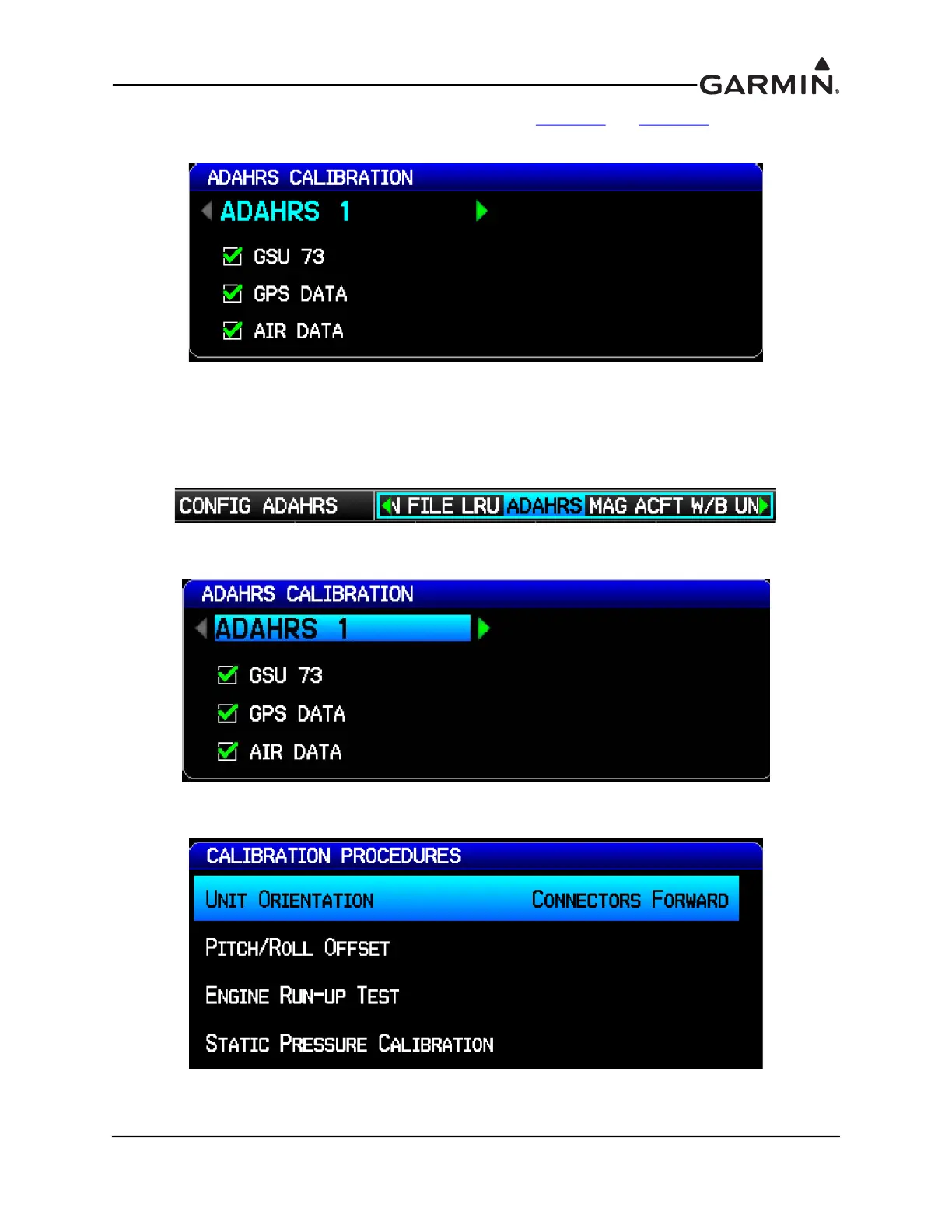
The ADAHRS Configuration Page status boxes referred to in Table H-2 and Table H-3 are shown in the
following figure.
H.4.3.1 ADAHRS UNIT ORIENTATION
1. Enter configuration mode by holding down the left-hand softkey while powering on the PFD 1
display.
2. Use the FMS Joystick to select the ADAHRS Page.
3. Use the FMS Joystick to select which ADAHRS (1, 2, or 3) is being configured.
4. Use the FMS Joystick to select Unit Orientation and press the ENT key.



 To Next Page