190-01115-01 G3X™/G3X Touch™ Avionics Installation Manual
Rev. AV Page H-6
H.4 Configuration Pages
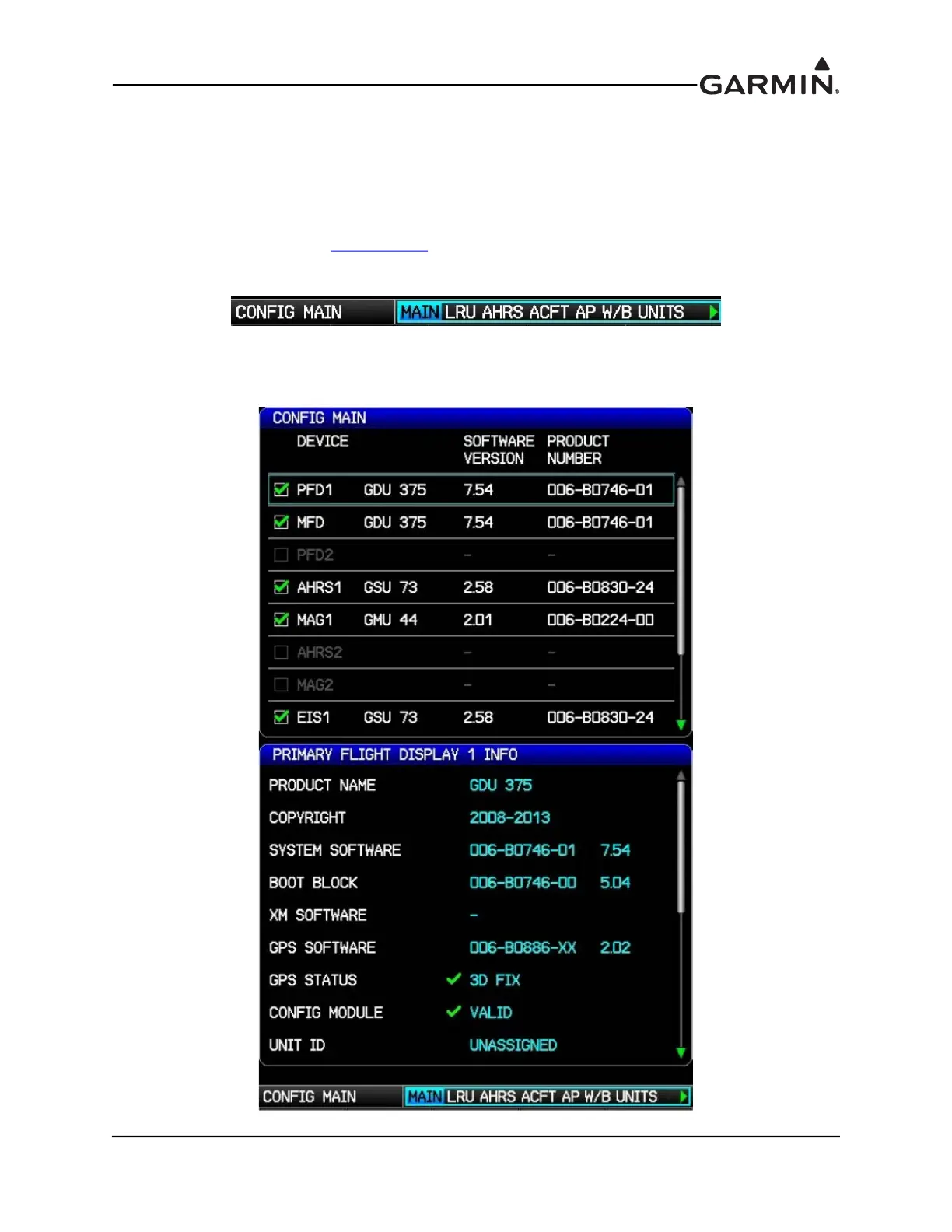
H.4.1 Main Configuration Page
The Main Configuration Page is used to display LRU (device) specific information such as Software
Version, Unit ID’s, System ID’s, and Database information for the various databases used by the G3X.
This page has no user-selectable options. Faults are indicated by a Red X next to the affected LRU.
1. In configuration mode (Appendix H.2
), use the FMS Joystick to select and view the MAIN Page.
The user may also review info in the device INFO box by using the FMS Joystick to scroll through
the items in the list.
2. This page can be used to update the software in the LRUs (highlight the System Software in the
INFO box and press the UPDATE softkey), and also test the annunciator outputs on the EIS and
GMC Mode Controller LRUs by pressing the ANNUN TEST softkey.



 To Next Page